Major Eazy
Suspended / Banned
- Messages
- 1,150
- Name
- John 'Jack'
- Edit My Images
- No
I'm only trying to decide on the type of keyboard, so please no suggestions on any brand or models, just a matter of trying to think what would be right type for me. (I'll worry about brand and models later.)
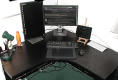
I've got a corner desk, two monitors, I've got wireless mouse already, and got Wacom graphic table. I do graphic design, photography, sometime enjoy doing research and attempting to write novels. I also have iPad on a stand.
I have been thinking of aiming for a wireless keyboard (the current keyboard is a wired one borrowed from my mother when I completed building my new computer).
The thougths of moving the keyboard around, to allow for use of Wacom table, as well as needing the space on the desk for paperwork, is what drove me to thinking about wireless.
But I am also thinking of a gaming type keyboard. I know they are more suited for gaming, but I assume that in theory, you could reprogram most of the keys for use with work application software. Like with Photoshop, Illustrator, SketchUp, etc., etc.
But here's a problem for me: Gaming type keyboards tend to be wired, and as for wireless keyboards, they tend to be somewhat basic layout.
I'm trying to make up my mind, but struggling with a this or that choice.
What do you guys suggest? What are your workspace on your desks like?
I seems more closer to thinking of opt for wireless, if you think about it, pull the wireless keyboard closer to the edge of the desk, in proper position for serious typing, and I could put paperwork on desk between the keyboard and the monitor. With a wired one, those papers would have to be placed on top of the cable.
I'm aware that Photoshop, Illustrator, InDesign, and such application software like them, tend to let you use keys to change tools, but the idea of gaming type keyboards, I thought I could program them for some other tasks.
Well? What do you guys think?
PS: In the past, sometimes a lot of my friends would be impressed with the fact that I can start a new document, save, close, open another document, change fonts, bold, underline, etc., etc., all using the keyboard and hardly used a mouse. They often remarked: "How do you do that? It looks a lot quicker than reaching for the mouse and using it."
I've got a corner desk, two monitors, I've got wireless mouse already, and got Wacom graphic table. I do graphic design, photography, sometime enjoy doing research and attempting to write novels. I also have iPad on a stand.
I have been thinking of aiming for a wireless keyboard (the current keyboard is a wired one borrowed from my mother when I completed building my new computer).
The thougths of moving the keyboard around, to allow for use of Wacom table, as well as needing the space on the desk for paperwork, is what drove me to thinking about wireless.
But I am also thinking of a gaming type keyboard. I know they are more suited for gaming, but I assume that in theory, you could reprogram most of the keys for use with work application software. Like with Photoshop, Illustrator, SketchUp, etc., etc.
But here's a problem for me: Gaming type keyboards tend to be wired, and as for wireless keyboards, they tend to be somewhat basic layout.
I'm trying to make up my mind, but struggling with a this or that choice.
What do you guys suggest? What are your workspace on your desks like?
I seems more closer to thinking of opt for wireless, if you think about it, pull the wireless keyboard closer to the edge of the desk, in proper position for serious typing, and I could put paperwork on desk between the keyboard and the monitor. With a wired one, those papers would have to be placed on top of the cable.
I'm aware that Photoshop, Illustrator, InDesign, and such application software like them, tend to let you use keys to change tools, but the idea of gaming type keyboards, I thought I could program them for some other tasks.
Well? What do you guys think?
PS: In the past, sometimes a lot of my friends would be impressed with the fact that I can start a new document, save, close, open another document, change fonts, bold, underline, etc., etc., all using the keyboard and hardly used a mouse. They often remarked: "How do you do that? It looks a lot quicker than reaching for the mouse and using it."