Beginner Keeping photos

Carpy2001

Suspended / Banned
Messages
520
Name
Andrew
Edit My Images
Yes
Just a quick question if I may.

Should you keep the original image file, or keep the edited version of the image???.

This may sound a bit of a stupid question, but upto now I have not kept any images and only have the space availble on my PC.

The reason for asking is, I think it would help me work out what I am doing with my photography, such as focal lengths etc, if I can look back at what I have done and work out what I like???.

cheers Andy
 
Depends if you shoot JPEG only Andrew, then I would save the edited file with a new name and keep the original just in case. JPEG files tend to shrink in size every time you do a save, as it can be quite destructive. If you shoot RAW as well then that is a different matter because you will create a new TIFF or JPEG file but regardles of edits you make to the RAW file you can always go back to the original file if you save it.

But, whatever you do, I'd keep the original file regardless of format. Advancements in software means you can do so much more with your images than you could before.
 
Keep both the original and the editied version. Keeping the original means you can go back and re-edit it if you want.

Dave
 
At the moment I shoot jpeg. As part of the 52 challenge I took about 20 pics for the panning technique. About 15 of these I deleted in camera because I could see they weren’t what I wanted. 5 got downloaded for a closer look. I picked the best and did some small edits. I only kept the final version of that one pic.

For me the learning happens during this review process but I don’t keep them.

My mission for 2025 is to move to raw files and to learn how to use Affinity so I can have more control in editing. For these I will keep the original file and the final one so I can revisit as I learn more.

But unless I was doing this professionally or taking photos for an assignment (say some portraits for a friend), I would still be brutal in what I retain pre or post edit.

My minimalism is based on looking at my phone which I use for general snaps. I ask myself how often I look at them or share them with someone.
 
Last edited:
I keep all the originals in a separate folder so I have a fresh start if I need it. Edited versions get store elsewhere, sometimes a few copies at different print or screen sizes and colour options.
 
Just to add that your taste and your vision may change as you gain experience. Something that looks good now might look bad later and vice versa. I would advise you to keep both and only delete photos that are obviously bad (missed focus, too slow shutter etc). Hard drive space is cheap - even if you go external storage. Invest in good asset management software so they are easy to find and organise.

I have so many photos I really like from years ago, but I hate the way I edited them. I wish I still had the original. Don't be me.
 
Last edited:
I'm on the side of keeping the originals (after culling duplicates, unnecessary shots, blurred images and so forth).

Recently I went back on a series of photos taken with a d60 and later a d90 in Australia back in 2010 and really enjoyed editing them again. I think you will appreciate having them as time goes by.

As for storage, if you can get an external hard drive around 2tb or so, it will hold many years of photos that you will appreciate in years to come.
 
Every file I import to Lightroom is stored both on the laptop and copied a separate hard drive as an archive. This is done automatically.

Then in Lightroom I cull the images as needed and delete the rejects from the Lightroom (and the laptop) I do not bother to keep the processed images, as they can easily be exported again from Lightroom. However I do assign a colour label to any exported images, so that I know they have been exported.

I have a smart collection in Lightroom, which collates any images that are over 12 months old, and have not been exported, periodically I review these images and either save them or delete them, on the basis that if I have not done anything with them in a year, I am unlikely to do anything with them in the future (and I have a copy saved in my archive).
 
I keep my files in the cloud via Lightroom but I also have two computers, each keeps a local copy of the master files on two hard drives.
 
With increase of cloud backups for everything I do worry about the climate impact of keeping stuff in the cloud "just in case" as it canuse a lot of CO2 to keep all the cloud servers running - different if you keep everything locally I suppose...
 
The fact of the matter is that if it's digital it can be lost, or corrupted. Hence people having multiple copies of their files, just in case. Probably the only - more or less - fool proof way of protecting your pictures is to shoot film and store physical negatives.
 
I'd suggest you keep both. As photo editing software improves in a few years years you might find you can get even better edits.
 
I've several HDs going back over 15 years, mostly with the RAWs saved for 'future use' :)

Have I EVER gone back and re-edited those RAWs? NOPE :D

Now I only save them for a year or so and if I still like the edited JPEGS I bin the RAWs; when it comes around to the 12-months 'keep or bin' have I ever gone back for a RAW file re-edit? NOPE

Any re-edits I've wanted to do have been minor and easily within the bounds of editing the JPEG

NB - if you're pretty new to editing, you may want to keep your FAVE RAW files, just in case skills & tastes change as you learn more
 
I keep everything digital.

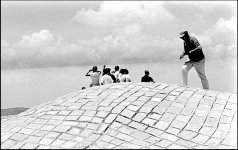
Provided you use a simple system to identify your data, you can go back and rework stuff 50 years old, like this image recorded in 1968...

Pentacon FM 1968 01-18.jpg
 
Which are famously robust and not at all prone to damage or loss. Not to mention just as likely to end up discarded.

Well, you've got me bang to rights on that one. But at least they are physical and the onus is on the owner to store them properly. Although, I often don't practice what I preach in that respect, I must admit. At least I can hold them in my hand. :D
 
Over the last few days I realised that I couldn't find some older files, and ended up going back to archived HDDs. This was a little trickier than might be, because up to 10 years ago I was running Linux as my main home OS, and the drives couldn't be read by Windows. I still have a drive with Linux, so popped it in a pc, recovered data going back to the 90s. It's all sat on a 12TB drive bought as a central archive store. I'll also be making copies to the other 4TB drives I have sat around.

The oldest drive was a 250GB SATA Seagate, but IIRC there's a folder on that from the 5GB Maxtor drive that was my first ever IDE drive. Only one drive ever failed in normal use for me, and that was a 1TB western green drive. They were known to fail when used with Linux, and it's now semi-unreadable.

In the loft I have a pc with W98 and old drives in, built for playing mechwarrior. Doubt it will run now.
 
Last edited:
Just a quick question if I may.

Should you keep the original image file, or keep the edited version of the image???.

This may sound a bit of a stupid question, but upto now I have not kept any images and only have the space availble on my PC.

The reason for asking is, I think it would help me work out what I am doing with my photography, such as focal lengths etc, if I can look back at what I have done and work out what I like???.

cheers Andy
I keep the raw file and the various versions of the processed jpegs (large for printing, Facebook, Instagram, all in BW and colour). That makes 7 files per shot. The raws are huge, around 130mb each and jpegs up to 10mb so yes... storage can be an issue.

I only keep the raw files of photos I actually end up using. The rest... gone. I also use Lacie 5tb drives. Lots of storage for relatively little money. They're nicely padded too. Not a fan of the cloud.
 
Back
Top