ISO setting

Boon

Suspended / Banned
Messages
1,619
Edit My Images
Yes
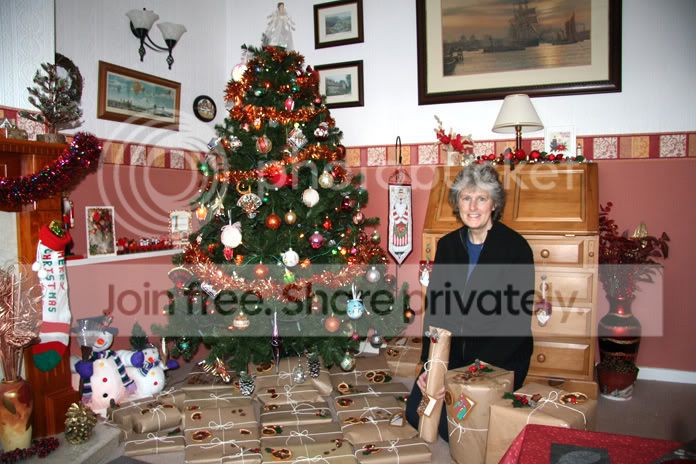
i took a photo of Annie today, but i had previously used ISO 800 on something and forgot to change it back, there is now quite a lot of noise across her face, i have looked at PS, RSE and lightbox, but none give the option to alter the ISO, is the picture lost?
 
hmm..noise can be removed in 'neat image' but its a bit hit and miss at first to get it right. I'm sure others have suggestions, sometimes noise can look really good though ;)
 
Yuo can't change how the chip recorded the image, all you can do is tweak the results.

Try running the image through a noise reduction plugin like noiseware or noiseninja.

:)
 
Difficult to say really Steve - stick the image up and let's have a look at it.
 
Better to shoot it again... put it down to experience - you won't do it again in a hurry after all, will you?
 
this is the picture in question, straight copy from the raw, just saved and re-sized.
annie.jpg
 
Aparr from being a bit on the cool side, it looks OK to me! There are lots of noise reduction programs available, Neat Image is free. But if this was mine I'd be tempted to leave as is, the small amount of noise doesn't distract from the image (I would sort the white balance out tho).
 
Back
Top