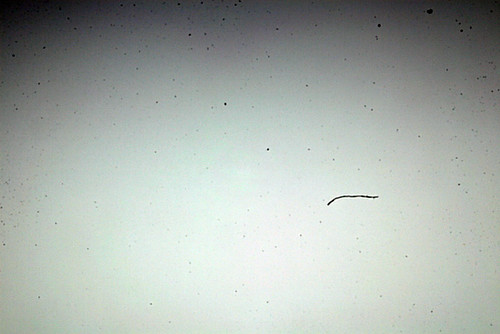
Is this sensor dust?

where? it looks clean to me. 13 second exposure more like hot pixels or noise?
 
Last edited:
It looks fine to me too. Could it be your computer screen?
 
dirty sensor usualy forms mostly around the edges when really manky.. you get grey blobs furthur inside the pic as well...
 
Just noisy, mind you see what you mean now on second photo however sensor dust usually greyish.
 
Last edited:
They look like dead pixels to me.
 
It is not sensor dust as it is pure white and quite defined, sensor dust is grey and usually out of focus and has less definition in its shape. Also sensor dust is of varying sizes on the image. Could be hot pixels as mentioned maybe caused by the long exposure, how much a crop is this?
 
It is not sensor dust as it is pure white and quite defined, sensor dust is grey and usually out of focus and has less definition in its shape. Also sensor dust is of varying sizes on the image. Could be hot pixels as mentioned maybe caused by the long exposure, how much a crop is this?
I think it was about 67%
 
You should try a similar shot again but vary the settings and see if it happens again in the same place on each image.
 
put the original up uncropped lets see what your blowing up?
 
I reckon you've nowt to worry about.
 
Yes. Light can enter the camera through the eyepiece and make its way to the sensor. Doesn't look like that's your problem though. Pretty sure that's not dust spots on your image, looks like hot pixels exaggerated by the long exposure. If you get the same pattern on all long exposures, it's almost certainly that - try turning on "Long Exposure Noise Reduction" in your camera, that will (basically) take a 2nd shot immediately after the one you want but without opening the shutter. This "Dark Exposure" will show only the noise (and you won't be able to see the automatic one*) then the camera will subtract the noise from the original shot, hopefully curing the problem.

*If you want to see the Dark Exposure shot, set the same exposure as you've used in Manual mode and take the shot with the lens cap on. When you look at the shot and zoom in, you'll see the hot pixels.

FWIW, light through the eyepiece is only usually a problem with long exposures when bright light is shining directly on the viewfinder and that's easy to stop, either using the DK5 cover (usually supplied with the body) or anything to stop the light - tape, cloth, whatever's handy! The pattern that direct sunlight falling on the eyepiece of a D700 for 10 seconds looks like...

leakage
by gpn63, on Flickr
 
Back
Top