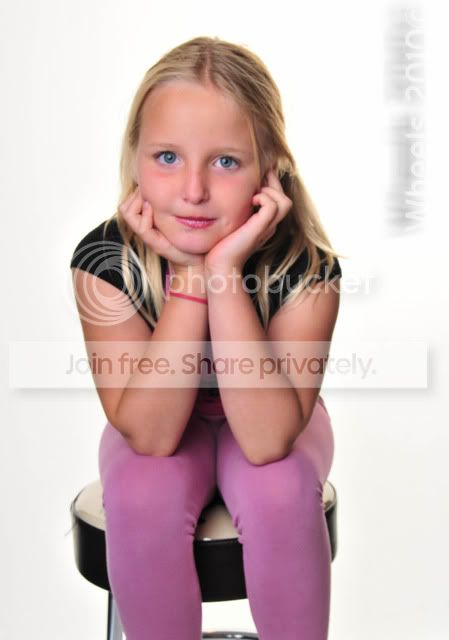
Right I've had a look at the Exif data between the two images...
Firstly Julian you need to set the camera to Manual mode, set the shutter, iso and aperture to some arbitrary setting. I usually kick start with something like 1/160 (i.e. no higher than 1/200), ISO100 (your nikon will be ISO200), and f/5.6
In the second picture you're in a normal program mode, which means and looks like the camera has metered for the halogens, as they look correctly exposed, the flash has done whatever it's wanted and consequently underexposed your subject - DO NOT use program mode, use Manual

Set the White Balance to Flash.
You've got the difficult task of first getting the exposure from the halogens in the background correct... don't worry about the umbrella flash at the moment. Adjust the camera settings until the background is exposed to a level you're happy with - I'd suggest adjusting the aperture only for this if you need to darken it i.e. make the aperture number bigger. Don't make it too bright at this stage. Once your happy with that you can now tune in you flash exposure.
Get the umbrella in roughly the preferred position first... for your first shot put the umbrella at a 10 o clock position to your subject, so that from your (the photographer) perspective it's on your right but much closer to the subject that it is to you. This will give the image a significant Off Camera Flash look and will indicate clearly whether the umbrella flash is firing or, as I still suspect, the camera flash is just firing.
Set the flash to manual mode, and apply an arbitrary setting of around 1/16 power. Take a pic and look to see whether your subject been lit sufficiently. If your subject is too dark, dial the flash up to 1/8, 1/4 etc until you're happy. If your subject has been nuked, then dial the flash down to 1/32, 1/64 etc again until you're happy.
Hopefully you should have something, that although won't be the same as the first picture will certainly be a vast improvement on the second picture.
To get the look of the 1st picture you'll need 3 flashes minimum.. two either side and slightly in front of the subject and one/two illuminating the background. The halogens will be emitting a more orange tone of light compared to the flashes. So you'll have a tough time getting a perfect white background - ultimately they'll need to be replaced with flashes.
Have another bash and let us know how you get on
ads