Is there a name for this Technique?

redhed17

Suspended / Banned
Messages
7,316
Edit My Images
Yes
I've been messing about editing some pics from a recent trip to Venice, and have found a way of getting more contrast in to some flat images using a Luminosity Blend mode with a different edited version of the same image. I'm not sure if/where I have seen this before, and so whether it has a name.

Normally I would start with the image out of the camera
1.
18238-1494873087-9416075e20c0324de7f4abcd5d28862c.jpg


Then I would do an edit of the RAW file.

2.
18239-1494873113-50d4e35a8a01fc507de0eebd1f10e301.jpg


Now I would normally try a graduated filter effect in ACR/Lightroom to get some interest in the sky. However I was playing about with the Silver FX Pro 2 to convert to B&W. Some of the preset conversions really brought out some contrast to the skies. On some pics that would be the end result. :)

The Silver FX Pro 2 B&W conversion, which is a very good result as is.
3.
18240-1494873147-ce7262e52da1517df6c9f5a043428847.jpg


But on some of the pics I didn't like the B&W conversion, but I did like the range of contrast changes it did, so I copied the Silver FX layer, turned the Silver FX effect off on the bottom layer, and went through the blend modes to see the effects it had, and found the Luminosity Blend mode worked very well. Which kind of makes sense. The effect can sometimes be a bit too contrasty and saturated, but can be controlled with the Opacity slider. I really like the effect on some flat(ish) skies though.

The finished image. I think it makes it 'pop' a lot more than it did.
4.
18241-1494873176-6623ae5f472cb6a55f4d2e9297714e8f.jpg


So has this use of the Luminosity Blend mode using a different edited image got a name?
 
IIRC it's called contrast masking

EDIT: No it's not.

It's a similar idea to Bleach Bypass in colour film processing, where the B&W latent silver image is not bleached out but left to increase contrast.
 
Last edited by a moderator:
I used to do this technique with my grittier street images - works well alongside the channel mixer. I don't think there's a name for it as far as I know.
 
It's called color overlay or "colorizing" where color is added to a B&W image. It's usually done to a lesser extent, more like hand tinting used to be done.

But I don't think your description is right... for the luminosity blend mode to leave a color image the B&W layer would have to be on top and in luminosity mode (luminosity mode ignores color information).
 
IIRC it's called contrast masking
Thanks for the replies. :)

I looked at the Contrast Masking which seemed a bit more involved than what I was doing. But I think you had realised that when I came back to post Alan. :)
It's called color overlay or "colorizing" where color is added to a B&W image. It's usually done to a lesser extent, more like hand tinting used to be done.
I don't think it is colorizing, as it is adding the contrast to the colour image via the Luminosity Blend Mode, not adding colour to a B&W image.
But I don't think your description is right... for the luminosity blend mode to leave a color image the B&W layer would have to be on top and in luminosity mode (luminosity mode ignores color information).

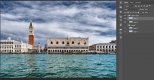
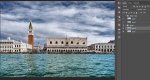
Here is the Layer Palette showing the final order of the Layers. You can see by the bottom layer that there is little contrast, but the top layer adding the contrast gives you the final image. (#4 above)
18242-1494874768-18478da7213ea70928cc73b9cd7278c0.jpg


I would rather have had total control of what happens, but the Silver Efex Pro 2 software does some great conversions by default that seem to have a lot going on that I don't understand. I thought I was pretty good at B&W too. :( :LOL: This, whatever it may be called, ;) is something worth giving a go on some flatish images as it can really make them 'pop'.
 
I've found a few online tutorials covering this method, but no one has given it a catchy name yet that I can see.
 
I've seen tutorials where this was recommended (Kelby or Kloskowsky, perhaps??) and have used it pretty much as you have, though I always have opacity of the B&W layer down at 20-40%. No idea about a name for it though.
 
I must have seen it somewhere then, and just subconsciously did it. :)

I think the Silver Efex Pro 2 makes quite difference in how much contrast and depth the B&W layer has to apply to the colour image. :) Glad it is free. :D
 
Aha it's the new "redhed17 method" in that case :)
 
I don't think it is colorizing, as it is adding the contrast to the colour image via the Luminosity Blend Mode, not adding colour to a B&W image.
You are combining a B&W with a Color image to create a color composite. And a B&W image *is* luminosity (i.e. gray scale, if you have only a B&W layer and change the mode to luminosity it doesn't change).

Anytime you add color with B&W it is a form of "colorizing," selective color and split toning are other examples. Otherwise, I don't know what you would call it.
In fact, you will get the exact same result if you put the color layer on top and set it's mode to "color" instead (the underlying B&W layer could even be set to "luminosity" and it would look the same).


Screen Shot 2017-05-16 at 1.29.00 PM.jpg

Screen Shot 2017-05-16 at 1.29.21 PM.jpg


Here is the Layer Palette showing the final order of the Layers.
I must have misread the description the first time...
 
Last edited:
You are combining a B&W with a Color image to create a color composite. And a B&W image *is* luminosity (i.e. gray scale, if you have only a B&W layer and change the mode to luminosity it doesn't change).

Anytime you add color with B&W it is a form of "colorizing," selective color and split toning are other examples. Otherwise, I don't know what you would call it.
In fact, you will get the exact same result if you put the color layer on top and set it's mode to "color" instead (the underlying B&W layer could even be set to "luminosity" and it would look the same).

I bow to your superior knowledge about being a 'colorized' image. :) Thanks for the tip of either using the Luminosity or Color Blend modes to get the same effect. :)
 
I used to do a similar thing with some of my gig pics, particularly if it was a bit lacking in contrast to start with.
Open in LR, crop to taste, export to PS, covert to black & white (Keeping low contrast) and change blend mode to "Overlay" or whatever you fancy.

Cropped raw.
_DSC9380.jpg

Convert to B&W, change blend to overlay.

._DSC9380-Edit.jpg
 
Sorry, for me all of the above look like overblown HDR. An admirable mastery of technique, but more suited for the chocolate box. Just my opinion! :)
 
It's really a colour selective luminosity enhancement isn't it? Using Silver FX is applying a colour channel B&W conversion, and using this layer as a luminosity mask targets the colour channel luminosity adjustments in the B&W conversion onto the colour image. You could shortcut it and just apply a colour channel luminosity adjustment in LR using the HSL panel.
 
Sorry, for me all of the above look like overblown HDR. An admirable mastery of technique, but more suited for the chocolate box. Just my opinion! :)

If we all liked the same thing it would there would be one picture. ;) :LOL: Seriously, I did mention earlier in the thread that the intensity of the effect could be controlled with the Opacity Slider. Although thinking about it you could desaturate but keep the contrast. All edited to personal taste of course. ;)
It's really a colour selective luminosity enhancement isn't it? Using Silver FX is applying a colour channel B&W conversion, and using this layer as a luminosity mask targets the colour channel luminosity adjustments in the B&W conversion onto the colour image. You could shortcut it and just apply a colour channel luminosity adjustment in LR using the HSL panel.

I think the Silver Efex Pro 2 does a bit more than just adjust colour channels, but again, I may be wrong. It certainly gives more complex B&W conversions than I can do with just adjusting the colour channels. Plus it is just a matter of going through the presets to see if there is one either exactly what you want, or close to it. If I used the same preset each time I could set up an action and do it in seconds. As it is it only takes a minute or so. :)
 
I think it looks much better than the original, a really good idea.
 
If we all liked the same thing it would there would be one picture. ;) :LOL: Seriously, I did mention earlier in the thread that the intensity of the effect could be controlled with the Opacity Slider. Although thinking about it you could desaturate but keep the contrast. All edited to personal taste of course. ;)


I think the Silver Efex Pro 2 does a bit more than just adjust colour channels, but again, I may be wrong. It certainly gives more complex B&W conversions than I can do with just adjusting the colour channels. Plus it is just a matter of going through the presets to see if there is one either exactly what you want, or close to it. If I used the same preset each time I could set up an action and do it in seconds. As it is it only takes a minute or so. :)
The example I posted was just a quick and dirty run through, it all depends on the start image, and yes, the opacity slider is your friend. :-)
 
This reminds me of a technique of dodging and burning a grey layer with the Soft Light / Luminosity overlay to achieve the same thing but in a more targeted way...
The B&W conversion is essentially a very precise dodge & burn I think?
 
From memory I have seen this done by Joel Grimes and Calvin Hollywood, probably a few others I can't remember as well.

Also you can get the same result putting the black and white on the bottom and changing the top layer to Color
 
Last edited:
Last edited:
I think for most people images like that illicit a feeling rather than a name for most people. ;) :LOL:

Some may get the same feeling, though to I hope a lesser extent, to the images I posted. :LOL:
 
Back
Top