iPhone 14 Pro camera?

I too was shocked at the price of decent compacts when looking at a travel camera. I went with a Olympus em-10 mk4 which in body only at least is dwarfed by an iPhone in length and width (just not depth) but obviously a lens can reverse that but also plenty of tiny lenses that make it not much bigger than the tiny Sony compacts.
I have the EM10-II with pancake lens but it's still not as pocketable as I'd like. It's OK in winter when wearing a coat, not so easy to pocket in the summer (y)
 
Crumbs. Beginning to wish I’d not read this thread.

That RX1007 gotta be the answer.
It’s an excellent camera with ninja like autofocus, truly outstanding eye detection for kids running around but such a fiddly little thing to use and change settings on.
 
Crumbs. Beginning to wish I’d not read this thread.

That RX1007 gotta be the answer.

If you can get one, most places are out of stock. I've got the M6 and its an excellent little camera but I'd like to upgrade to the M7 mainly for the tracking.
 
Crumbs. Beginning to wish I’d not read this thread.

That RX1007 gotta be the answer.
I don't need the improvements of the V7 over the V6 (or the extra price tag), but I like the V6 over the V5 for the one step EVF and zoom range (y).
 
Last edited:
I love how pocketable my phone is. I can live with location, scouting and quick snaps from it. But taking more control means Halide/Lightroom or similar. But I’d need to carry my reading glasses and cope with fiddly touch controls. I’m gonna give it a go. Mustn’t condemn it before trying.
 
I love how pocketable my phone is. I can live with location, scouting and quick snaps from it. But taking more control means Halide/Lightroom or similar. But I’d need to carry my reading glasses and cope with fiddly touch controls. I’m gonna give it a go. Mustn’t condemn it before trying.
Halide's good but expensive, I'm thinking of trying ProCamera or ProCam8. Lightroom is horrible to take photos with, small image and doesn't auto rotate when changing from portrait to landscape.
 
I love how pocketable my phone is. I can live with location, scouting and quick snaps from it. But taking more control means Halide/Lightroom or similar. But I’d need to carry my reading glasses and cope with fiddly touch controls. I’m gonna give it a go. Mustn’t condemn it before trying.

Good on you Trevor, In my opinion its always worth trying something even if it doesn't really work for you and sometimes it just does, nothing ventured nothing gained.
 
Last edited:
Halide's good but expensive, I'm thinking of trying ProCamera or ProCam8. Lightroom is horrible to take photos with, small image and doesn't auto rotate when changing from portrait to landscape.

I've already sung the praises of "ProCamera" and one other thing that it has over Halide is a very usable video mode. "ProCam 8" is also very good but is a bit of a donkey when changing lenses etc. I also have this on my iPhone and as you can see I've virtually tried all of the better apps available but still am the most comfortable & fluent when using "ProCamera".

One thing I did forget to mention that ProCamera has is if you tap the lens digit that you are using ie .5, 2x, etc it immediately goes to twice that focal length and still produces a full megapixel file. Sure with my iPhone 12 Pro Max there's a dip in quality but still acceptably usable.
 
I've already sung the praises of "ProCamera" and one other thing that it has over Halide is a very usable video mode. "ProCam 8" is also very good but is a bit of a donkey when changing lenses etc. I also have this on my iPhone and as you can see I've virtually tried all of the better apps available but still am the most comfortable & fluent when using "ProCamera".

One thing I did forget to mention that ProCamera has is if you tap the lens digit that you are using ie .5, 2x, etc it immediately goes to twice that focal length and still produces a full megapixel file. Sure with my iPhone 12 Pro Max there's a dip in quality but still acceptably usable.
Thanks George, I'm not sure what you mean by the bit in bold though? I know on the pro's you've got the UWA (0.5x) and two teles (2x and 3x) but my understanding is that they're all 12mp, and one of them is just a crop from the 48mp standard focal length, and it's only the standard focal length camera that you can get the full 48mp image from?
 
Thanks George, I'm not sure what you mean by the bit in bold though? I know on the pro's you've got the UWA (0.5x) and two teles (2x and 3x) but my understanding is that they're all 12mp, and one of them is just a crop from the 48mp standard focal length, and it's only the standard focal length camera that you can get the full 48mp image from?

What I was trying to say is when the ProCamera app is open the three lens focal lengths are displayed ie on my "iPhone 12 Pro Max" those being .5 = 13mm, 1x = 26mm, and 2.5 = 65mm. If you tap any of those digits they immediately give the field of view of twice their focal length ie the 13 mm uw will go to 52mm fov, the 26mm will go to 52mm fov, and the 65mm will go to 130mm fov.
 
What I was trying to say is when the ProCamera app is open the three lens focal lengths are displayed ie on my "iPhone 12 Pro Max" those being .5 = 13mm, 1x = 26mm, and 2.5 = 65mm. If you tap any of those digits they immediately give the field of view of twice their focal length ie the 13 mm uw will go to 52mm fov, the 26mm will go to 52mm fov, and the 65mm will go to 130mm fov.
That seems odd that they don’t show the correct FOV, how’re are supposed to frame the picture if you’re seeing a FOV twice as narrow as it should be?
 
That seems odd that they don’t show the correct FOV, how’re are supposed to frame the picture if you’re seeing a FOV twice as narrow as it should be?

I'm still not sure you quite understand what I'm saying, so let me put it a different way. If you were taking a snap with your iPhone and you wanted to get a cropped fov you can expand the image seen on the screen using a pinch and expanding that pinch. It will then give you the fov of longer lens. If you tap the lens icon instead on any lens in "ProCamera" it will do exactly the same thing but exactly twice the focal length, ie tap the 26mm icon on my "12 Pro Max" and it will give you exactly the fov shown on the screen of a 52mm lens.
 
I'm currently playing with Cinema3P and BeastCam for video now that Filmic Pro has announced a subscription model. Prices are low at £7.99 (but with a cut down free mode) for Cinema3P and a whopping £1.79 for BeastCam. Both have a good feature set but don't have Filmic Pro's built-in gimbal control.
 
I'm currently playing with Cinema3P and BeastCam for video now that Filmic Pro has announced a subscription model. Prices are low at £7.99 (but with a cut down free mode) for Cinema3P and a whopping £1.79 for BeastCam. Both have a good feature set but don't have Filmic Pro's built-in gimbal control.

They both look interesting Garry, I think it is actually "CinemaP3". Just wondered if it supports the Apple Watch as I see the BeastCam doesn't although it does look as if it could be quite useful.
 
I'm still not sure you quite understand what I'm saying, so let me put it a different way. If you were taking a snap with your iPhone and you wanted to get a cropped fov you can expand the image seen on the screen using a pinch and expanding that pinch. It will then give you the fov of longer lens. If you tap the lens icon instead on any lens in "ProCamera" it will do exactly the same thing but exactly twice the focal length, ie tap the 26mm icon on my "12 Pro Max" and it will give you exactly the fov shown on the screen of a 52mm lens.
Ahh sorry, I must have had my numpty head on this morning :lol: In my defence when using the native camera app you tap the 0.5x, 2x etc to go to that camera mode not to zoom (y)

So what you're saying is if you're in the 24mm camera (standard camera) and click the 1x icon it will zoom to 48mm? In this instance would it still be 48mp, i.e. it uses interpolation to create 'new pixels' like the Sony Clear Image Zoom

If so is this jpeg only or is it still a raw file?
 
Ahh sorry, I must have had my numpty head on this morning :LOL: In my defence when using the native camera app you tap the 0.5x, 2x etc to go to that camera mode not to zoom (y)

So what you're saying is if you're in the 24mm camera (standard camera) and click the 1x icon it will zoom to 48mm? In this instance would it still be 48mp, i.e. it uses interpolation to create 'new pixels' like the Sony Clear Image Zoom

If so is this jpeg only or is it still a raw file?

Its still a raw image, as for the 48mp I can't answer that at the moment as I don't have the "iPhone 14 Pro Max" and my wife is away with hers at the moment.
 
Its still a raw image, as for the 48mp I can't answer that at the moment as I don't have the "iPhone 14 Pro Max" and my wife is away with hers at the moment.
Cool, thanks. I think I’m going to have to give the 14 pro a go and just put up with the larger form factor (y)
 
Cool, thanks. I think I’m going to have to give the 14 pro a go and just put up with the larger form factor (y)

That sounds like the right decision to me. :)
 
They both look interesting Garry, I think it is actually "CinemaP3". Just wondered if it supports the Apple Watch as I see the BeastCam doesn't although it does look as if it could be quite useful.

Ah, thanks. I even looked it up on my phone and still got it wrong. :D

As far as I can find out, neither of them support the Apple Watch.
 
Ah, thanks. I even looked it up on my phone and still got it wrong. :D

As far as I can find out, neither of them support the Apple Watch.
How can you use Apple Watch with a camera app?
 
How can you use Apple Watch with a camera app?

I don't as yet have an Apple watch but will very soon. You can control your iPhone snapping from the watch using it as a remote on some apps including viewing the phone screen and zooming using the control wheel on the watch. Very useful for low down snaps or where it is difficult to see the phone screen.
 
I don't as yet have an Apple watch but will very soon. You can control your iPhone snapping from the watch using it as a remote on some apps including viewing the phone screen and zooming using the control wheel on the watch. Very useful for low down snaps or where it is difficult to see the phone screen.
Ahh the wonders of tech. I have the apple watch but never used it to take photos, didn't even know you could :oops: :$
 
And from this camera phone I have done 8x10 enlargements that look great.
On you tube a chap printed A2
 
@G.K.Jnr. does ProCamera allow you to shoot raw and jpeg simultaneously?
 
@G.K.Jnr. does ProCamera allow you to shoot raw and jpeg simultaneously?

If it does I've certainly not found out how to do it, in actual fact I don't know of any cell phone app that does allow that.
 
Ahh the wonders of tech. I have the apple watch but never used it to take photos, didn't even know you could :oops: :$

not only take photos but you have the live feed from the smartphone camera it is paired with.

i played about with it when i had an apple watch ( not to spy on people lol, just to try out the tech )
 
If it does I've certainly not found out how to do it, in actual fact I don't know of any cell phone app that does allow that.
Thanks George. You can shoot both with Halide.
 
Thanks George. You can shoot both with Halide.

It's something I've not even considered as I've never yet snapped in JPG on anything. To me it must be like owning a supercar and towing a trailer with it.
 
It's something I've not even considered as I've never yet snapped in JPG on anything. To me it must be like owning a supercar and towing a trailer with it.
I don’t normally shoot both but with a phone sometimes you want that instant picture to share etc which is why I’d want jpegs too.
 
I don’t normally shoot both but with a phone sometimes you want that instant picture to share etc which is why I’d want jpegs too.

I must sound like a real oddball as that's also something I never do.
 
I must sound like a real oddball as that's also something I never do.
It’s not something I do a lot, but I’d like the option. I guess there’s always Lightroom mobile.
 
If it does I've certainly not found out how to do it, in actual fact I don't know of any cell phone app that does allow that.
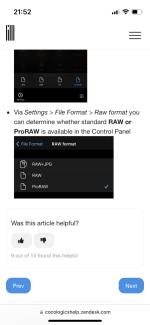
Just found this on the procamera support page (y)

08EA596A-5CB6-4ADE-9A59-EAF4205F5AB0.png
 
Yes I've seen that but it's ordinary "RAW & JPG", I only snap in "Pro RAW" which as far as I know cannot include JPG simultaneously.
Ahh right, I think we’ve been talking two different things :lol: Yes, I believe it can only do ProRaw on it’s own, if you want jpeg too it has to be raw. I’ve not found any yet that can shoot ProRaw and jpeg simultanously.

I’m still waiting stock of the 14 pro so it’s going to be a while before I get to try these out :headbang::D
 
Back
Top