


DpM
Suspended / Banned
- Messages
- 892
- Name
- Dean
- Edit My Images
- Yes
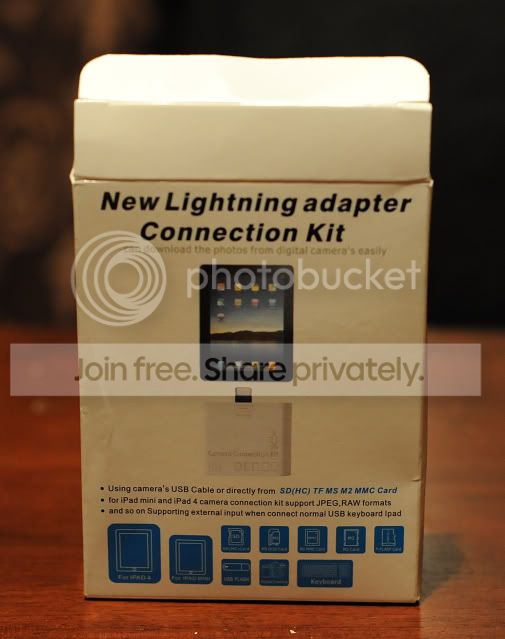
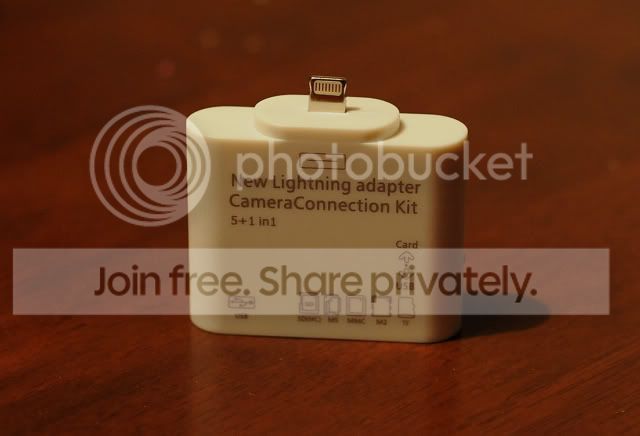
I took the plunge and ordered one from the bay for £7.99 , I was not keen to pay Apple prices for a cable. I know, buy cheap but twice, but experience with the charge cables tells me even Apple leads are not that rugged.
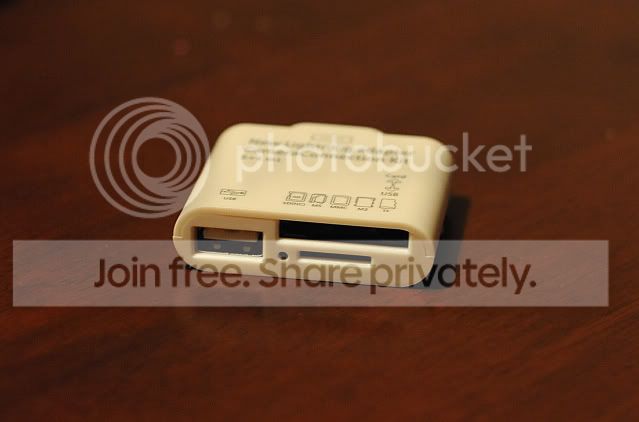
There seem two be two main types on sale at the moment the one I chose was because it was a UK seller and I liked the idea that I could plug in a keyboard to use on the iPad if need be.
I have tested it out connecting my DSLR via USB and uploading some RAW files. It loaded the preview screen on the iPad within about 30 seconds. Good as there were around 250 shots on the card. Importing 6 photos took about 20 ish seconds, not too bad as the RAW files are around 15mb each.
It works well and will be great for me to use when shooting portraits to give the clients a preview of the photos. Below are a list of pros and cons.
Pros
1. Does what it should.
2. Value for money compared to official kit.
3. Takes lots of card types as well as cameras, USB memory sticks and Keyboard use (via USB port).
4. Fairly fast transfer speed and quick to preview photos prior to transfer.
5. RAW compatible, great for photographers that don't want to shoot JPG also.
Cons
1. The connection would not take any real weight. What I mean by this is if your plugging in something by USB I wold not wave the iPad around. I think this is due to the nature of the lightning connection it's just so small! The same item using the old 30 pin connector might take a bit more weight.
2. You get what you pay for, what I mean is the plastic used is cheap.
Overall if you don't want to pay Apple accessory money and want more connectivity options then go for it.
Here are a few pics transferred to the iPad using the kit, cropped in photoshop and uploaded to photo bucket all on my iPad, handy!
There seem two be two main types on sale at the moment the one I chose was because it was a UK seller and I liked the idea that I could plug in a keyboard to use on the iPad if need be.
I have tested it out connecting my DSLR via USB and uploading some RAW files. It loaded the preview screen on the iPad within about 30 seconds. Good as there were around 250 shots on the card. Importing 6 photos took about 20 ish seconds, not too bad as the RAW files are around 15mb each.
It works well and will be great for me to use when shooting portraits to give the clients a preview of the photos. Below are a list of pros and cons.
Pros
1. Does what it should.
2. Value for money compared to official kit.
3. Takes lots of card types as well as cameras, USB memory sticks and Keyboard use (via USB port).
4. Fairly fast transfer speed and quick to preview photos prior to transfer.
5. RAW compatible, great for photographers that don't want to shoot JPG also.
Cons
1. The connection would not take any real weight. What I mean by this is if your plugging in something by USB I wold not wave the iPad around. I think this is due to the nature of the lightning connection it's just so small! The same item using the old 30 pin connector might take a bit more weight.
2. You get what you pay for, what I mean is the plastic used is cheap.
Overall if you don't want to pay Apple accessory money and want more connectivity options then go for it.
Here are a few pics transferred to the iPad using the kit, cropped in photoshop and uploaded to photo bucket all on my iPad, handy!

