Intermittent whirring noise from PC

unclened

Suspended / Banned
Messages
4,009
Edit My Images
No
Hi all,

I haven't had a chance to open my case up and take a closer look, but just wandering if anyone else has had an intermittent whirring noise from their PC? It lasts for 10 seconds and then goes off for about 10-15 seconds and returns. Any guesses what it could be?

Thanks in advance!
 
Probably a fan on its way out, they sometimes whirr or chatter before they give up. Video card fans can be a source of noise, they are a pain to replaced too.

Worth a check sooner than later.
 
Thanks Chris, the CPU fan is pretty new and aftermarket so unlikely it's that. The video card is fanless, so my guess is that it's the PSU Fan or a hard drive.
 
It sounds like a cycling vibration pattern. You might find a loose casing panel, or possibly a hard drive isn't fastened down firmly and is moving a little.
 
open the case up and power on the machine, touch various surfaces and see if the vibrating stops.

(watch your fingers on fans, dont touch the tracks/components on circuit boards etc)
 
The case and PSU fans have probably dried out. Turn it off and unplug it. Fill up a bath and then pop the PC in it - that should stop the whirring noise.


Please don't do this.


I would, but presently I'm a few digits short on my right hand (thanks to Neil's suggestion above) and therefore will struggle to lower the beast into the bath. I can however bring a kettle over, will that do the trick?
 
open the case up and power on the machine, touch various surfaces and see if the vibrating stops.

(watch your fingers on fans, dont touch the tracks/components on circuit boards etc)

I just tried that, the PSU and CPU fan's seems fairly stable and no vibrations can be felt. I do however feel the vibrations coming from the HDD bays. I can't tell which one it is because they are all screwed into the bay/case and the vibrations across most of them. When I do a reboot I'll unplug them one by one to isolate the source.
 
Sorry @hsuffyan - couldn't resist :D

If you feel comfortable opening up the case and having a gentle prod around that's not a bad shout by Neil... but conversely best not to if you haven't got the confidence to do it (as with all of these things, it's all easy/stress free when you've done it a bit, but the first time can be daunting).

Have you recently installed / uninstalled any hardware (talking about things like new memory rather than plugging in a USB cable!)?
 
I just tried that, the PSU and CPU fan's seems fairly stable and no vibrations can be felt. I do however feel the vibrations coming from the HDD bays. I can't tell which one it is because they are all screwed into the bay/case and the vibrations across most of them. When I do a reboot I'll unplug them one by one to isolate the source.

Notorious for vibrations, especially the old high speed ones like Raptors. There is a bit of a hack that some people use when they start to get particularly anal about vibration control:

http://forums.overclockers.co.uk/showthread.php?t=18269719

Not for the faint hearted (or those who transport their PCs around frequently!)
 
I just tried that, the PSU and CPU fan's seems fairly stable and no vibrations can be felt. I do however feel the vibrations coming from the HDD bays. I can't tell which one it is because they are all screwed into the bay/case and the vibrations across most of them. When I do a reboot I'll unplug them one by one to isolate the source.
what case is it? are the drives rubber mounted at all?
 
Sorry @hsuffyan - couldn't resist :D

If you feel comfortable opening up the case and having a gentle prod around that's not a bad shout by Neil... but conversely best not to if you haven't got the confidence to do it (as with all of these things, it's all easy/stress free when you've done it a bit, but the first time can be daunting).

Have you recently installed / uninstalled any hardware (talking about things like new memory rather than plugging in a USB cable!)?

No worries mate, I had a chuckle. I built the machine, so fairly comfortable prodding around. Everythings backed up too and it's not the SSD, so I'm happy to chuck away a HD if it is that.
 
Good stuff... sure you'll get to the bottom of it in no time. We have a very annoying vibration/rattle on our Landrover which is something I'm far less comfortable having a poke around inside! PCs are easy in comparison...

How old is the HDD - one of my old ones started making a weird noise after a few years and sure enough it died on my 6 months later. Completely ad-hoc evidence I know, but that feels like the most probable candidate.
 
what case is it? are the drives rubber mounted at all?

No rubber mounts, just straight screws into the HD and stack within the case.

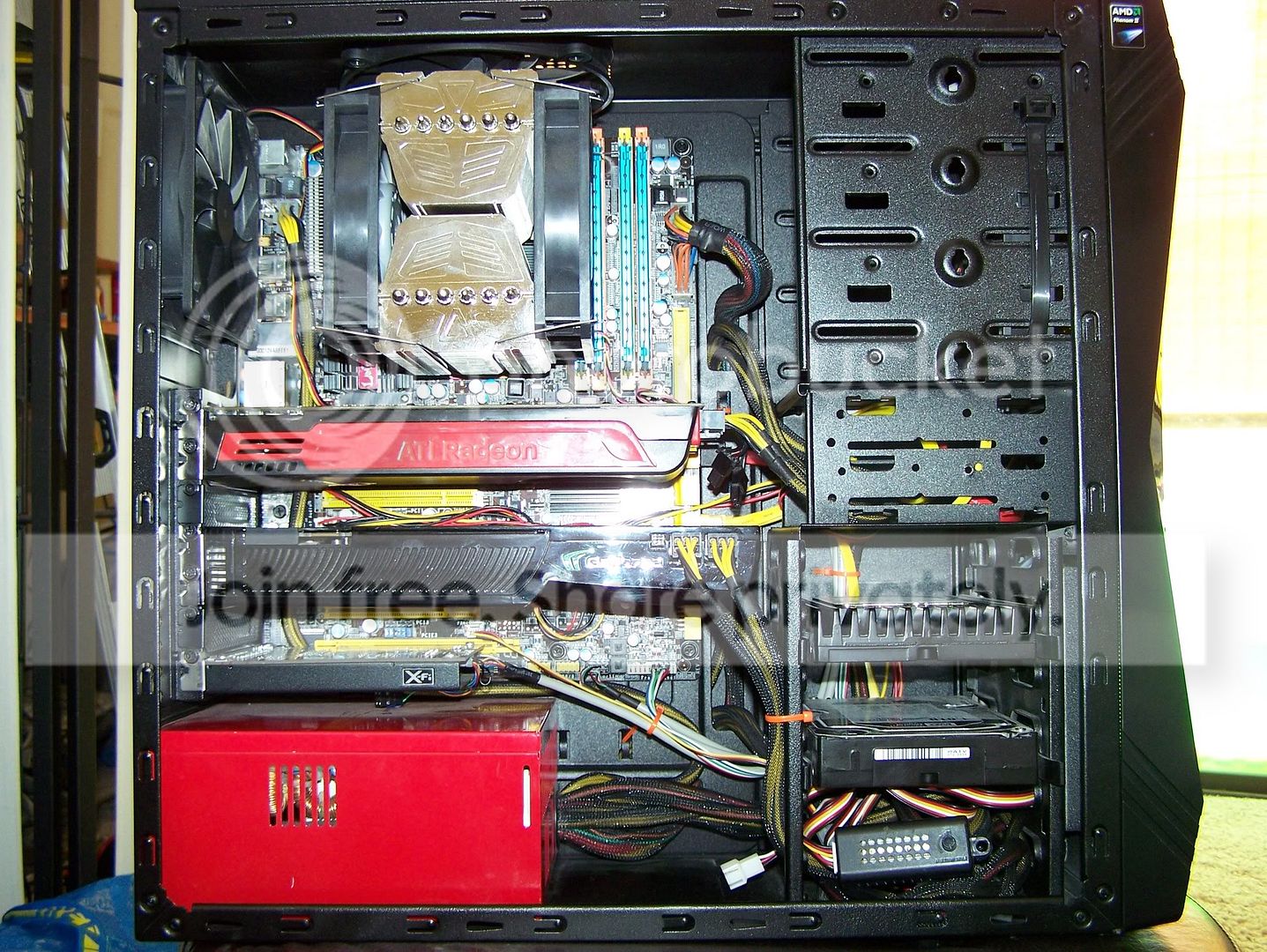
It's a Casecom 6788 and looks like this ugly mofo

100_5959.jpg
 
Good stuff... sure you'll get to the bottom of it in no time. We have a very annoying vibration/rattle on our Landrover which is something I'm far less comfortable having a poke around inside! PCs are easy in comparison...

Fit a louder stereo!!! SO many places in a Landy that rattle that it's all but impossible to find them let alone cure them!
 
Unplug the case fans for a short time to eliminate them,and any additional drives except the SSD.This may help narrow down the culprit.
 
Back
Top