infared pictures

ojfrancis

Suspended / Banned
Messages
51
Name
John Francis
Edit My Images
Yes
bought a hoya IR filter and decided to have a play with it today, at the track in leeds. i have been trying to edit them but i can't get the effect i am looking for, i am using photoshop CS4, but pretty new to it, any help at all, will be greatly appricated.

i started off with this:
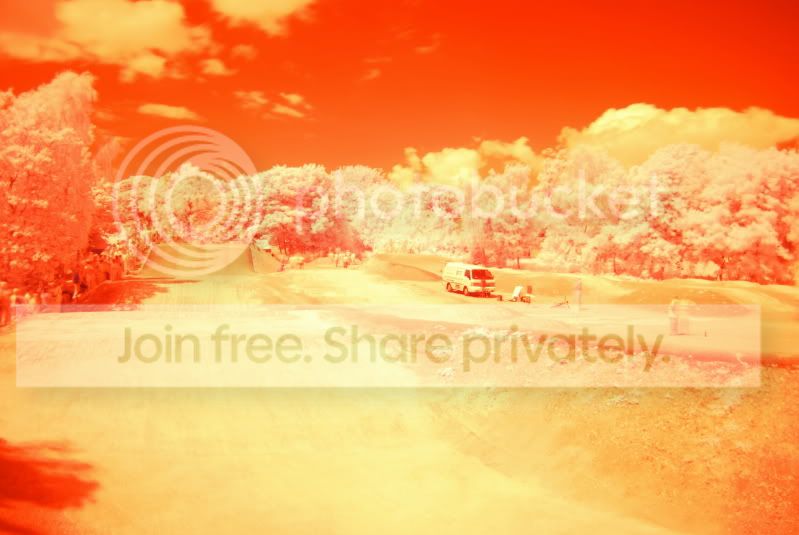
DSC_0078.jpg


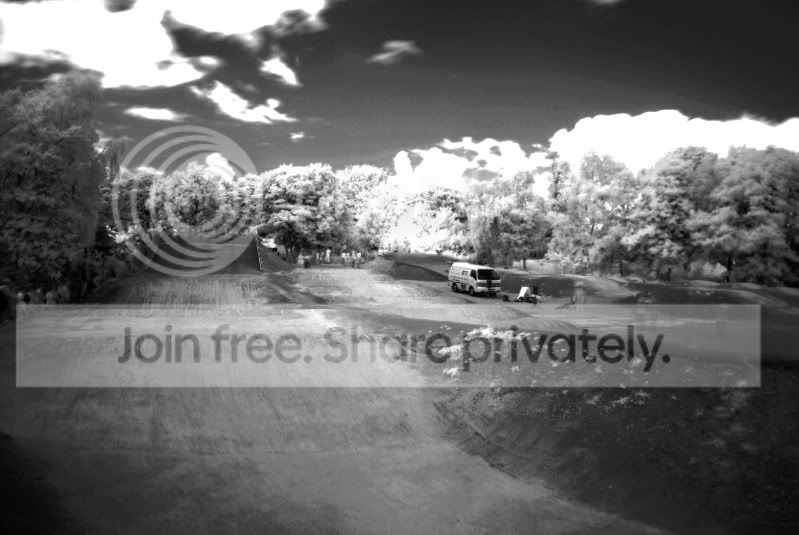
and ended up with this:

DSC_0077.jpg


a bit rubbish i know, please help.
 
You need to do a bit of channel swapping in Photoshop, a quick Google on processing IR pics will get you some workflows to try :thumbs:
 
There's also an article in this month's What Digital Camera. Amusingly enough I was going to ask here about how you do it when I saw the article. In it they give screen shots of what they're doing in PS.
 
i saw the article in what camera, couldn't really understand it.
 
It's the top of page 46 you need, I just followed step one, two and three. Not sure how you do this outside of PS though - might see if I can get IrFanview to do the same tricks.
 
what do you think would be best the best software to edit IR pics with, just looking for something really simple and easy to use, i may be a IT student but i am not really into working with software, more report writing and fixing computers.
 
I suspect GIMP may well give the same functionality as PS - and it's free. I've not tried it though.
 
your whites are still white and your greens have gone orange.
my basic thoughts with this is that the source of IR is often the reflection from green folliage.
what whitebalance did you use?
I have been told to take a picture of the grass and use that as your white balance.

therefore the light from the grass bleaches to become whiter
then you get a nice bleached out moody landscape. don't be afraid to ramp up the aperture to f8 (from f4) either and use a higher ISO if you want than 100.
 
I have not used it yet to do anything other than a quick play so I am unsure what results you will get, however there is an infrared setting in CS4 already, if you click on the "create new fill or adjustment layer" icon (half black & white circle) at the bottom of the layers pallet, then select a black and white adjustment layer, when the new layer adjustment box opens there is a drop down box at the top with different styles of filters, one of which is infrared.

Hope this helps some :)
 
Back
Top