

futureal33
Suspended / Banned
- Messages
- 2,390
- Name
- Nick
- Edit My Images
- Yes
Morning all,
Something I've been meaning to post up about for a while, but never got round to it.
When sharpening an image, or dealing with noise reduction - do you work at 100% zoom, or full size?
I ask, because previously I have been working at 100% zoom - getting images sharp, but not to the point where at 100% you can see artifacting.
However, now, as I spend more time processing photos, I am finding myself working at full size more often, adjusting sharpening and noise at that zoom level, rather than 100%
In the below examples, these images have artifacting from oversharpening when you go to 100% zoom on the eyes - yet at full size, they look good.
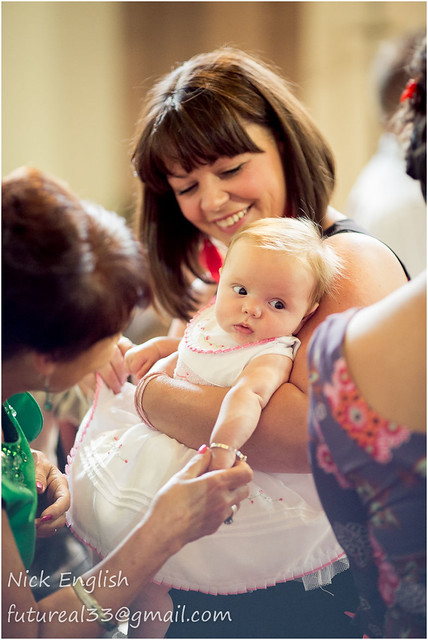
Emilia Christening by futureal33, on Flickr
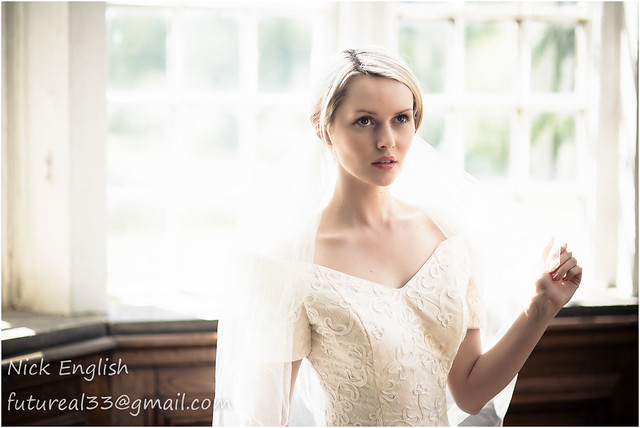
Carla Bridal Shoot by futureal33, on Flickr
I guess it depends a lot on the required output of the images, but often at the processing stage you have no idea whether the image will even look good when finished, let alone whether it will be printed large/small, displayed on FaceBook or printed onto a canvas etc.
So I just wondered what you do... work at full size, so it looks good at full size, or work at 100% so it looks good (clean) at 100% crop.
Thanks
Something I've been meaning to post up about for a while, but never got round to it.
When sharpening an image, or dealing with noise reduction - do you work at 100% zoom, or full size?
I ask, because previously I have been working at 100% zoom - getting images sharp, but not to the point where at 100% you can see artifacting.
However, now, as I spend more time processing photos, I am finding myself working at full size more often, adjusting sharpening and noise at that zoom level, rather than 100%
In the below examples, these images have artifacting from oversharpening when you go to 100% zoom on the eyes - yet at full size, they look good.
Emilia Christening by futureal33, on Flickr
Carla Bridal Shoot by futureal33, on Flickr
I guess it depends a lot on the required output of the images, but often at the processing stage you have no idea whether the image will even look good when finished, let alone whether it will be printed large/small, displayed on FaceBook or printed onto a canvas etc.
So I just wondered what you do... work at full size, so it looks good at full size, or work at 100% so it looks good (clean) at 100% crop.
Thanks


