Import software

pope

Suspended / Banned
Messages
371
Name
john
Edit My Images
Yes
Is there any (free) software that I can use that can watch, and then import locked and/or unlock files from my cards to a folder on my computer, when I put a card in to my card reader automatically??
Put card into card reader, then bam file appears in Lightroom.

Lightroom does not import only locked or only unlocked files and you need to manual import them.

I use Lightroom, and have been use the tilebarn software for import but it is v e r y s l o w.

edited for clarifcation
 
Last edited:
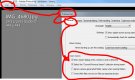
Use Lightroom to import them, or is there something you want it to do that it doesn't ?
 
Thanks but lightroom can not differentiate between locked or unlock files, and can not automatic watch a drive/card reader (i think).
 
Thanks Paul.
But it does not diff between a locked file and unlocked file.
And you still have to go though all the import clicks.
Anyway it`s easier that this to use, file/auto import.
I would to speed up the process not slow it down when editing in the middle of match.
 
I used to use AutoCopy (was only only almost free option I could find) but never had any problems with speed but it did come a bit unreliable and so now use PhotoMechanic to import locked files and then Lightroom to import them once they've been copied across by PM. If you can write some Java I believe it's not too difficult to write some code to copy locked images from a card once inserted
 
Yep Dave thats whats happen with autocopy. just slow. Its looking more like trying to write some code. Cannot justify PM just for importing.
 
Yep Dave thats whats happen with autocopy. just slow. Its looking more like trying to write some code. Cannot justify PM just for importing.


if it was possible then i would ahve thought there would be something already out there ..free scripts thing? I keep saying I will look into it.. I can do perl and/or php
 
If there's anything out there as good as Photo Mechanic (or even half as good) that's free or cheaper than PM I'd love to hear about it. PM's not perfect by any means but I don't see a serious competitor around, let alon a free one.
 
If you have a Nikon D4 or a Canon 1Dx then you can just tether and send the images you want. On the 1Dx you can choose the SET button to transfer. So quick review, press SET on the ones you want and hey presto.
 
If you have a Nikon D4 or a Canon 1Dx then you can just tether and send the images you want. On the 1Dx you can choose the SET button to transfer. So quick review, press SET on the ones you want and hey presto.


can you explain what you mean wihtt he 1dx..are have you over simplified it ? :)
 
can you explain what you mean wihtt he 1dx..are have you over simplified it ? :)


Set up the camera to send locked images only then change the function of the 'Set' button to lock images, I suspect.
 
Set up the camera to send locked images only then change the function of the 'Set' button to lock images, I suspect.

haaa right tethered sending live... i think OP looking for a solution to send all at once...all locked at once...
 
Thats interesting to know Rob.
I tend to move round a bit.
Have down loaded a trial PM and will have a play round over the next few weeks.
 
Tony

I showed it to you when I saw you a few months ago.

I did it using a network cable going from the camera in to the laptop. Once you figure that bit out you can choose on the camera to download all photos or just the one being viewed by pressing the SET button.

That is on a Canon 1D4 or or on a 1Dx. No idea how you do it on a Nikon but must be very similar.
 
Back
Top