
Image renedering confusion

learningtofly

Suspended / Banned
Messages
514
Name
Tony
Edit My Images
No
Yesterday, I took a couple of shots of a watch and posted one of them on a couple of message boards and to my blog. The original - shot on my EOS 5D with flash - is relatively hi-res at 4080x2720 pixels and a file size of 3.5MB, and post processing was minimal (a bit of dust removal, slight desaturation and unsharp mask).

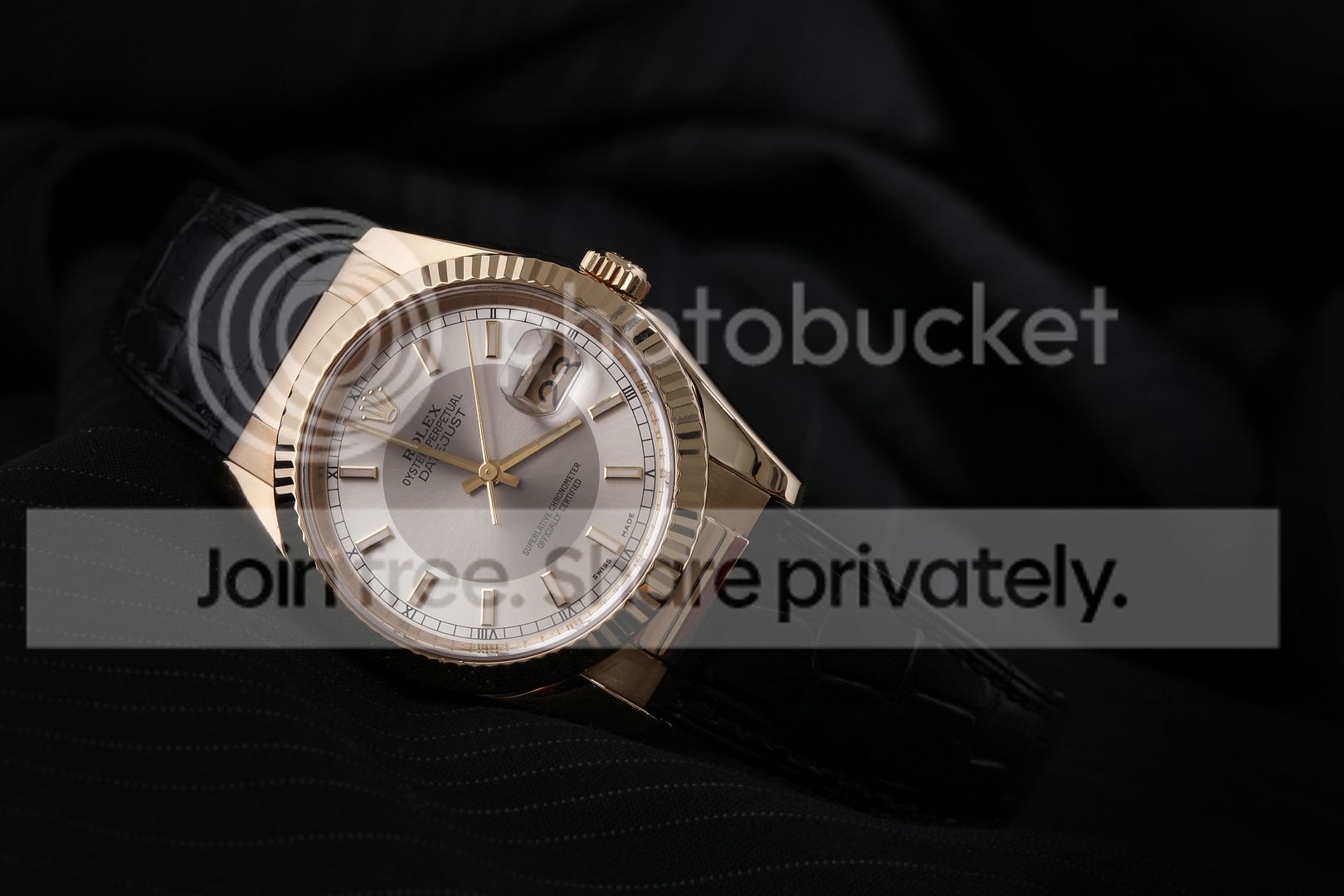
Now, here's the image as described, uploaded to Photobucket and linked in the normal way...
IMG_4788.jpg


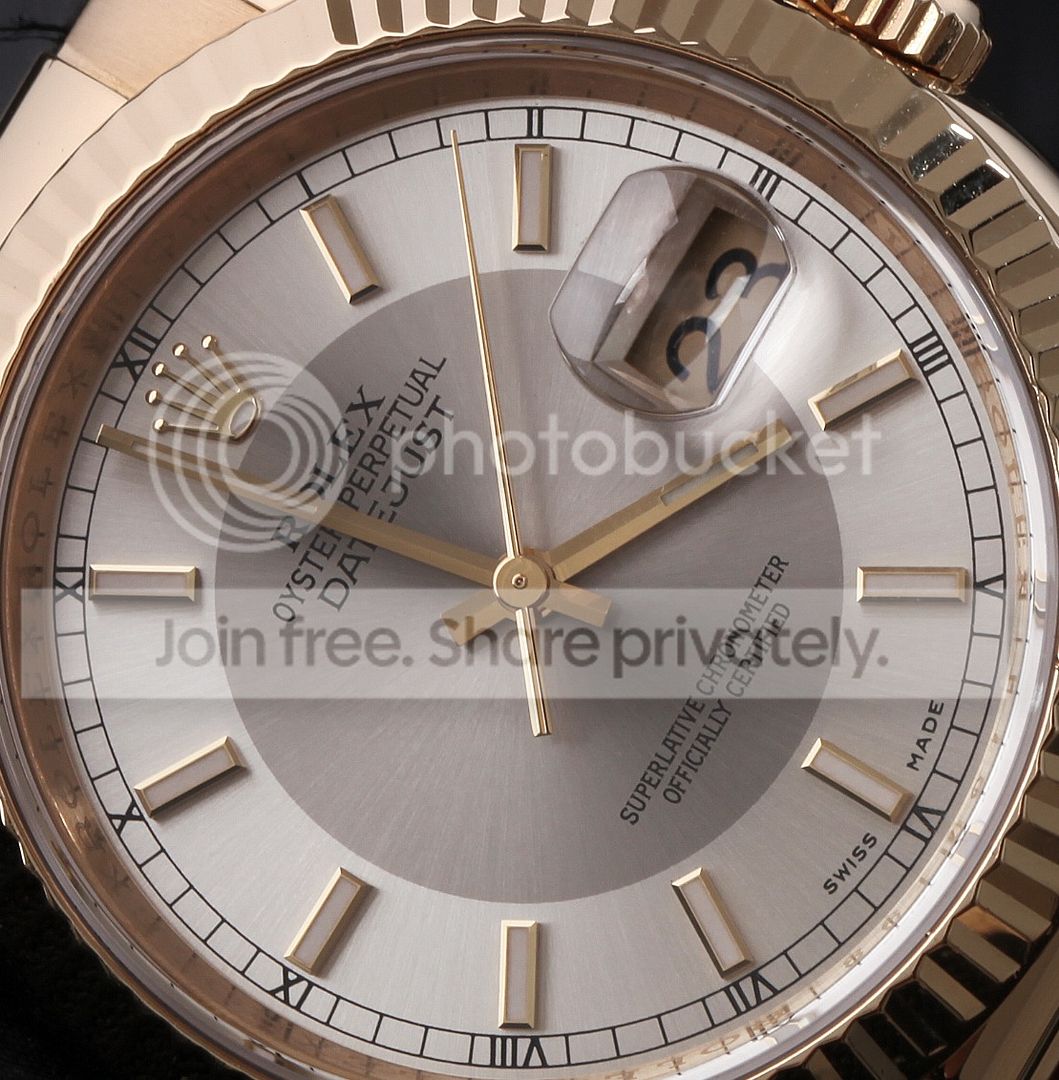
And here's a screenshot of a selection of the image exactly as it was displayed in Photoshop at full size on my monitor...
screenshot_06.jpg


Notice on the first shot how the second hand seems to be twisted; there also seems to be some image degradation around the dial font, neither of which are evident when the image is displayed at full size, as you can see from the screenshot. At first I thought it was a Photobucket upload issue, but when I looked more closely in Photoshop the same thing was happening to the original image file, as soon as I reduced the size displayed on my monitor to around 50% or below.

Now, I'm still pretty much a novice when it comes to post processing, and I'm thinking that perhaps I'm missing out a technique for saving images to a suitable size for web use; or perhaps it's something completely different, although if it is the issue's the same in that I could do with some guidance.

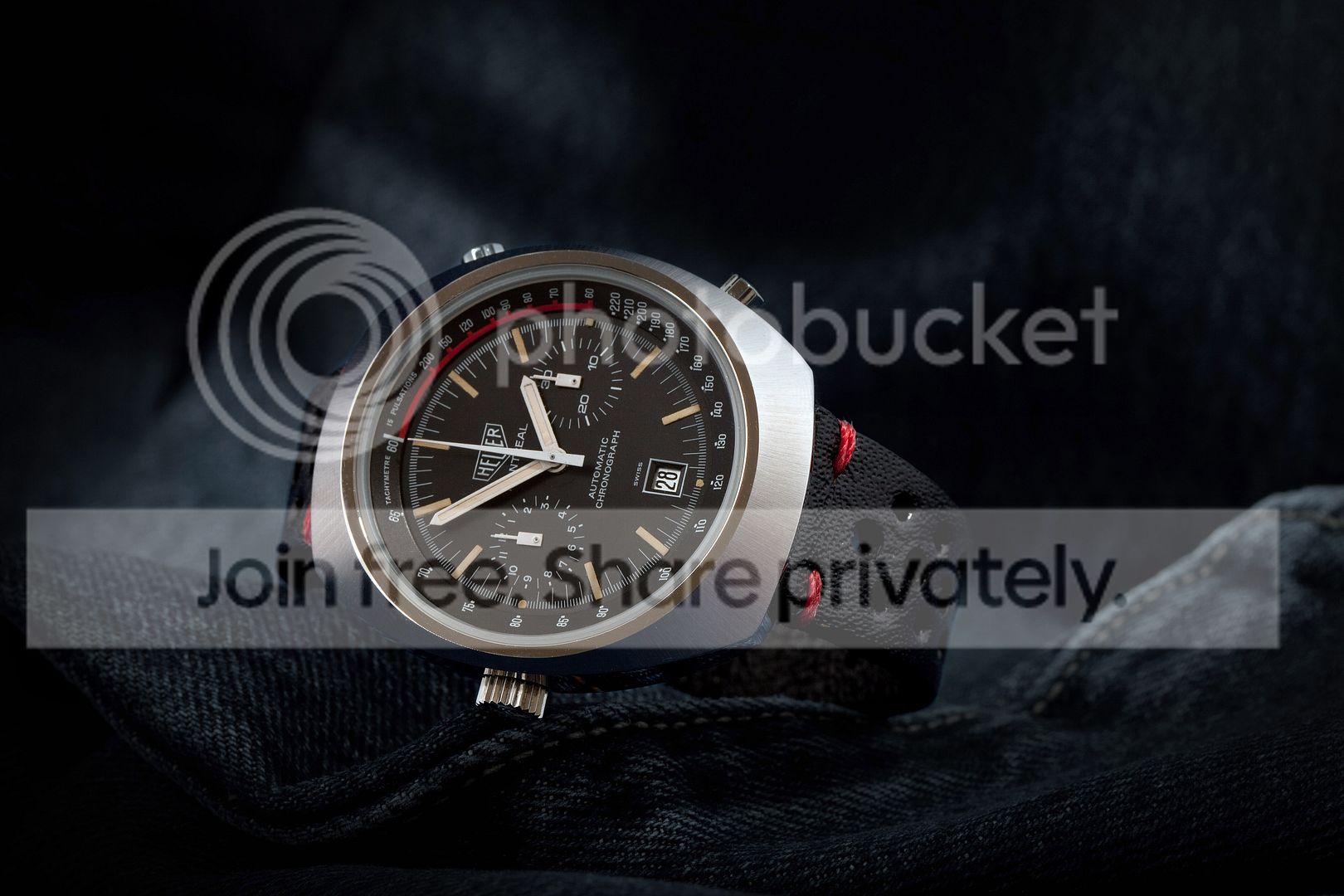
Can anyone offer an explanation, bearing in mind it isn't a consistent problem (see shot below, PP'd in precisely the same way as the DJ was)?
IMG_4676.jpg
 
Photoshop only really displays image correctly at 100% at other sizes pixle dithering can affect the way things look.
 
It's a jpg compression artefact. Diagonal lines become stair steppy* as you compress them.

It's not the number of pixels, it's how tight you squeeze them.


------
*OK the real word is aliasing.
 
It's a jpg compression artefact. Diagonal lines become stair steppy* as you compress them.

It's not the number of pixels, it's how tight you squeeze them.


------
*OK the real word is aliasing.
Ah - now I thought that might be the problem so I saved the file as a .png too (which from what I understand is lossless). Same problem :shrug:
 
Ah - now I thought that might be the problem so I saved the file as a .png too (which from what I understand is lossless). Same problem :shrug:

Same problem when you upload it to PB? I'll bet it's doing some kind of jpeg rerender behind the scenes.

Or same problem on your computer when you open it?
 
Same problem when I open it (and reduce the display size) on my computer.

It's reducing the display size that does it.

You are telling your computer to show a zoomed out version of the picture. To do this it has to decide which pixels not to show you. On diagonals that makes them stair steppy.
 
It's reducing the display size that does it.

You are telling your computer to show a zoomed out version of the picture. To do this it has to decide which pixels not to show you. On diagonals that makes them stair steppy.

Ah, right. So is the solution indeed to save as jpg/png in a much smaller size? And if so, is it just a matter of reducing the image dimensions in PS?
 
Tony I am glad you raised this as this is an issue that has been bugging me so the thread had taught me there is more to it than I was thinking. So I have been looking at YouTube tutorials about resizing for the web.

BUT sorry I can't give any input as I am still with 'P' plates or is it 'L' plates :thinking:
 
Tony I am glad you raised this as this is an issue that has been bugging me so the thread had taught me there is more to it than I was thinking. So I have been looking at YouTube tutorials about resizing for the web.

BUT sorry I can't give any input as I am still with 'P' plates or is it 'L' plates :thinking:

We'll get there in the end, John :thumbs:
 
Ah, right. So is the solution indeed to save as jpg/png in a much smaller size? And if so, is it just a matter of reducing the image dimensions in PS?

Basically yes.

If you want me to look at a 1,000 pixel image, then don't give me a 2,000 pixel image. Or even worse a 1,379 pixel image.

It's a bit like HD TV. The best picture on that is going to be by giving it a 1920 X 1080 feed. If you feed it less then it has to interpolate (i.e. make up) the missing stuff. If you feed it more then it has to decide which bits to throw away. And it's not always possible to make sensible choices.
 
It could also be a problem with format , widescreen or square , camera tend to use square by default , the image may be being stretched or compressed in the conversion
 
Ah, right. So is the solution indeed to save as jpg/png in a much smaller size? And if so, is it just a matter of reducing the image dimensions in PS?

I find that Adobe's resizing algorithms aren't the best. Personally I think Nik's Capture NX2 does a better job. Download a trial and see what you think. :thumbs:
 
It has nothing to do with Adobe when you are viewing the picture on the web. If the original picture is bigger then the viewing size on the webpage (some website or forums don't allow pictures wider then 800 pixels for example) the picture gets resized by your webbrowser. So Internet explorer or Firefox for example will size the picture down and that usually is done sloppy.

If you want to show pictures on the web you should export the pictures to the size you want to show them on the web.
 
It has nothing to do with Adobe when you are viewing the picture on the web. If the original picture is bigger then the viewing size on the webpage (some website or forums don't allow pictures wider then 800 pixels for example) the picture gets resized by your webbrowser. So Internet explorer or Firefox for example will size the picture down and that usually is done sloppy.

If you want to show pictures on the web you should export the pictures to the size you want to show them on the web.

No that simple, I'm afraid - I tried that and even in Photoshop the same issue presents itself.
 
It can also have to do with the angle of the second hand.

You would probably find that if you rotated the image so the second hand was at 3pm or 12pm the steppy wouldn't be so pronounced since it might not react to the vertical and horizontals of your monitor.

The second pic would seem to bear this out.

.
 
Last edited:
Are you sharpening before shrinking (bad) or after (good)? How are you resizing?
 
Back
Top