
Image displaying incorrectly!

Bend The Light

Suspended / Banned
Messages
2,619
Name
Craig
Edit My Images
No
I have this photo which looks absolutely fine when shown in Windows, and on Flickr, etc.

Here is a screen shot from Picture Viewer...
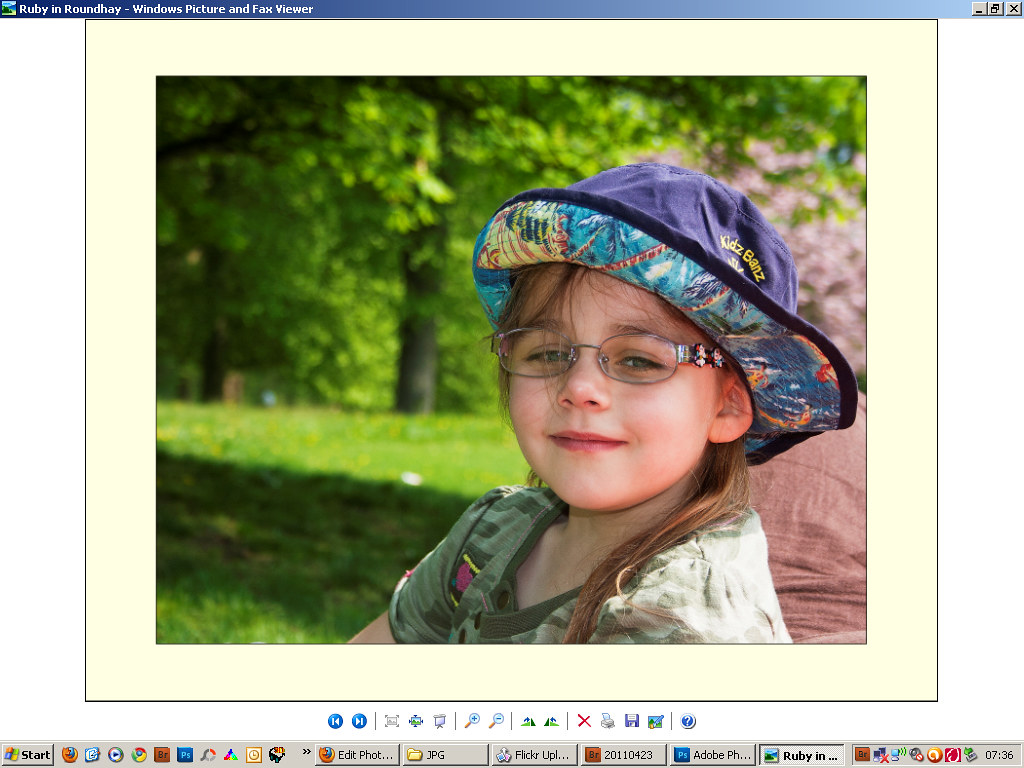
Picture OK by http://bendthelight.me.uk, on Flickr

Now when I uploaded this to Facebook, or when I use it as a windows wallpaper (and possibly in one or two other places) it looks like this (a screenshot of my desktop with image as wallpaper)...
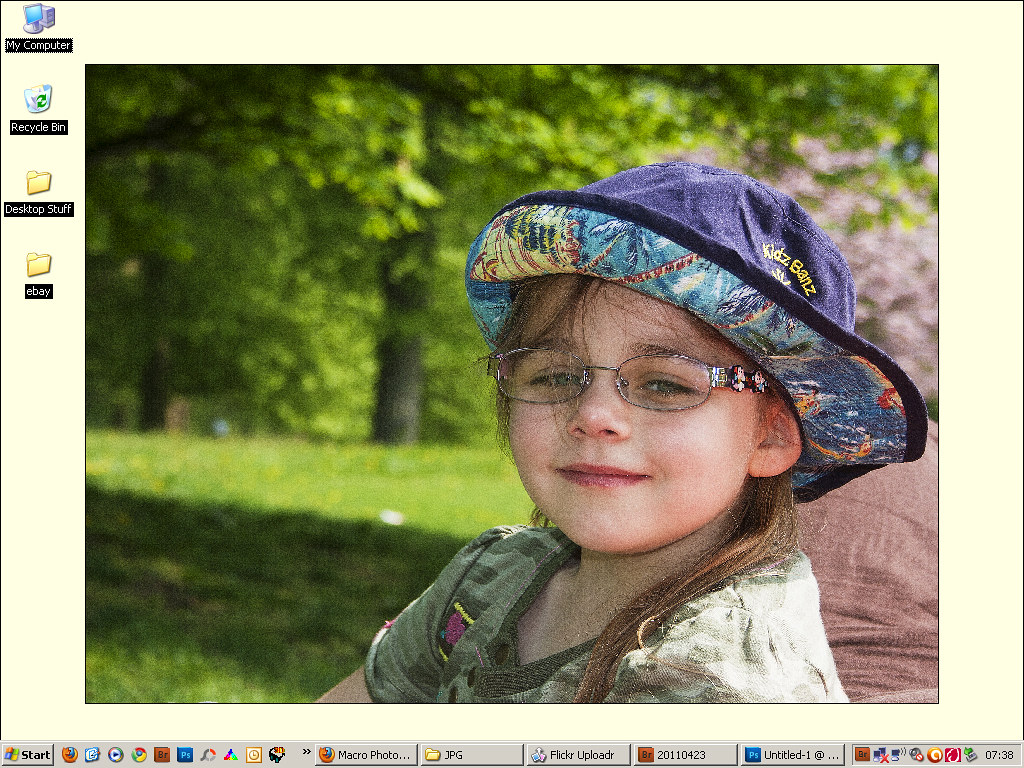
picture rubbish by http://bendthelight.me.uk, on Flickr

Now why would that be the case?

Lots of other images from the day were fine. I did have this once before with an image I uploaded to a competition website...looked great on my computer, but was nasty like this on the website...no end of uploads would sort it...
 
Yes, it's Jpeg...processed from RAW in ACR, as usual, and then in Photoshop. But nothing unusual for this image as opposed to any other I took on the same day, and processed on the same evening...:/
 
Most of these issues are to do with colour space and colour managment, some programs like photoshop are colour managed they "see" the proper colours of the image, some programs don't, it used to be windows explorer didn't see but it seems to changed with win 7 (although I don't use it so I could be wrong) Do you know what the embedded colour space is? are you shooting srgb or rgb? What are you editing the images with?
 
Thanks guys.

I think it is to do with file sizes. This is a 7mb JPEG compared to my more usual 4-5Mb...I suppose Facebook is having to do more compression to suit their needs, and that is detremental. I plan to resize a little, and see what FB does with it then.

As for sRGB/RGB - I am NOW shooting with the camera set to sRGB...as for Photoshop, not sure what it does. I'll check to see what it is doing...

Does sRGB change Printing settings at all?
 
Just for info, I resized using Save for Web to 1024px wide and it now looks fine. Obviously facebook and my desktop didn't like the size it was and resized badly. :)
 
Bend The Light said:
Thanks guys.

I think it is to do with file sizes. This is a 7mb JPEG compared to my more usual 4-5Mb...I suppose Facebook is having to do more compression to suit their needs, and that is detremental. I plan to resize a little, and see what FB does with it then.

As for sRGB/RGB - I am NOW shooting with the camera set to sRGB...as for Photoshop, not sure what it does. I'll check to see what it is doing...

Does sRGB change Printing settings at all?


The colour space thing can get a bit complicated, if you shoot RAW it doesn't matter what you set the camera on and lightroom and ACR will use prophoto colour space. Adobe RGB is smaller and sRGB smaller still. It's best to convert to sRGB for web, I use adobe RGB for printing because my lab prefers it. But I initially do my post work in prophoto. I just do the conversion when I export the finished image, I convert profile, resize then sharpen for final use.

Best to read up on it a bit because my explanation is over simplified, some people work in sRGB all the way for simplicity, I keep as much data as possible for post and only reduce to smaller colour space and 8 bit at the end.

BTW huge file size you had for web, I only put images about 800 pixels on longest side, jpg quality 80, and even then people will rip them off and print them.
 
The colour space thing can get a bit complicated, if you shoot RAW it doesn't matter what you set the camera on and lightroom and ACR will use prophoto colour space. Adobe RGB is smaller and sRGB smaller still. It's best to convert to sRGB for web, I use adobe RGB for printing because my lab prefers it. But I initially do my post work in prophoto. I just do the conversion when I export the finished image, I convert profile, resize then sharpen for final use.

Best to read up on it a bit because my explanation is over simplified, some people work in sRGB all the way for simplicity, I keep as much data as possible for post and only reduce to smaller colour space and 8 bit at the end.

BTW huge file size you had for web, I only put images about 800 pixels on longest side, jpg quality 80, and even then people will rip them off and print them.

Thanks for that. I'll do some reading...yes I shoot RAW, so it will be the processing that is the key.

As for ripping off my photos, I rarely have any that are saleable at the moment. :) I just got out of the habit of having loads of different image sizes saved for evryone's different requirements!

I may look again at my workflow and see if I can run an action to save the PSD, the top quality JPEG, and the resized JPEG for web. I suppose Hard drive space is cheaper these days. :)

Cheers
 
When uploading to facebook, I find that resizing to facebook's max size before uploading, namely 720 pixels on the longest side, prevents the pics being mangled by facebook's resizing app.
Lightroom's facebook publishing plug in does this automatically.
 
Back
Top