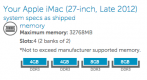
iMac Retina 5K, 27-inch - memory upgrade

BillN_33

Suspended / Banned
Messages
13,952
Name
Bill
Edit My Images
No
Has anyone upgraded their memory from 8GB to 16GB ... it seems relatively straightforward and crucial seems a good cost effective way to go


Is their an SSD drive in the machine as well as the normal drive

Physical Volumes:

disk0s2:

Media Name: APPLE SSD SD0128F Media

Size: 120.99 GB (120,988,852,224 bytes)

Medium Type: SSD

Protocol: PCI

Internal: Yes

Partition Map Type: GPT (GUID Partition Table)

Status: Online

S.M.A.R.T. Status: Verified

PV UUID: 89E54467-EED8-4D04-ACD7-2D06067ADA20

disk1s2:

Media Name: APPLE HDD ST1000DM003 Media

Size: 999.35 GB (999,345,012,736 bytes)

Medium Type: Rotational

Protocol: SATA

Internal: Yes

Partition Map Type: GPT (GUID Partition Table)

Status: Online

S.M.A.R.T. Status: Verified

PV UUID: C6FFF567-BEA8-4761-8D03-BACE6EC0AEC1
 
Last edited:
I don' have the Retina model - mine is late 2012 with Fusion drive, but the upgrade to 24GB of Crucial RAM was a doddle.
 
I don' have the Retina model - mine is late 2012 with Fusion drive, but the upgrade to 24GB of Crucial RAM was a doddle.

24Gbte??

I have ungraded the memory on my older iMac and MBP .. plus a 500 SSD drive in the MacBookPro, (transform the speed of the machine -really worth doing) - just thinking about an SSD for the iMac - but you have to remove the glass screen

I have 2 x 4Gbte in my 5K Retina ...... not sure whether just to add another 2 x 4Gbte .... as you are supposed to keep the memory "matched" (any comments of this) ..... or to take the existing ones out and go for 4 x 8
 
be careful..... i went from 8gb to 24 and it didn't work crashed a lot.. i used Crucial memory, i went through 3 sets from crucial to then decided we needed to populate all banks the same...
Some have been successful but i wasn't and ended up with 32GB 4 x 8gb crucial and its fine now....

The way to check is install it and run the Apple diags if it fails then don't use it as it will kernel panic....

Mixing the Apple stuff with Crucials just failed for me :(, crucial even accepted defeat
 
Yes - why the ??

I thought that you had to have "matched pairs" - 4 into 24 goes 6 ...... do they do a 6Gbte module?

sometimes "unmatched pairs" cause problems? ......... would not want to do this with a £2k computer
 
Last edited:
You can have two matched pairs - they don't need to all be the same.

Screen Shot 2015-09-11 at 08.57.05.png
 
anyone know how I can show the SSD as an icon on the Desktop?
 
be careful..... i went from 8gb to 24 and it didn't work crashed a lot.. i used Crucial memory, i went through 3 sets from crucial to then decided we needed to populate all banks the same...
Some have been successful but i wasn't and ended up with 32GB 4 x 8gb crucial and its fine now....

The way to check is install it and run the Apple diags if it fails then don't use it as it will kernel panic....

Mixing the Apple stuff with Crucials just failed for me :(, crucial even accepted defeat

Anyone else had this problem ......... is it common ......... maybe the way to go is 4 x 8 and scrap or sell the 2 x 4

There seems to be a few reports of "Kernel panic" with 2 x 4 plus 2 x 8, (crucial)
 
Last edited:
personally id always try and fit matched sticks across all slots.

you "should" be able to mix and match and the other sticks "should" all adjust themselves to run at the slowest speed stick installed.

a lot of "shoulds" but sometimes machines can be very picky.
 
I hope I'm not tempting fate but I upgraded my late 2012 iMac (as above) almost as soon as I got it and I've had zero problems.
 
to be honest OP, just go 32gb and sell the 8GB on ebay, its not expensive nowadays anyway...
People pay a lot for 8GB apple stuff....even though its not exactly Apple memory.

i think the issue may arise to that its not corsair, technically its the same speed memory however something tells me Apples memory is different slightly hence the Kernel panics. i bet if you used Apples stuff it may be ok...

I pulled my hair out with it, as all videos you watch show it working... Corsair where good though they sent me lots of sticks and took back what i didn't use....

i cant remember the command but it was from a prompt on the mac that tests memory, if any errors show it kinda means its gonna panic and some point that's what i found.. id work ok for 5 mins then boom
 
Last edited:
If you sell the 2x4gb sticks you have, someone can upgrade their iMac to 16gb with these 2 - and hopefully won't have any problems.

You could pop them on here - might be someone on the look out...
 
anyone know how I can show the SSD as an icon on the Desktop?

If your iMac shipped with an SSD and HDD then they will be configured as a Fusion Drive - you can check this in Disk Utility. Fusion drives combine the SSD and HDD into a single logical drive and files are automagically moved between them based on usage. You can't show the SSD on the desktop.

https://support.apple.com/en-gb/HT202574
 
Last edited:
If your iMac shipped with an SSD and HDD then they will be configured as a Fusion Drive - you can check this in Disk Utility. Fusion drives combine the SSD and HDD into a single logical drive and files are automagically moved between them based on usage. You can't show the SSD on the desktop.

https://support.apple.com/en-gb/HT202574

thanks - that's what I kind of thought Andy, but I just was interested to find out what is going on in the SSD bit and can it be "changed" or "configured" more positively to enable editing in LR and PS to run faster
 
thanks - that's what I kind of thought Andy, but I just was interested to find out what is going on in the SSD bit and can it be "changed" or "configured" more positively to enable editing in LR and PS to run faster

You can't choose what ends up on the SSD, it works based on file usage. If you regularly open LR and PS, then there's a good chance that the application files are already on the SSD. There is a way to tell (sort of), but it's command line stuff, so usual disclaimers apply: http://apple.stackexchange.com/ques...ermine-which-files-are-on-ssd-on-fusion-drive
 
Back
Top