

Hello,
Ive been trying to get to the bottom of my display printing issues. I've got a samsung tv i use as my monitor and have added the i1 display pro to my collection. It seems to go through all the motions but when i go to save profile (final stage) it comes up with the following
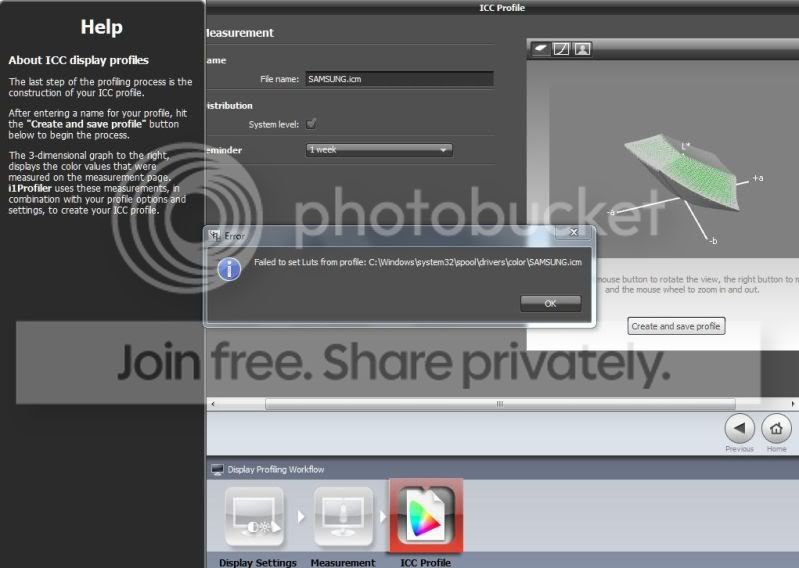
'failed to set luts from profile :c:Windows\system32\spool\drivers\color\SAMSUNG.icm'
Any ideas what the problem might be ? Do you think it must be a software based problem or could it be it doesnt like me using my tv as a monitor :shrug:
Any help with this would be great
Thanks
Coley
Ive been trying to get to the bottom of my display printing issues. I've got a samsung tv i use as my monitor and have added the i1 display pro to my collection. It seems to go through all the motions but when i go to save profile (final stage) it comes up with the following
'failed to set luts from profile :c:Windows\system32\spool\drivers\color\SAMSUNG.icm'
Any ideas what the problem might be ? Do you think it must be a software based problem or could it be it doesnt like me using my tv as a monitor :shrug:
Any help with this would be great
Thanks
Coley


 This kind of thing really bugs me- my money i paid for it was all legal and correct, why shouldnt the product they sell be correct and working !?! I guess for now i'll have to hang on and hope they release a software update that corrects the issue :bang::razz:
 :|
:|


 Once i get to the bottom of it im sure i'll look back and laugh

 Just got a new samsung t.v and thought i'd try calibrating this one. Upon plugging in, it showed there was a update available- so i updated. Ran through the same motions again and the same 'failed to set luts' error happened again.....................However
  this time it put up a link