I guess that's terminal then

Cobra

In Memoriam. TPer Emeritus
Admin
Messages
114,434
Name
The real Chris
Edit My Images
No
I was having a mooch around the internet earlier today, nothing dodgy I hasten to add
a blue screen appeared with a lot of data scrolling on it, and the screen went black.

Of course I rebooted it, and it went into windows recovery.
After a few mins, it said re-start your computer, If its fixed it will start normally.
It did start to boot up, but then just booted to a black screen.

I tried safe mode, but that just came up as a black screen,with safe mode in each corner.

TBH its not the end of the world, there are 1000's of images I'd rather not lose,
and a few documents that I'd rather not lose also.

But if they are gone, I'll not cry myself to sleep .

I have 3 drives
1 125gb SSD for windows and other programmes
1 1Tb 2 x500gb raid as a back up
1 500gb for storing other stuff.


The Pc has to be at least 10 years old, and it was up graded to the above about 3 or 4 years ago.

My question basically is, what failed, and can I ( well not me but someone in the know) get the data off the drives by installing them into another PC?

TIA
 
There are several things that may have failed, and hopefully nothng worse than your boot drive being corrupted in some way. There's a very good chance (since the boot drive can be read in order for windows to attempt recovery) that all drives are OK and still hold the data.

If you wanted to check, you could create a bootable linux CD/DVD or Pen drive and boot from that, just to check which drives are still readable (most likely all of them).

To get the data off the drives you'll need a caddy. What I would probably do is acquire another, more recent, tower system and install the hard drives in that.
 
Last edited:
I'm not a IT guy, but I think your info is safe and it's a software issue, have you done a hard shut down? (When the PC is on, Press and Hold the power button for 10 seconds, it forces the PC to switch off)
It may reset an issue on boot up?

There are so called blue, and black screens of death, they normally show a code to google and possibly find a solution.

My fix is normally a size 9 ;)

I can recommend a place in Bedford if you need a guy?
 
I had a similar issue, it was a BIOS update that solved it - and yes the PC had been runing fine for a long while but just inside extended warranty - did that and it solved the issue.
Another work machine recently provided a RAM failure code, once swapped out worked fine.
There's a lot you can do and hopefully you'll get it all back, does mean a little troubleshooting and eleminating a few potential issues.

The data is very likely to still be there. If not on all drives certainly 2/3 - you could remove those that windows isn't booting on, and quite easily access the images to play things safe, then concentrate on the trickier drive.

Good luck
 
You should be able to at least put the disks into another PC or external enclosures (cheap from Ebay etc) and get the data off on to a new machine. As Toni says above, I'd get the data disks out or disconnected before trying to "fix" anything.
 
Thanks for the input guys, firstly you have to understand that I am a dinosaur as far as all this goes,
and I didn't understand most of the answers.
But, the responses have given me some hope that I won't lose everything.

@Gav-canon yeah a couple of hard shut downs
I guess I had better start looking for respectable techy guy.

@Awfers I didn't know that. I thought they were supposed to be the best thing since sliced bread.
 
Don't mean to be controversial but keep your external drives and take the plunge and switch to an Apple Silicon Mac. Your files on your hard drives should be recoverable. It's a step I took 20 Years ago and never looked. back.
Time maybe to move from the dark side :)
 
Don't mean to be controversial but keep your external drives and take the plunge and switch to an Apple Silicon Mac. Your files on your hard drives should be recoverable. It's a step I took 20 Years ago and never looked. back.
Time maybe to move from the dark side :)
I'm voting no on that :p
 
You will never know what you're missing its like chalk and cheese.

That said it's your call and so I won't say any more :)

My general view is that Apple are great for people who don't know/don't care about how their computer works and don't mind conforming to the Apple way. I've a good friend who is both smart and clever but really just wanted machines that would just get on with doing their stuff, and has never looked back since I encouraged him to buy one. But I think many of us also prefer a little more freedom, and bit more individuality and would rather manage stuff for ourselves.
 
The OP sounds possibly to be one of the people in the first group...
 
My PC does this now and again, it's swinging merrily along then boom, BSOD. It also locks up, for no reason. Thankfully, not that often on both but it does happen.

I'm not IT savvy, at all, but I do the basics and it seems to work. First thing, if it locks, a hard shutdown, does the trick, more often than not, if Task Manager hasn't worked beforehand.

For BSODs that are stubborn, hard shut down, unplug, go make a coffee, try again. Works too.

If you can get as far as a system restore, try that.

I also run AV, and CCleaner, although I'm weaning myself off CC and onto BleachBit. I think a clean ship works wonders.

My PC is 2014, Windows 8.1 64 bit, so I'm guessing there are some conflicts somewhere with newer software etc.

All my images are backed up, twice, just in case, so 3 copies of all, PC and 2 external hard drives. One HD lives in my workshop.

Gav's 'size 9' solution is good too, although mine usually involves a big hammer, Jeremy Clarkson style. ;)


Hope you get sorted Chris and it's something simple. (y)
 
Hope you get sorted Chris and it's something simple. (y)

I actually found the boot disc, from when it was updated, about 4 years ago, according to the label, but that was no help either.
It got the bios(?) and it said press <CTRL-I> I did that and nothing happened, after 30 seconds or so, I was back to a blank screen.

Cant get to system restore and safe mode is black screen too.
 
My general view is that Apple are great for people who don't know/don't care about how their computer works and don't mind conforming to the Apple way. I've a good friend who is both smart and clever but really just wanted machines that would just get on with doing their stuff, and has never looked back since I encouraged him to buy one. But I think many of us also prefer a little more freedom, and bit more individuality and would rather manage stuff for ourselves.
And who will pay double the price :)

But you summed it up right, if they had been more affordable, they would have killed off the PC and MS.

What they forgot is that the people who know how PCs work, and want the flexibility to ba able to use their machines how they like, are the very ones who people ask for advice.

The most reliable system to my mind is Linux, never had any issues, even when using them in the workplace. Used to sell off old machines to parents, format and instal Ubuntu with the usual things like office suite, Firefox etc. and never had one who couldn't do what they needed, and didn't even realise they didn't have windows until they wanted to install games :)

To the OP
But the advice given is good, take out / disconnect the storage discs, put the SSD in a caddy or on a USB adaptor (a few £ on ebay) and copy off My Documents, My Pictures and Movies and then re-install windows onto it.
Good chance it will work, have had similar happen many times.

Can you get into CMOS setup? If you can, first check the clock time and date. The back-up battery may have failed, and the hard disc settings may have been lost, which could cause the problem. (look for a setting that sets UEFI or Legacy (BIOS) (what windows are you using)

The other way would be to get a cheap 128GB SSD and replace it (with the other drives disconnected as mentioned) and re-install windows, they are less than £20 now (last time I bought one from CPC for the same purpose) (however you would need to check the BIOS first)
 
Last edited:
And who will pay double the price :)

But you summed it up right, if they had been more affordable, they would have killed off the PC and MS.

What they forgot is that the people who know how PCs work, and want the flexibility to ba able to use their machines how they like, are the very ones who people ask for advice.

The most reliable system to my mind is Linux, never had any issues, even when using them in the workplace. Used to sell off old machines to parents, format and instal Ubuntu with the usual things like office suite, Firefox etc. and never had one who couldn't do what they needed, and didn't even realise they didn't have windows until they wanted to install games :)

To the OP
But the advice given is good, take out / disconnect the storage discs, put the SSD in a caddy or on a USB adaptor (a few £ on ebay) and copy off My Documents, My Pictures and Movies and then re-install windows onto it.
Good chance it will work, have had similar happen many times.

Can you get into CMOS setup? If you can, first check the clock time and date. The back-up battery may have failed, and the hard disc settings may have been lost, which could cause the problem. (look for a setting that sets UEFI or Legacy (BIOS) (what windows are you using)

The other way would be to get a cheap 128GB SSD and replace it (with the other drives disconnected as mentioned) and re-install windows, they are less than £20 now (last time I bought one from CPC for the same purpose) (however you would need to check the BIOS first)
There you go, Cobra, get Linux!!

(I’ve emboldened the best bit of this post - this happens all the time, apparently :p:p )
 
There you go, Cobra, get Linux!!

(I’ve emboldened the best bit of this post - this happens all the time, apparently :p:p )
Yes, you highlighted it, then twisted it :)

I said similar MANY times, not ALL the time

In 22 years I did see it many times!
 
Hope you get it sorted Chris as you say I would take it to a PC expert , I’m not a computer expert either
If I understand it correctly you have data on separate drives inside the pc these should still be good
 
The most reliable system to my mind is Linux, never had any issues, even when using them in the workplace. Used to sell off old machines to parents, format and instal Ubuntu with the usual things like office suite, Firefox etc. and never had one who couldn't do what they needed, and didn't even realise they didn't have windows until they wanted to install games :)

I use Macs but that’s exactly my experience when I’ve installed Linux on the formerly Windows machines for friends -- they just don’t see the difference between their now Linux machine and Windows, except that it now works. :)
 
Yes, you highlighted it, then twisted it :)

I said similar MANY times, not ALL the time

In 22 years I did see it many times!
Of course you did, because it happens.

Of course, I see that this kicked off when it was suggested that Cobra got an M1 Mac, kicking off the wierd platforms wars that gets us all excited, but I do wonder how many people that say stuff like this:
And who will pay double the price :)

But you summed it up right, if they had been more affordable, they would have killed off the PC and MS.

What they forgot is that the people who know how PCs work, and want the flexibility to ba able to use their machines how they like, are the very ones who people ask for advice.
…drive Mercedes, BMW or Audi, when there are perfectly good cars made by Kia.
I am sure there are great examples of lenses half the price of Pro ones, that take pictures very well!

Interestingly, cheapest doesn't always mean market leader. And not being market leader doesn’t always mean the product is bad, or the buyers are silly.

I’m sure someone who advises, platform-agnostic, will say that the best way of recovering from the OPs predicament is to have a backup, and then another backup. Failing that, take the data drives out and mount them onto another computer* and rescue the data that way. Which has been said a few times.

*by putting them inside, or on a external caddy or connector, or asking someone else to do it for you.
 
Several posts above are straying from the crucial issue at hand. Has anyone mentioned memory? Re-seat all the ram - take it out, wiggle it about, slot it back in.

The machine has to load from system disc to memory at start-up, and then access that memory to work. The memory can be ok in itself whilst its connections can tarnish after a long residence.

If that makes it able to go again, it may not provide an instant cure, because Windows might've been corrupted by the crash. In which case it may even be unrepairable in situ and have to be reinstalled, possibly along with all apps & settings etc, which is a whole pile of shyte. But at least your files should be ok even in this direst scenario. Just beware of those files that may be on the system drive if a full reinstall is in the offing, and maybe save them out first using a disc caddy and another machine ...
 
It could be as simple as the battery on the motherboard dying, grab one from Amazon for a couple of quid and try that first.
 
Hope you get it sorted Chris as you say I would take it to a PC expert , I’m not a computer expert either
If I understand it correctly you have data on separate drives inside the pc these should still be good
Cheers Pete
And thanks also to everyone for their input :)

If I understand it correctly you have data on separate drives inside the pc these should still be good
That's correct. It seems that everything that should be there is there. Plus stuff that I'm sure I deleted years ago.
And Thankfully ( Unfortunately for him :D ) My SiL is on holiday from work.

Once he got in there and laid it all bare, everything is there across the various storage devices,.
The problems it seems, is that the OS is corrupt, and the part that allows repair or system restore is just not there.

So that's mostly good news. He's trying to source a fresh W7 professional disc to reload.
Once its up and running, I can delete all the dross collected over the years, spec a new PC, and start afresh.
 
if a full reinstall is in the offing, and maybe save them out first using a disc caddy and another machine ...
Thanks, yeah that is also part of the recovery plan.
 
The most reliable system to my mind is Linux, never had any issues, even when using them in the workplace. Used to sell off old machines to parents, format and instal Ubuntu with the usual things like office suite, Firefox etc. and never had one who couldn't do what they needed, and didn't even realise they didn't have windows until they wanted to install games :)

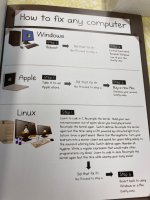
linux.jpg
 
Since Chris is getting his pc fixed by someone who knows how I think we can gently take the thread further off topic.

Linux. Reliable. Hmmm.

I've been using Linux since Mandrake was a separate distro, so not as long as some here, but at least 20 years now. Picking a mainstream distro link Mint Cinnamon means there's a good chance that it will be OK, although sometimes it will still throw a curveball (like drastically shortening the lifespan of some Western Digital HDDs, as I found to my cost). I still have a linux box or 2 kicking around, usually with Mint plus whatever random distro looks interesting to try. I had a go recently withy openSUSE, but it's a lot of hassle to make it work the way I want.

One of my favourite distros for a long time was Sabayon, but occasionally they would roll out an update that completely broke X server, and all you'd get would be a command line. Another fave was Pear Linux (I was using a Macbook as a daily drive at the time) which was an OSX-alike that was better than OSX in so many ways, even with a few bugs. Unfortunately David Tavares who owned the project went to work for a large social media company and a condition of employment was that he close the project. I also had a version of Mint that would turn off the headphone output on my sound card every significant update, requiring command line work to get it to route the audio to the correct output.

The real flaw with Linux is that it won't run the applications I want to use for image processing, and I don't want the ones it will use.
 
Since Chris is getting his pc fixed by someone who knows how I think we can gently take the thread further off topic.
That was the way its was heading anyway, as inevitable as the sun rising in the morning :D
 
You looked at the weather forecast recently? :eek:
a drop overnight and then not predicted until mid day. Hopefully the sun will be up by then ....
Unless it anything like me of course :D
 
Are you guys finally getting some rain ?
A bit of a storm overnight last night, (here in MK) it came in from the west about 1 am.
Not a huge amount of rain TBH, but it did freshen things up a tad.
 
Here in the Morvan we've had thunder like I've never known before. It came over a bit dark and then the background rumbling started - and continued unbroken for half an hour. About 20min in it started to rain a little, gradually building over the next 20min until it became a downpour and the road a river past the steps to our door. Even now, 2 hours after it began, there's still flashes of lightning and rumbles, but there are gaps in between instead of it being continuous.

Tomorrow is due to be thundery too, and a bit cooler as well - 31'C round here today. I've been amazed at how green this area is considering the secheresse and fires in France.
 
Am I allowed back into this conversation?

The OP @Cobra said he was not technical and didn't fully understand some of the replies.
Yet everyone piled in with technical advice on how to possibly fix his problem.

Going back to first principles can I ask what exactly is the kit we are dealing with?
Operating System? Windows XP or later and date of the last update.
Processor Intel what chip?
Graphics Card ?
Age of kit?

The whole Windows ecosystem is truly massive with many many variations. But everyone seems to love it because it appears to give you the freedom to do your own thing. That does have consequences, however. "Too many cooks spoil the broth"

Yes, Linux distributions have come a long way and can give old (even ancient) hardware a new lease of life.
If that is all you want then be happy its great fun.

BUT. If you want to use your computer to actually do stuff as opposed to spending hours having to fight to keep it going
Perhaps having a closed environment might be appealing.

If you want to try new things and forget about what's running on your desktop/laptop or whatever. Then there are alternatives,
Just like film. the world has moved on.

The Cloud is here now and waiting.
 
Am I allowed back into this conversation?

The OP @Cobra said he was not technical and didn't fully understand some of the replies.
Of course its a free for all, but as above, my son in law is an IT / systems trouble shooter for a very large company,
He popped round for something, and got roped in. :D

post 29
 
Of course its a free for all, but as above, my son in law is an IT / systems trouble shooter for a very large company,
He popped round for something, and got roped in. :D

post 29
Sorry missed that. I ~ Glad you're fixed.


Going off topic but got to say it, I stand by my last post. Most large traditional companies in this country and especially government departments and the NHS are using ancient technologies. They are being ripped off by so-called expert consultants who only understand the MS/Intel world. The government needs to call in the very top engineers from somewhere like Google to do a full RESET of our national IT systems. I won't hold my breath.
 
Back
Top