how to take Panorama picture in the room?

ramtin

Suspended / Banned
Messages
7
Name
Ramtin
Edit My Images
No
Hi to everyone,.
wondering to know how can i make panorama from the room, lounge or de kitchen,.
i am using fisheye lens (8mm) with crop dslr camera.
whats the best position or angle?
i need some advise please
thanks
 
Last edited:
Welcome to the forum.

I've moved this from tutorials where it was incorrectly posted.

Not sure if you are asking how to make a panorama from a few pictures joined up or just where to shoot a room from :)

If you don't get the answers you need here please try a different section like Talk Photography where general technique is discussed.
 
I would have thought that stitching shots with a fisheye would be difficult due to the distortion of the lens, you might be better off using a very wide non-fisheye and stitching the resulting frames together.

My workflow for stitching a panorama is to make all the required adjustments to one raw file and get it how I want it, then copy the adjustments to the remainder of the files, then select all the files in Bridge and select open in Photoshop photomerge.
 
I would have thought that stitching shots with a fisheye would be difficult due to the distortion of the lens, you might be better off using a very wide non-fisheye and stitching the resulting frames together.
Agreed.

Also, in a confined space, you need to e absolutely sure that you are rotating the camera about the nodal point of the lens. There are specialist tripod heads to enable you to do this. If you don't, you will introduce parallax errors and you will not be able to stitch the panorama properly.
 
as they say you do need a pan head and suitable software. These links shold give you some Idea.

The distortion of a fisheye is not a problem at all, as the software sorts it out automatically.
They are mostly used for 360x180 Vr pans.
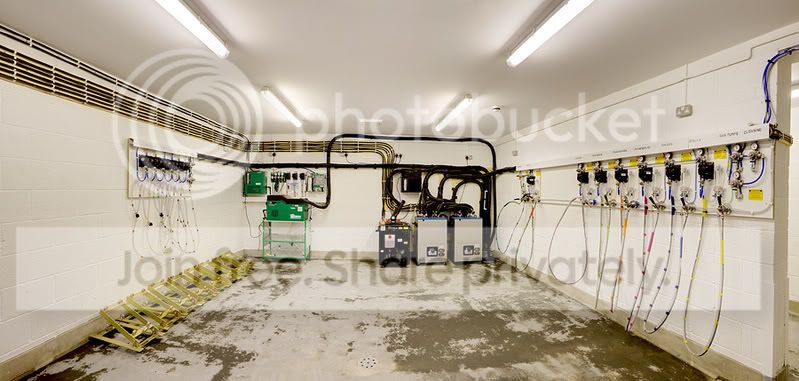
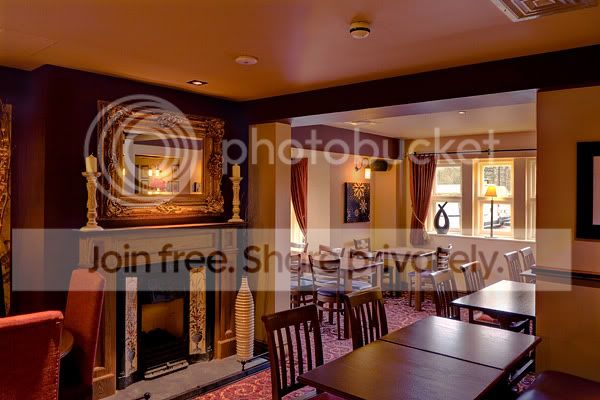
a standard wide lens is fine for rectangular shots. I use my 17-55 lens see below

cellar-1_blended.jpg


room-availablelight.jpg

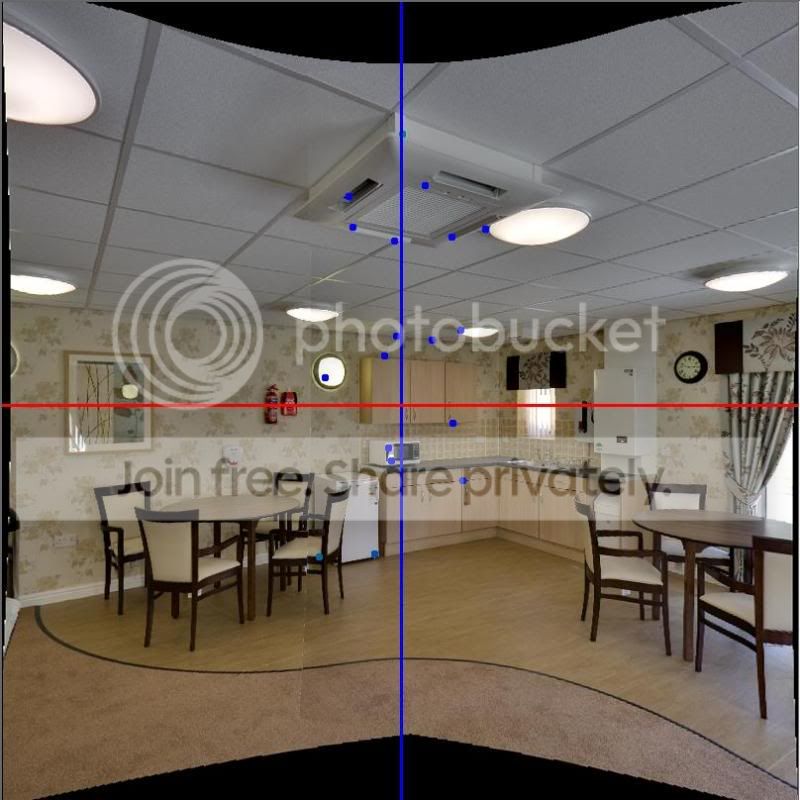
This shows an intermediate stage
panomatic-1.jpg


useful links
http://www.tawbaware.com/tufusepro.htm
http://www.tawbaware.com/forum2/
http://www.nodalninja.com/index.html
http://www.nodalninja.com/forum/
http://www.tawbaware.com/maxlyons/
http://www.tawbaware.com/ptasmblr.htm
 
It depends what sort of 'pano' you mean.

If you are looking for a 360 type pano, then a 8mm fisheye is ideal.

I use a siggy 8mm 3.5 on a 40D, I use a Nodal Ninja 3 (not sure if they still do them, more advanced versions available) on a tripod.

I then use PTGUI, Pano2VR and CS3 to stitch, clean up and output.

I'm still learning, but the 360 world is full of some very talented people producing some amazing results.

Have a wander through http://www.panoguide.com/

Some of my early efforts here and here

The last one is a tour I did for my local, as much for my entertainment as anything.
 
Last edited:
Ideally I think you need to pivot from the lens barrel rather than the camera, sure I had an article on this somewhere but can't seem to find it at the moment. Will post if I can find it.

(Sorry - this isn't helpful really is it)......
 
thanks for your help guys it was helpful,..
all i want to do is to make virtualtour from a small room, just indoor. i don't have pan head yet but i ordered one off the amazon anyway im waiting for it. i think for outdoor you set-up the pan head for every 90 degrees for 4 shots + one top and one down,. what about in the room is it the same rule? different lens? cheers
 
With a 8mm on a 40D I use four around +1 up +1 down.

If you tilt the camera up slightly, sometimes you can avoid the 'up' (zenith) then you can often patch the 'down' (nadir) in PS.

One problem you might encounter with a large expanse of blank wall is that the software has no method of identifying control points.
 
Depending on the type of 'pan head' you have ordered you will need to set the Lower and Upper rail settings for your type of camera and lens, if you don't get this right you will have large stitching errors and it will take an incredibly long time using the software to sort these misalignments of the images out.(if you manage to at all)
With my Nikon 10.5 fisheye I take 6 shots horizontal, one up (zenith) and 2 down (nadir), the two down are to capture the area below (obviously) one with the tripod and one with out. These nadir shots are then processed to give the 'floating' feel.

Failing that you can put a logo on the nadir, if you are doing that tilt the camera down by about 10-15 degrees, this reduce the size of the nadir therefore you don't end up with a huge logo covering the area.
 
thanks for the links specially the tutorial one very helpful,. i ordered the Roundabout-NP Deluxe pan head hopefully get it by friday,. i think i need to do alot practising,.
 
Back
Top