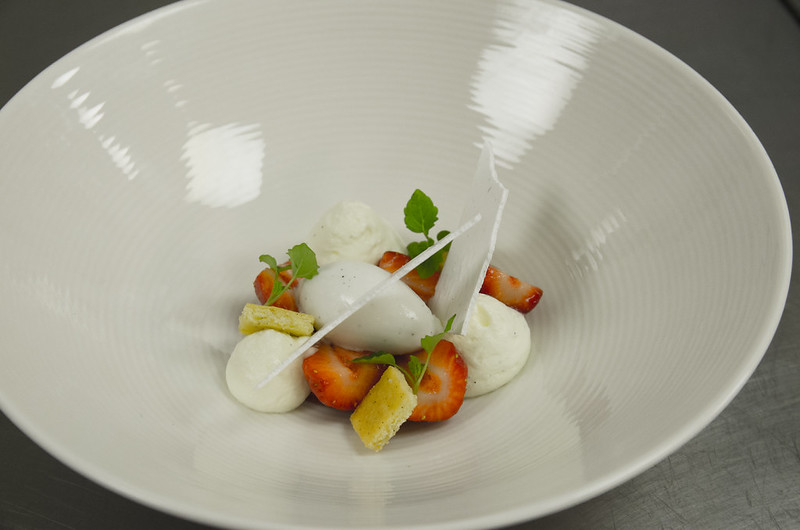
how to blow out the back ground on this

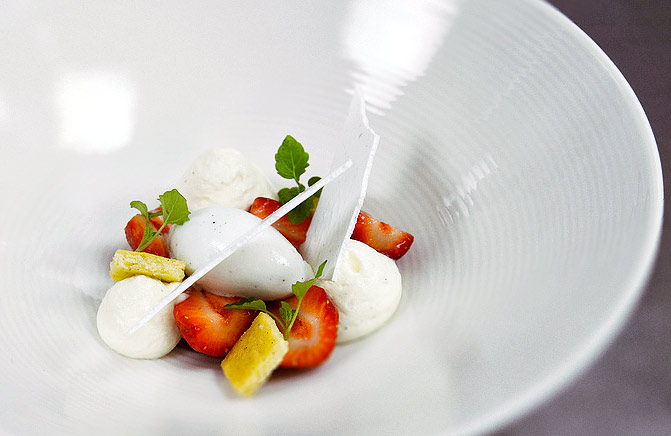
Something like this ?

7222800962_f0ba70d907_edit.jpg


Not sure if that's the effect you want ?
7222800962_f0ba70d907_edit.jpg
 
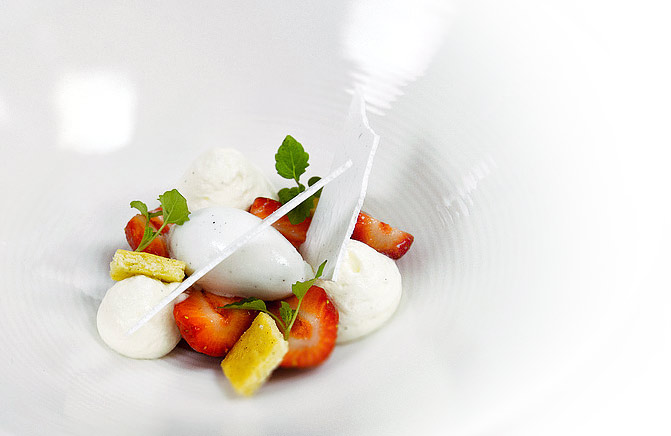
Try drawing a rough circle with any of the selection tools, add a fairly heavy feather to soften the edge and then with levels drag the left hand (white point) to the left till you get this.
If this is what your after?
7226222464_52bf09be6a_b.jpg
 
Well I can't see any metadata so it is impossible to guess which lens or aperture you used.

I'm assuming it is professionally prepared food, and that the bowl shown is the one it is served in which isn't helping your case.

So you can try:

1) Shallower bowl / plate to allow you to get lower and closer to the food
2) Less patterned plate
3) Back-light it
4) Longer lens or Macro lens
5) Shallower depth of field

One of more likely a combination of those will allow you to get it right in camera.

Right now you are shooting with far to much in focus, and from the wrong angle. It is pretty much sharp from the top of the bowl to the surface the bowl is on.
 
mike the exif data is available on flickr, its 5.6 and i used my sigma 17-50 2.8 lens,

how would using a longer lens help??? i only have the nikon 70-300mm.
 
OK thanks for the additional info Lewis.

You have two ways to "blow out" the background depending on what you mean.

Either the plate is blown out as a white highlight (eg RGB > 250) or you use a shallow depth of field to blur the foreground and background.

A longer lens might help you with achieving a shallower depth of field, but you could have used your 17-50 at f2.8 and got a relatively shallow DOF - but as I said your angle doesn't help you.

Nor does the colour of the plate. It is a light/mid grey colour in the image and a darker tone than the yoghurt, the creme fraiche and the shards and so unless you are able to light the plate in some way, and not the food (which might be achievable with a shallow plate and back-light) then you'll never do it on exposure alone as you'll lose detail in the food before you blow out the plate.

Hope this explains.

As for doing it in PP - well I'd say neither of the two offered examples really stand up to the quality of food, and I'm not sure without an experienced retoucher you get anything approaching a natural look for a high key plate.

Basically it is all working against you - and you'll need better lighting and photographic technique, and maybe props to get the result in camera you desire.
 
Interesting, stuff, Mike. If it was your shot - if you'd been asked to shoot that rather nice looking dessert - how would you go about it?
 
Interesting, stuff, Mike. If it was your shot - if you'd been asked to shoot that rather nice looking dessert - how would you go about it?

I'd have started by agreeing either a fixed price based on an estimated number of hours or a usage rate.......

;)

The rest, well the rest depends on what the client wanted to convey or what they were planning to use it for. There are lots of ways to shoot it, and as I rarely shoot for myself it kind of matters not which one of those I would select - although I think I have given enough clues as to my initial thoughts above.
 
I'd have started by agreeing either a fixed price based on an estimated number of hours or a usage rate.......

;)

The rest, well the rest depends on what the client wanted to convey or what they were planning to use it for. There are lots of ways to shoot it, and as I rarely shoot for myself it kind of matters not which one of those I would select - although I think I have given enough clues as to my initial thoughts above.

For example?
 
Had a 2 minute fiddle in PS:

dessert-test.jpg


I'm not sure what you mean by "Blow out the background", in this context if you want to fade to white like so:

dessert-test2.jpg


Then I'd use an "Exposure" adjustment layer as above, with a layer mask to apply it only to the edge using a massive (1000px) soft edged brush.

Your biggest problem with the white-fade is that your plate in the original image is wayyyyyy off white. This was colour corrected above just using the curve tool to tweak the R, G and B channels individually to bring the colourvalues into a more appropriate place. Tweaking it in LAB would have been even faster, but most people here tend to go crosseyed and man the pitchforks as soon as someone suggests using LAB space for colour work, so I made sure it was possible in RGB.
 
Last edited:
If it is something you have a chance to re-shoot, get it on a white tabletop and light it separately.

I did this one using two light sources, a speedlight and a large window.

IMG_8551-Edit.jpg


EDIT: Sorry, just seen this was posted in the processing section. My bad.
 
wow thanks, i sort of know the lights playing against me but i need to figure out what light to get, i cant get anything massive or the chef will blow his nut. cheers for all that, once i am out of work that is.
 
Have a look through the Scott Kelby digital photography books. One or two of them have chapters on product photography that could help you out a lot. For instance in one tip he mentions using small 4" round tiltable shaving or make up type mirrors, you can place these around your subject and get good all round lighting. Worth a read.
 
Back
Top