
How to achieve these effects?

Pietrach

Suspended / Banned
Messages
657
Edit My Images
Yes
Hi there,

I have been trying to achieve two effects for months without much success.
First one is colour related. i want to be able to edit photograph to achieve a warm, sunriase like colours, slightly desaturated but still retaining some colour.
Example (not mine):
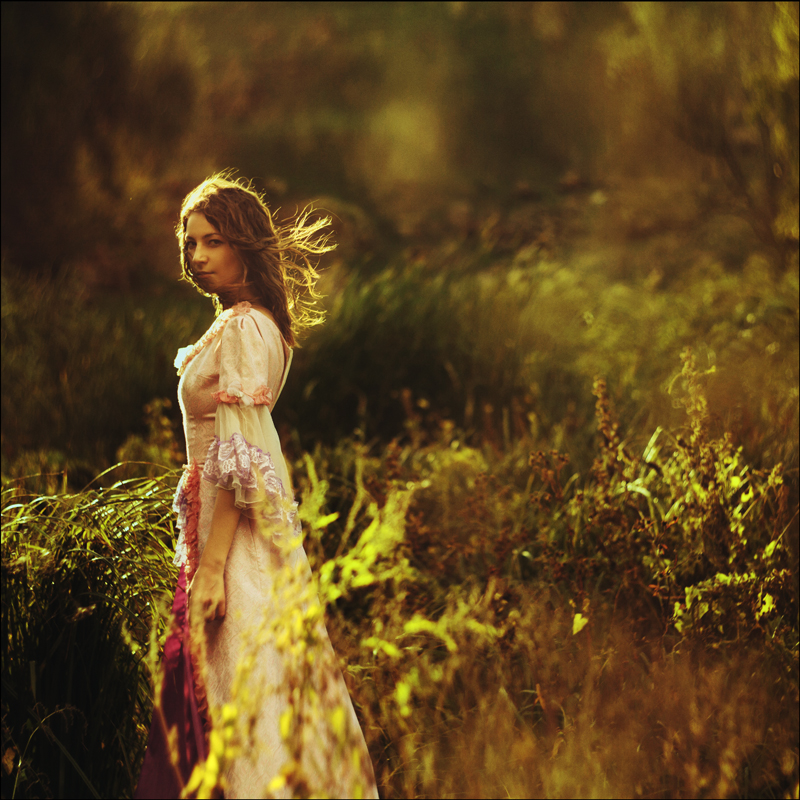
65700_by_aleksandra88-d3245ns.jpg


The other effect is a washed down, again desaturated effect, but photograph looks soft on first sight, but it actually is sharp:
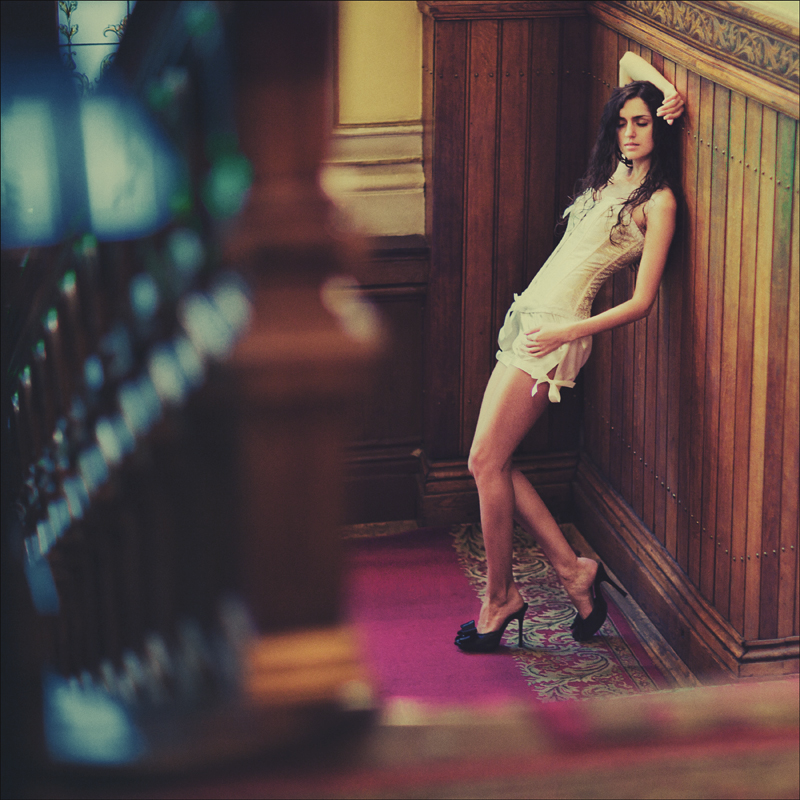
6577880008_by_aleksandra88-d34ahbr.jpg


Any help would be greatly appreciated:)
Ideally PS or Lightroom, thank you
 
I've been looking for a washed out Action for photoshop for ages. I know that histomatic or whatever the hell it is called for Iphone might be similar, but I'm not really a fan of that.
 
Using gimp, at a guess I would...

Duplicate the initial layer
Use Colors > Component > Channel Mixer
Tick mono, tweak until you are happy
Then Colors > Colourise to change the greys to colour
Slide until you find yellow/orange.
Change the transparency to 20% or 30%


Second image is similar, but it looks like the original has ben contrasted a bit first before desaturising.
Might want to duplicate the original twice. On one do the above (except leave as grey) and the lower of the two duplicates, add more contrast, perhaps darken/lighten a little?

Perhaps if you have a picture to play with (doesn't need to be very big) people can process and tell you how they did it, or where to find a tutorial that they followed?
 
The second looks like maybe a cross processing effect maybe done with curves? and the first one has had some processing (possibly x process?) then a orange/yellw photo filter on top.
Why not just message the shooter and ask him/her?
 
Hard to say without seeing the original for comparison, but I'd go with swanseamale; looks like an orange filter. Possibly done as a layer, then history brush or similar used to remove the part of the layer over the model.

2nd shot may be as simple as a touch of Gaussian blur (but probably isn't...).
 
Its a simple saturation and desaturation of simple specific colors, and less contrast.
 
A combination of HSL Adjustment and Split Toning in Lightroom can be used to recreate those effects. As for the "soft" look, try adding some grain.
 
Back
Top