


Digifrog
Suspended / Banned
- Messages
- 1,069
- Name
- Scott
- Edit My Images
- No
Hi TP
I need some good advice please. When it comes to taking photographs I like to think I know what I'm doing, when it comes to printing them I would like to know better what I'm doing.
At the mo I'm shooting with the 10mpx Nikon D80. The native size of RAW files is 2592 x 3872 or 10.8 inches x 16.3 inches @ 300 dpi.
I normally crop and print at these settings to a 15 inches x 10 inches (or 15 x 8 or therabouts @ 300dpi) without any noticeable depreciation in image quality.
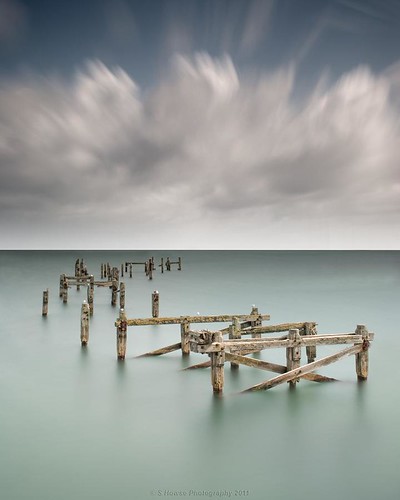
My question is this. I have a couple of images cropped at the 5:4 ratio, which is 2592 x 3240 (8.64 inches x 10.8 inches @ 300dpi). This is one of the images in question...
I think I can probably get away with printing these 5:4 crops at 31.25 inches x 25 inches @ 300dpi, question is, is 300dpi the best res to use? Also, what would be the biggest recommended size possible and what dpi to do it at without any real loss of image quality. I was told for printing you should use the largest size that 300dpi will allow, always use 300dpi.
I should invest in Photo Resize (Genuine Fractals Pro) but for now all I have is CS3. I would also like to know which enlarging process is best to use in CS3. I normally use (up to now) "Bicubic (best for smooth gradients)" but CS3 is indicating that I should use "Bicubic Smoother" (best for enlargement)"
Could someone please carefully clarify for me please, or should I really get Genuine Fractals to do this?
Thanks
Scott
I need some good advice please. When it comes to taking photographs I like to think I know what I'm doing, when it comes to printing them I would like to know better what I'm doing.
At the mo I'm shooting with the 10mpx Nikon D80. The native size of RAW files is 2592 x 3872 or 10.8 inches x 16.3 inches @ 300 dpi.
I normally crop and print at these settings to a 15 inches x 10 inches (or 15 x 8 or therabouts @ 300dpi) without any noticeable depreciation in image quality.
My question is this. I have a couple of images cropped at the 5:4 ratio, which is 2592 x 3240 (8.64 inches x 10.8 inches @ 300dpi). This is one of the images in question...
I think I can probably get away with printing these 5:4 crops at 31.25 inches x 25 inches @ 300dpi, question is, is 300dpi the best res to use? Also, what would be the biggest recommended size possible and what dpi to do it at without any real loss of image quality. I was told for printing you should use the largest size that 300dpi will allow, always use 300dpi.
I should invest in Photo Resize (Genuine Fractals Pro) but for now all I have is CS3. I would also like to know which enlarging process is best to use in CS3. I normally use (up to now) "Bicubic (best for smooth gradients)" but CS3 is indicating that I should use "Bicubic Smoother" (best for enlargement)"
Could someone please carefully clarify for me please, or should I really get Genuine Fractals to do this?
Thanks
Scott


