How do you hold it.

Steve T

Suspended / Banned
Messages
1,100
Name
STEVE
Edit My Images
No
I'm looking for any help with how best to hold the camera etc, to avoid movement. I gave it no real thought when I first started but I am starting to obsess about it lately. I have tried all sorts to avoid movement when pressing the shutter etc and even thought that a mouth/teeth activated shutter release might be an innovation worth trying:)/

Whats your technique for keeping the camera steady...
 
Right hand on grip, left hand UNDER lens.

Elbows tugged in.

take a photo when either at the top of your breath or exhaled.

Some times I lean against something, use myself as a tripod.

When it's a heavy lens, anything 70-200 and up, I would pick it up by the lens, and not the camera.
 
Last edited:
Raymond Lin said:
Right hand on grip, left hand UNDER lens.

Elbows tugged in.

take a photo when either at the top of your breath or exhaled.

Some times I lean against something, use myself as a tripod.

When it's a heavy lens, anything 70-200 and up, I would pick it up by the lens, and not the camera.

That's good advice about the breathing. It is one of the principles of Good Marksmanship.

Sent from my iPhone using TP Forums
 
What he said ^ and feet apart, left foot slightly in front of right.
 
Hi Steve

Main cause for blurry images it due to the way you hold your camera Clicky Linky and sometime people stab at the shutter button rather than gently squeezing it, and to slow a shutter speed, basically make a tripod with your arms/eye and body and hold your breath, so ex/inhalation dont make you be unstable and a good stance helps

:thumbs:
 
Last edited:
Thanks for that guys, I will watch the breathing from now on as that hadn't occurred to me before, good tip. I've been shooting on a tripod up till now with the non is kit lens in a studio so haven't really had a problem but now I've got all that sussed I'm having a go at the family etc. I know the kit lens is supposed to be crap but before I upgrade I want to get the best it can give, so 'body/hand stabilisation is my main mission at the moment, along with wallet stabilisation of course.:thumbs:
 
I've been shooting on a tripod up till now with the non is kit lens in a studio
Wow your just starting out and had studio experience before hand holdingI find that hard to believe :thinking: surely youve hand held cams before going in a studio, I dont know anyone who went to studio before normal shooting
I know the kit lens is supposed to be
Depends on whos using it :D its not the kit its the eye to see the shot

Your pulling our legs right, you got any shots for us to see, we'll be the judge :D

Lets see some images now youve intrigue us
 
Last edited:
I find its better when holding the camera 'vertcal' to have the shutter button at the bottom, that way, both my arms are down and nicely tucked in, rather than my right elbow sticking up in the air.

I know of 2 ways (there are probably more).

#1. Support the cam with the finger tips of your right hand and use index finger for the shutter, or,

#2. Rest the cam in the palm of you right hand, and use your thumb for the shutter.

Hope that helps.
 
Last edited:
If you use a gripped body Google Joe McNally's method for holding the camera steady. It really works.
 
I watched this video a while ago

Would you trust a photographer who can't light himself :D Massively over-Filled from the left, black hair against a black background with no backlight... :cuckoo:

*ahem* on the other hand, he does show the classic pose for holding a camera. Its much more natural, comfortable, and less tiring with your left arm underneath than on top anyway!:thumbs:
 
I most certainly will come back to you on that Dave, sorry you doubt me sunshine ( why is that ???)

What sort of images would you like me to post, My studio...My other studio... some designs... yeah, I am a designer, not a bloody photographer.

I am having to learn all this **** because the logistics and cost's of a pro won't work with my product and budget, and it galls me because I missed just how important image reproduction and the quality/cost imponderables of web colour/reproduction/transfer are.

What would you like to see/know Dave, let me know.
 
Marts said:
That's good advice about the breathing. It is one of the principles of Good Marksmanship.

Sent from my iPhone using TP Forums

Indeed this does follow the marksmanship principles. However, do not shoot at the top of the breath. Take a deep breath, exhale slowly, when the air has gone from the lungs wait one second the shoot. Don't snatch at the trigger just gently squeeze and release once the shot is complete (follow through).
 
I think the key to a jerk-free release is to carry all the weight in your left hand. Cupped under the camera/lens, left upper-arm gently but firmly braced against the side of your chest. This works for both vertical and horizontal framing.

The right hand holds no weight, and does nothing except squeeze the release. You need it to be as free as possible to access the buttons with your thumb.

Also important is left foot fowards in a half sideways stance, and the breathing/exhale bit.
 
Wow your just starting out and had studio experience before hand holdingI find that hard to believe :thinking: surely youve hand held cams before going in a studio, I dont know anyone who went to studio before normal shooting

Depends on whos using it :D its not the kit its the eye to see the shot

Your pulling our legs right, you got any shots for us to see, we'll be the judge :D

Lets see some images now youve intrigue us

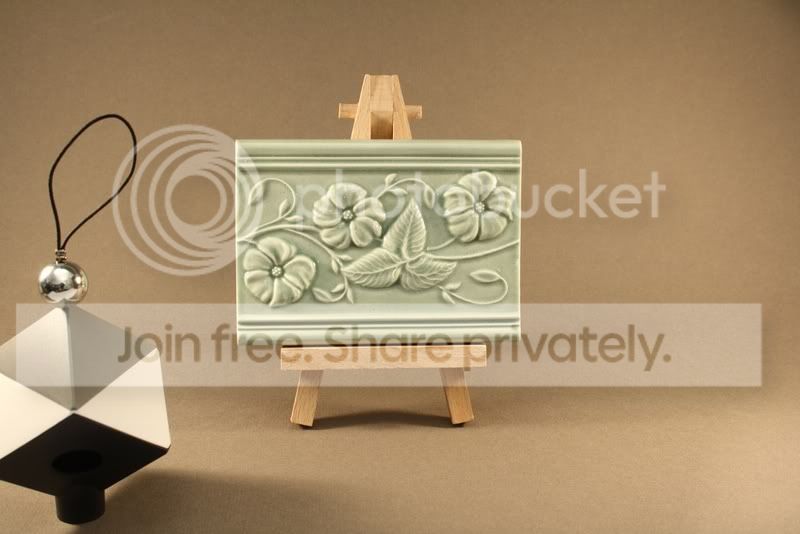
Here's one of my designs that will be launched with my website this year. Straight from the camera no editng just resized and saved as jpeg. Shot on a tripod in precisely the same position and lighting as the whole batch of colour shots that go with it.


As requested, what do you think??

Have I screwed that up??
 
Last edited:
and sometime people stab at the shutter button rather than gently squeezing it,:

Martin's already mentioned about control of breathing being a principle of good marksmanship, and this is no different. Squeeze, don't snatch!
 
Are you there Just Dave?? or are you 'Hand Holding' it
 
Wow your just starting out and had studio experience before hand holdingI find that hard to believe :thinking: surely youve hand held cams before going in a studio, I dont know anyone who went to studio before normal shooting

Depends on whos using it :D its not the kit its the eye to see the shot

Your pulling our legs right, you got any shots for us to see, we'll be the judge :D

Lets see some images now youve intrigue us

Well|???
 
Here's one of my designs that will be launched with my website this year. Straight from the camera no editng just resized and saved as jpeg. Shot on a tripod in precisely the same position and lighting as the whole batch of colour shots that go with it.


As requested, what do you think??

Have I screwed that up??

Steve,

What are we looking at exactly?

What are you trying to show?

What is the Black/Silver boxy looking thing that looks like it is a Radar reflector from a boat? Why is it in the corner of the image?

Just asking so I can offer some help.
 
Hi Ed, see post 7 by Just (arzzhole) Dave.

This is the sort of shots I bought my 1000d for, to take pics of stuff I design for my website. The pic I have posted is a settings shot of one of my tiles, though I don't think I've quite got the hang of image shack yet. That thing in the corner is a 'Datacolour Spyder cube' which is a white balance tool.

Post 7 asked to see one of my images...
 
I find setting a 2 second timer on the shutter release can reduce camera shake a little when doing long exposure handheld shots.. :)
 
Here's one of my designs that will be launched with my website this year. Straight from the camera no editng just resized and saved as jpeg. Shot on a tripod in precisely the same position and lighting as the whole batch of colour shots that go with it.


As requested, what do you think??

Have I screwed that up??

My concerns would be that the tile (what you are selling) is less than 1/3 of the size of the image. I would also be concerned that you have shot slightly downwards creating diverging verticals (the opposite of what happens when you look up at tall buildings). As you are selling an item that I assume needs to be geometrically correct (otherwise you will have gaps at the joints) it is probably important then that the tile is photographed square on.

The lighting could be a little better as it is slightly darker above than it is below (this is unnatural to us) and can give a subconcious feeling of foreboding (not helpful if you are trying to sell something).

Having your 'radar reflector' in shot is also not required, and if you set the camera up correctly with the white balance and exposure you require, then all shots after should be a given.

Now the good bit: I love the little easel you are using to hold up your tile, it looks much better than just having the tile laid flat or resting against the background.

I have had a play with your image to give an idea of how I would have shot the image. Correcting the verticals, lighting better and concentrating on what you are selling.

your original

tileoriginal.jpg


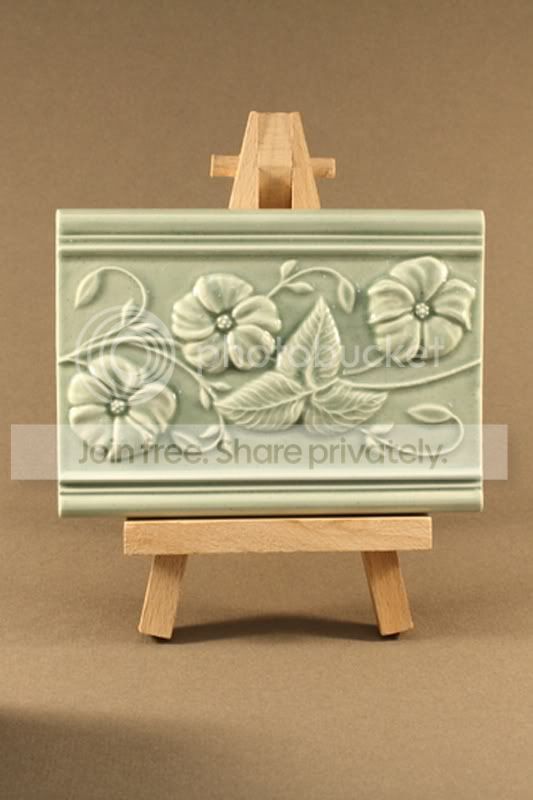
Your original cropped as an upright thus concentrating on your subject

tileoriginalcrop.jpg


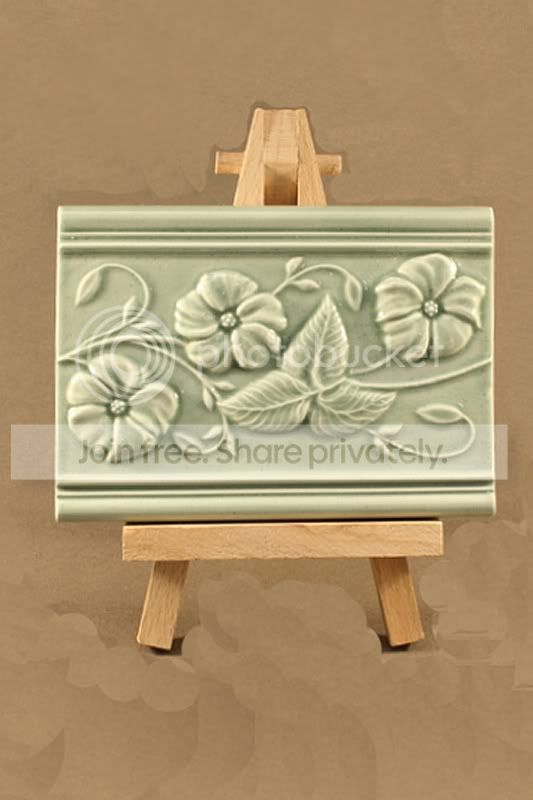
Corrected verticals and bachground tone lightened

tile.jpg


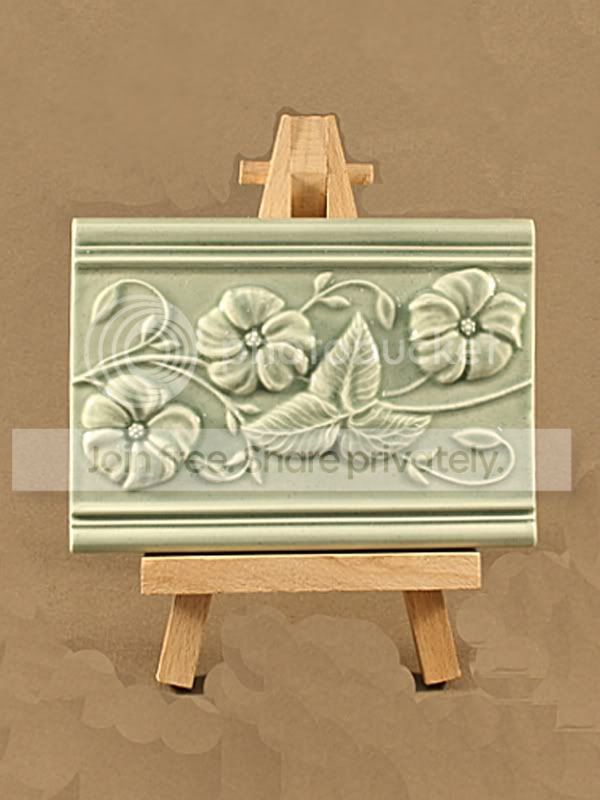
Cropped to more pleasing 8x6 format

tileadjusted.jpg


Now I have used photoshop to give an example of what you should be looking to do when taking images for sales puposes, but it is much better if you can do it all in camera.

So.

Graduated backgrounds should be typically lighter from above unless especially shooting for effect (its how we see the world).

Get as close as you can to make the subject as large in the frame as possible whilst still allowing a little room for the subject to 'breath' (I know it's inanimate but couldn't think of any other way to put it).

Ensure the camera is square on to the subject to avoid converging or diverging lines. You want your product to look as realistic as possible. This will also allow you to use a larger aperture in many cases to keep everything it focus.

Hope this helps.
 
Thanks for that Ed, sorry I'm a bit late getting back:)
 
Back
Top