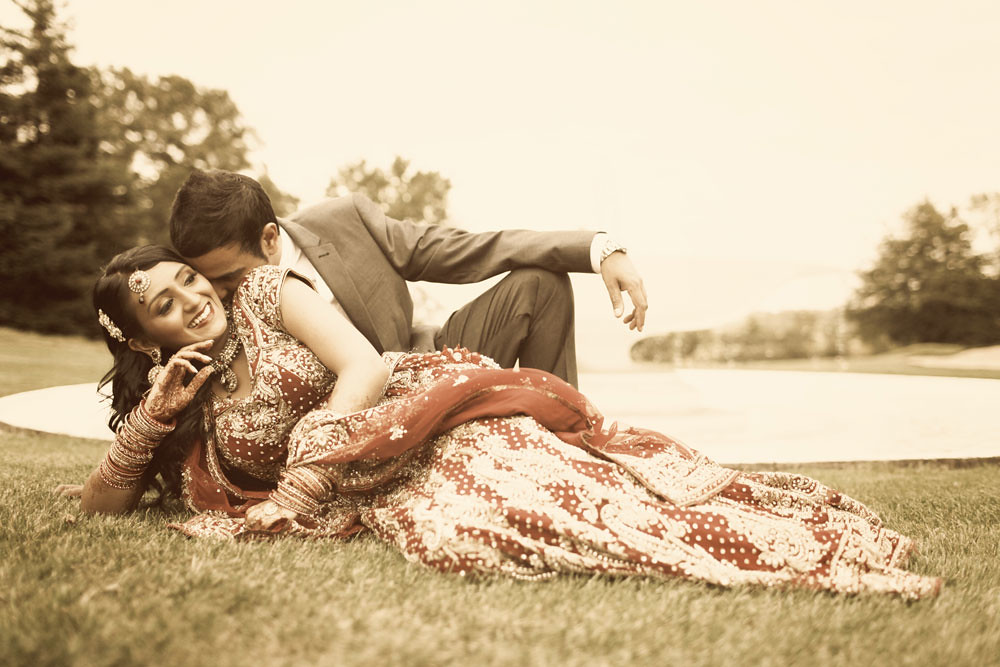
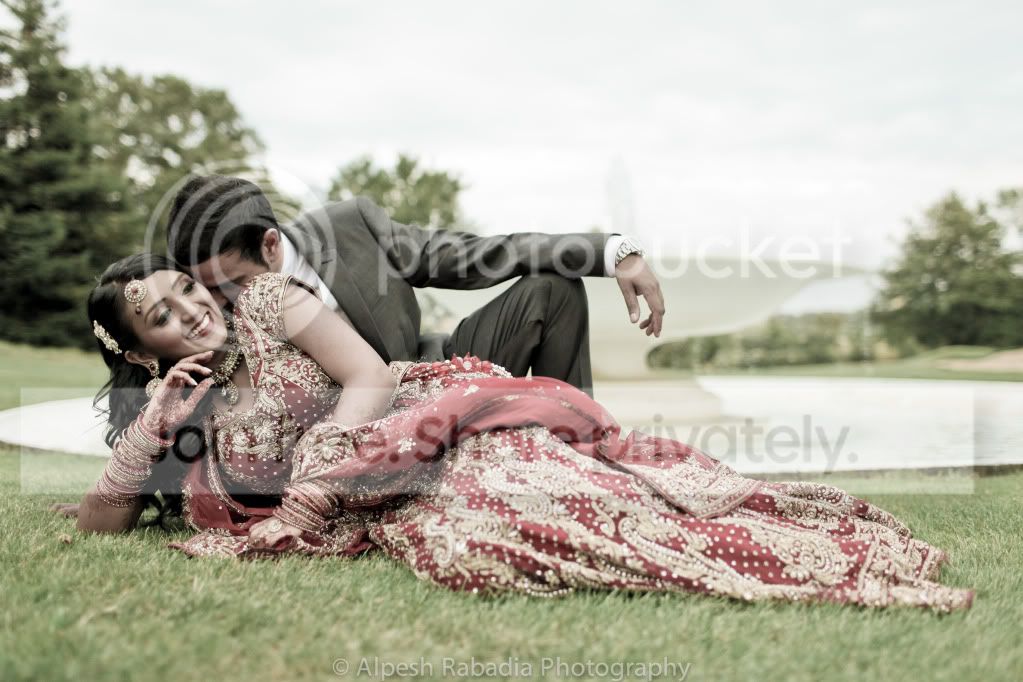
How do they do the proccessing on these images?

they will have a tint added too, so that it gives that colour wash to it.
 
In Lightroom, I'd drag the saturation slider to the left then add a split tone effect with just the shadows set to about 80% sepia (or as close as I could get to it) and the highlights set to 0%. I haven't tried this, though, I'm just guessing. There are probably Lightroom presets and Photoshop actions for this effect.
 
Hi

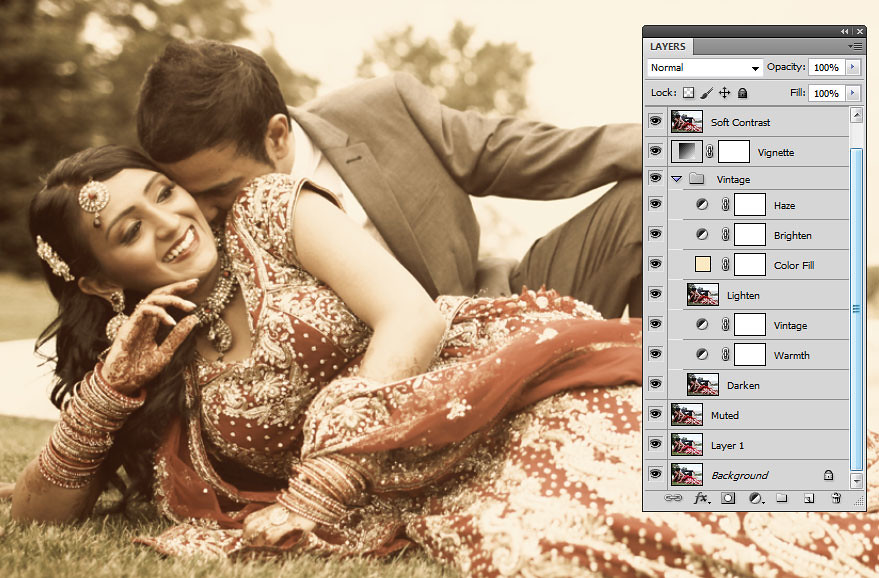
I had a quick go at a vintage soft lomo effect

6166564654_ea27c7188d_b.jpg


Screen shot of layers

6166206243_89ac704e94_b.jpg


Dave
 
Last edited:
I had another tweak at it, brought the yellowness back a bit.. run through here of my settings in lightoom.

Exposure +0.78
Fill Light 15
Black 1
Saturation -33

Tone curve - custon straight line with the black point lifted about 20%
Split toning - yellowish in highlights, yellow / grey in shadows balance -84
Post crop vignette -43

unled24293.jpg


Thats about it..

Preset here if you want it - http://www.filedropper.com/vintagewarm
 
Last edited:

Slightly off topic their is another action in that set called "Portrait Action" it has a photo of a guy in a hat in a before and after affect, i downloaded this one as i thought it looked really good, very large file though, anyway the problem is when i get halfway through the action a box pops up saying "could not complete the action because the file could not be found" so my question is has anyone else downloaded this and had the same problem, it does seem a few people on that site have but the originator doesn't seem to be pointing to a fix for it, has anyone here got one ? I'm using CS5 but I've tried it in CS3 as well and the same problem there :shrug:
 
Slightly off topic their is another action in that set called "Portrait Action" it has a photo of a guy in a hat in a before and after affect, i downloaded this one as i thought it looked really good, very large file though, anyway the problem is when i get halfway through the action a box pops up saying "could not complete the action because the file could not be found" so my question is has anyone else downloaded this and had the same problem, it does seem a few people on that site have but the originator doesn't seem to be pointing to a fix for it, has anyone here got one ? I'm using CS5 but I've tried it in CS3 as well and the same problem there :shrug:

Anyone got an update on this please :)
 
Hi Tel,

On the linked deviantart page:-

"Sorry if this doesn't work. I've got CS5 now so will update the action in the next day or two."

Maybe worth sending the action author a message on deviantart?

EDIT

there are also some more detailed instructions in page 4 of the comments.
 
Last edited by a moderator:
Back
Top