

Hi guys,
After all of the help you gave in my previous thread about the hair models, I decided to try and take on board some of the things you said about composing the shot and portrait vs landscape.
I am using a Sony A380 with everything set to Auto (I'm trying to learn what makes a shot before I explore the camera...it might be months before I press "menu" by the looks of things).
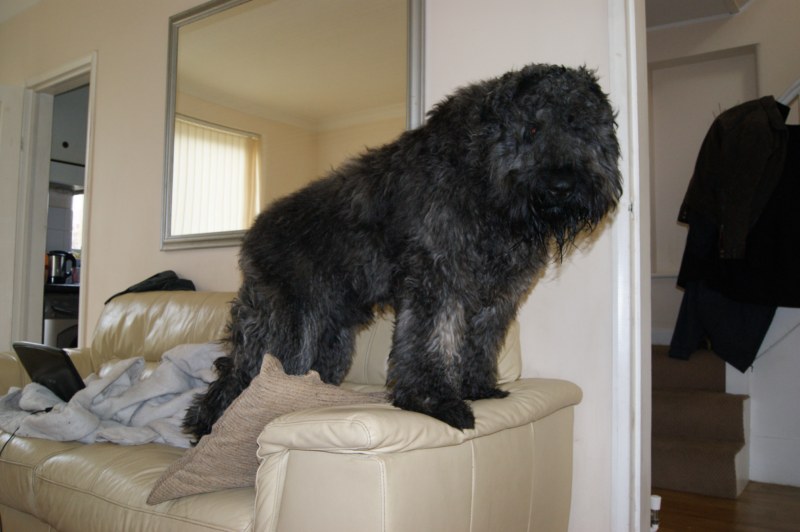
My test model was my 13 month old puppy. He's big (see the first snapshot of him standing on my couch LOL) and doesn't tend to stay put very long.
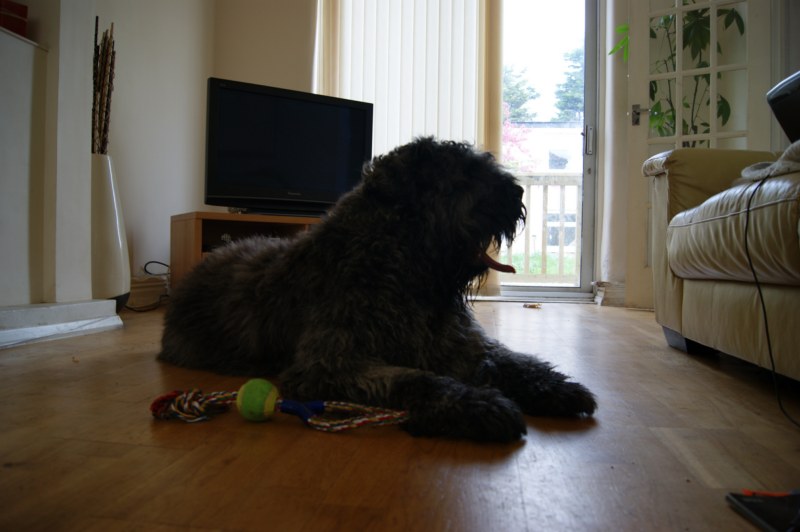
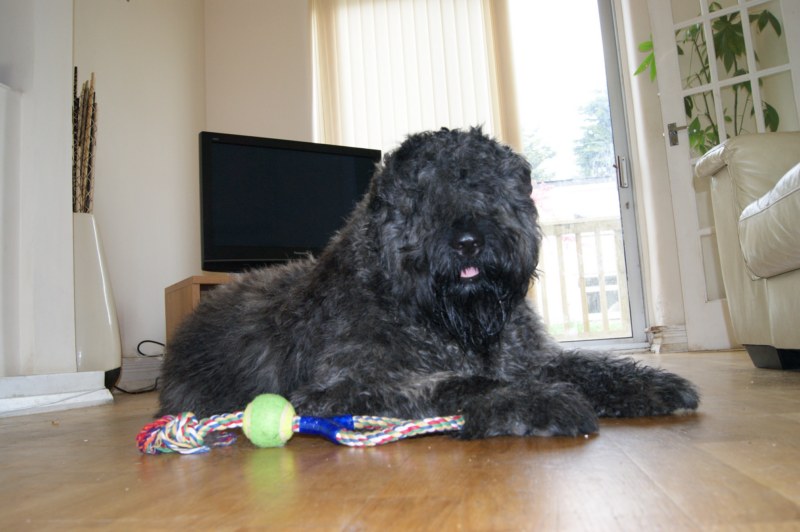
I did some quick shots looking down at him from the couch, and I did some shots from the floor perspective.
When I allowed the auto-flash to fire, it bleached him out. When I switched the auto-flash off, I was happier with the pictures, but they took on a "blue" cast.
What should be the happy medium?
On the floor pics, I was hoping to get him silhouetted more or less against the light from the patio doors. However, I still wanted the detail of his face.

I haven't cropped or lightroomed the photos below...they are as shot.
Thanks for your help and education!
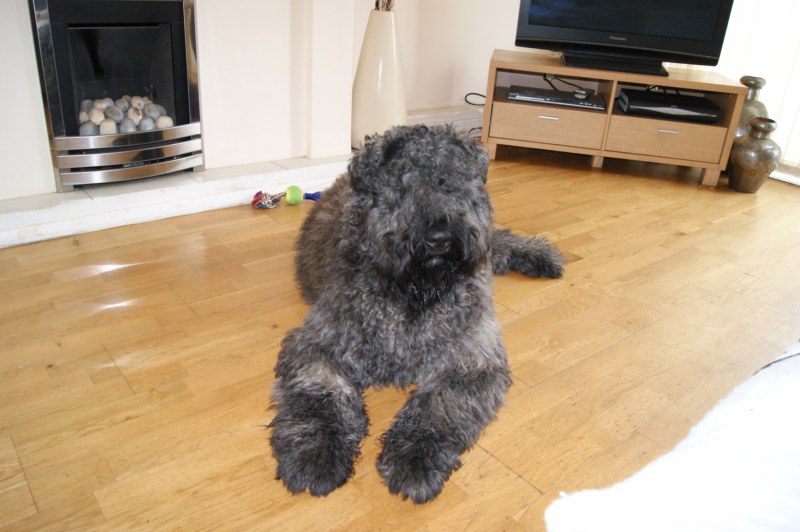
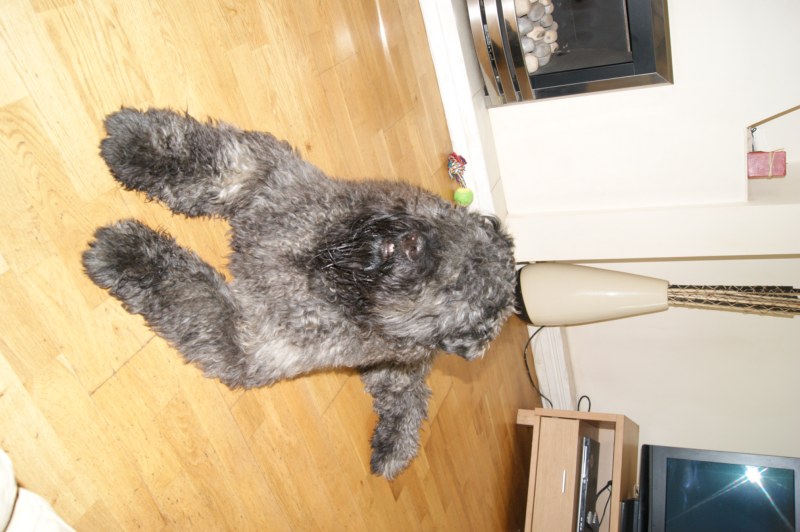
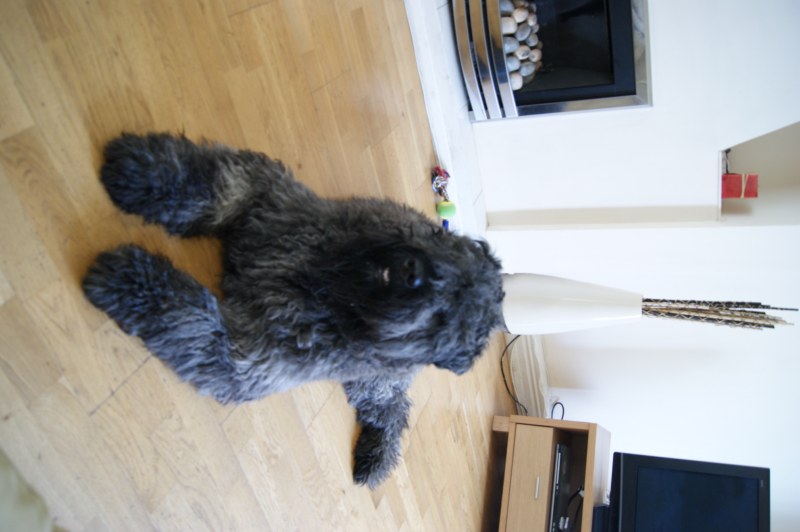
And one more question (now I can see the pics like that)...why do none of my pictures look 'crisply focused'? I know I am only using auto-everything, but is there no way the auto-settings can give me a crisp focus when the subject is centered in shot?
After all of the help you gave in my previous thread about the hair models, I decided to try and take on board some of the things you said about composing the shot and portrait vs landscape.
I am using a Sony A380 with everything set to Auto (I'm trying to learn what makes a shot before I explore the camera...it might be months before I press "menu" by the looks of things).
My test model was my 13 month old puppy. He's big (see the first snapshot of him standing on my couch LOL) and doesn't tend to stay put very long.
I did some quick shots looking down at him from the couch, and I did some shots from the floor perspective.
When I allowed the auto-flash to fire, it bleached him out. When I switched the auto-flash off, I was happier with the pictures, but they took on a "blue" cast.
What should be the happy medium?
On the floor pics, I was hoping to get him silhouetted more or less against the light from the patio doors. However, I still wanted the detail of his face.
I haven't cropped or lightroomed the photos below...they are as shot.
Thanks for your help and education!
And one more question (now I can see the pics like that)...why do none of my pictures look 'crisply focused'? I know I am only using auto-everything, but is there no way the auto-settings can give me a crisp focus when the subject is centered in shot?


