How did Dogfish do this...?

68lbs

Suspended / Banned
Messages
5,450
Name
April 2008
Edit My Images
No
Hi and welcome, looking at the exif for these it shows shows multiple focus points were used, which maybe why they are looking out of focus - can you switch to just use the center focus point ? this will allow you to control which part of the picture is in focus.

1.jpg


2.jpg


3.jpg


4.jpg

So as not to hijack the thread this was posted in... how did you know from the exif which focus points were used, and get wee pics?

Or am I just really gullible and you drew them on in photoshop looking at which parts appear most in focus?
 
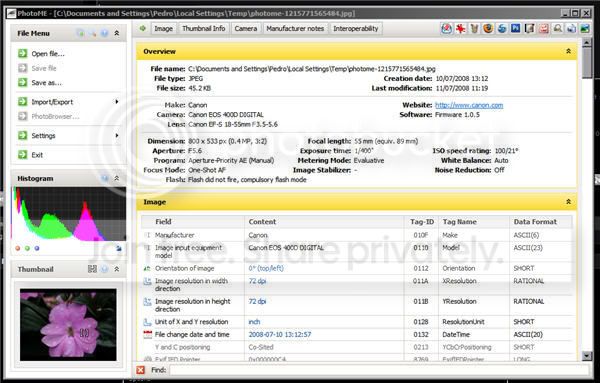
Some exif viewers report this info - here's a screen shot of one called photome

0000.jpg
 
Thanks for the info. Just been having a look, though unfortunately won't work on my G5 Mac which is what I use for all my photo stuff. Looks pretty handy for analysing why you might have ballsed up a shot though.
 
Thanks for the info. Just been having a look, though unfortunately won't work on my G5 Mac which is what I use for all my photo stuff. Looks pretty handy for analysing why you might have ballsed up a shot though.

I also use Mac and its a shame its not available i currently use Exif viewer, what do you use currently?
 
If it's my own shots then I just open them in photoshop. For web images, i just 'right click' to view properties in firefox. I think i downloaded a plugin for this, but looking at my ff add-ons i seem to have two possible candidates so not sure which it is - either DOM Inspector or FxIF. It doesnt always work though, and doesnt give much more than basic info.
 
Cool program. It can't seem to find af point data in any of my files though for some reason
 
The focus points are available using the Canon software.
 
Back
Top