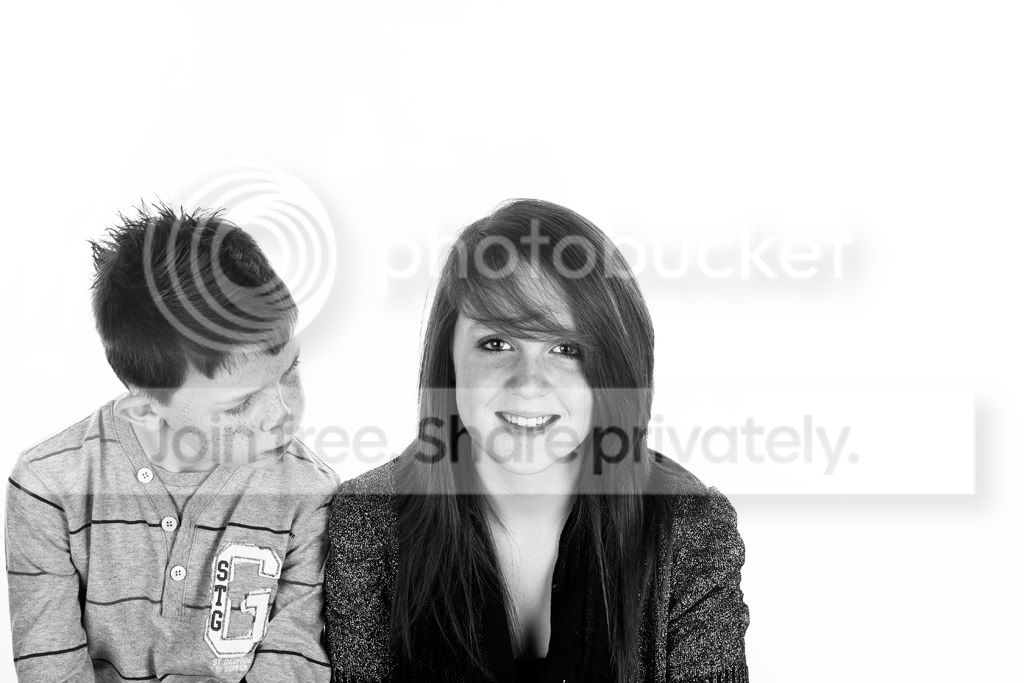
How Can I

CraigF

Suspended / Banned
Messages
2,003
Name
Guess..Bet you don't get it.
Edit My Images
Yes
Put the Brick wall from this picture
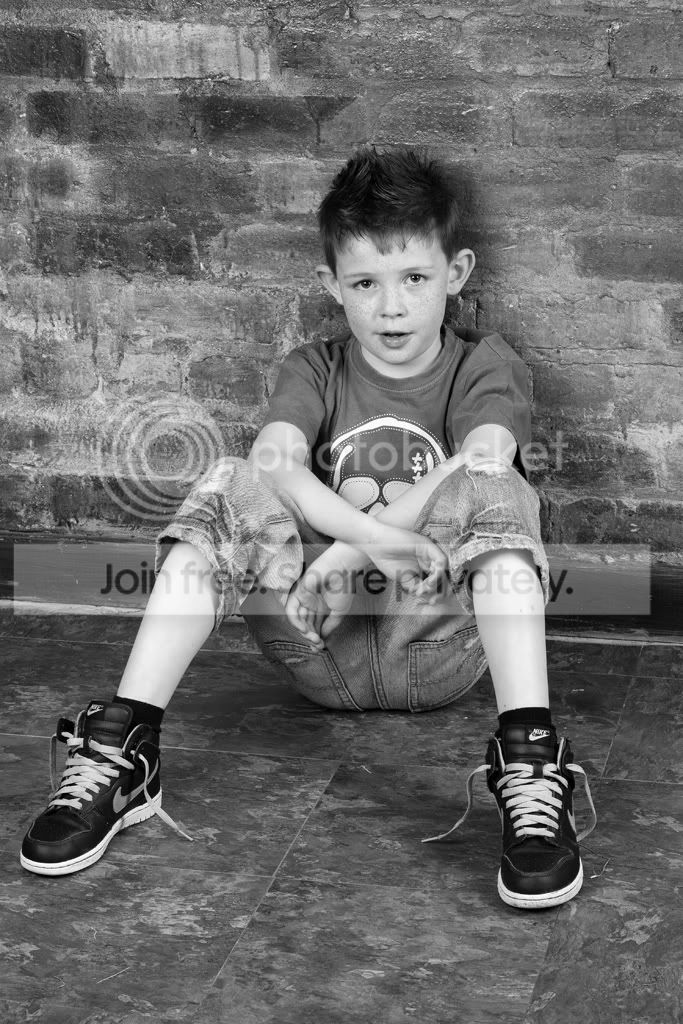

IMG_0011BW-1.jpg


On to this picture?
IMG_9976BW.jpg


Its driving me daft, i can do it to a certain extent but not as good as i would like.
Thanks in advance for any help.

I also have the originals i am willing to upload.
 
Well it would be real easy to cut them out from that white background, but I would not attempt to use that photo of the brick wall as the boy in it just makes it to awkward.

Do yourself a favour and go out and photograph a blank brick wall and make it easy on yourself.

I'm always photographing things just for background uses especially graffiti walls.:)

134165538.jpg
 
Last edited:
I have the brick wall, i just dont know how to do it. lol.
What was your method for the above pic
 
If you have the brick wall on its own you would open the image of the boy and girl in photoshop.

You then need to delete the white background. To do this, select the MAGIC ERASER TOOL and then click on the white background. You should see a checker pattern now which means it is transparent. You will need to refine the background deletion around hair etc. You can feather the deletion as well, just can't remember how off the top of my head!

Now, drag the photo of the brick in image and it will create a new layer.

In the layer panel, simple drag the brick one so it is further down the list than the original.

You should now have them both on a brick background.
 
Last edited:
Well it would be real easy to cut them out from that white background, but I would not attempt to use that photo of the brick wall as the boy in it just makes it to awkward.

Do yourself a favour and go out and photograph a blank brick wall and make it easy on yourself.

I'm always photographing things just for background uses especially graffiti walls.:)

134165538.jpg

good advice!! sometimes the simple things are best eh?
 
Or . . . . select the white, select/copy the brick wall and use 'paste into' on the kids image.
 
Cheers for the suggestions guys, getting closer but the spikey hair is proving problematic.
 
Waynes link is a good way if you have the full CS program but if you only have something like Elements 9 then I would try this

1-Duplicate the layer then use the magic extractor to cut out the image from the duplicate layer, it's simple to use and does a fairly good job.

2- Open the background image ,select the move tool and drag the cut out layer onto it and position it.

3- Add a layer mask and tidy the edges up if needed.

A quick and dirty ten minute job using the above method.

134183867.jpg
 
Back
Top