how can i repair or avoid this?

seventythree

Suspended / Banned
Messages
810
Name
Allan
Edit My Images
Yes
Afternoon,

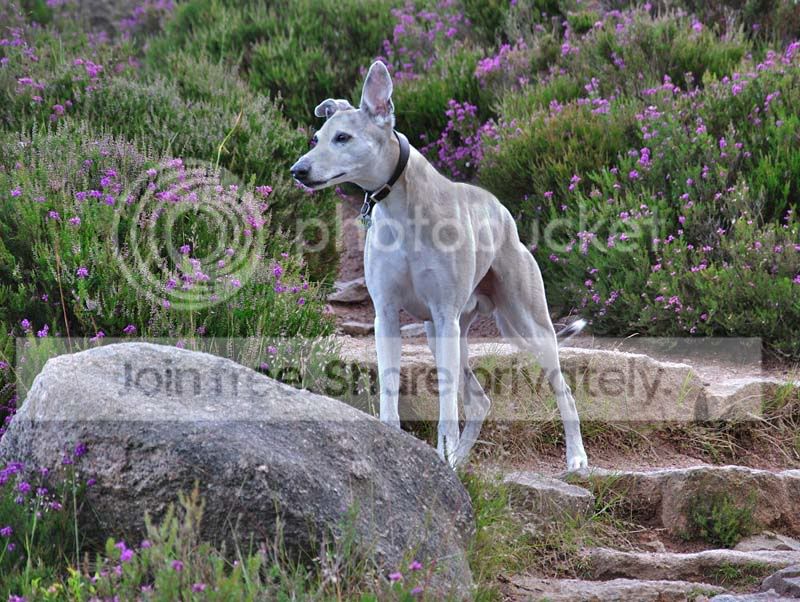
See the attached photo of my dog. I love the photo to bits (he's been doing the 1 ear up thing since a puppy, he's now 8) but the glare on his back and nose is just distracting. I've tried reducing the exposure with viewNX and tried a few contast/brightness adjustments with CS4, but i just cant make anything of it.

Can someone advise on ideally how to avoid this or secondly advise how to repair it . The original photo isn't really overexposed either.

Any advice would be greatly appreciated.
spencer800.jpg


cheers, Al
 
easiest way to PP it is to go into photoshop. grab the burn tool and set it to highlights. this should bring down the glare. theres much more complex and BETTER ways to do this. but thats one of the easiest ways


edit: just tried this and it doesnt work very well :/
 
Hi Al,

the only way you can avoid this at the point of capture is to reduce the exposure. Obviously this will impact the whole shot but if the highlights are the most important part, then some shadow detail may need to be sacrificed a little.

This does look pretty close to the whole shot being within the dynamic range of the camera so I'm sure a tad of burn as suggested or some highlight recovery would help alot.
 
easiest way to PP it is to go into photoshop. grab the burn tool and set it to highlights. this should bring down the glare. theres much more complex and BETTER ways to do this. but thats one of the easiest ways


edit: just tried this and it doesnt work very well :/

thanks for trying that, youve saved me 4 hours !

Hi Al,

the only way you can avoid this at the point of capture is to reduce the exposure. Obviously this will impact the whole shot but if the highlights are the most important part, then some shadow detail may need to be sacrificed a little.

This does look pretty close to the whole shot being within the dynamic range of the camera so I'm sure a tad of burn as suggested or some highlight recovery would help alot.

thanks, not sure what the bold bit means? :$

would HDR of helped this photo?

cheers, Al
 
not sure what the bold bit means?

It means I waffle in technobabble too much. :lol:

Basically, I was trying to say that the whole range of brightness in that shot is not really beyond the range your camera can cope with. So, if the exposure is correct (which I think it is here) then nothing is going to be too dark or too bright.

The way this shot has been processed, either by the camera if you shot jpeg or by you if was shot RAW, has just pushed the very brightest bits a little too far.

There are a number of ways to deal with this using software and the best way will depend on the software you're using.
 
i did some cloning of a photo with similar highlights in the hair of some elderly relatives
it took time at large magnifications but got it done to their satisfaction

i have the pics if you need to see them

be patient and keep a couple of originals
 
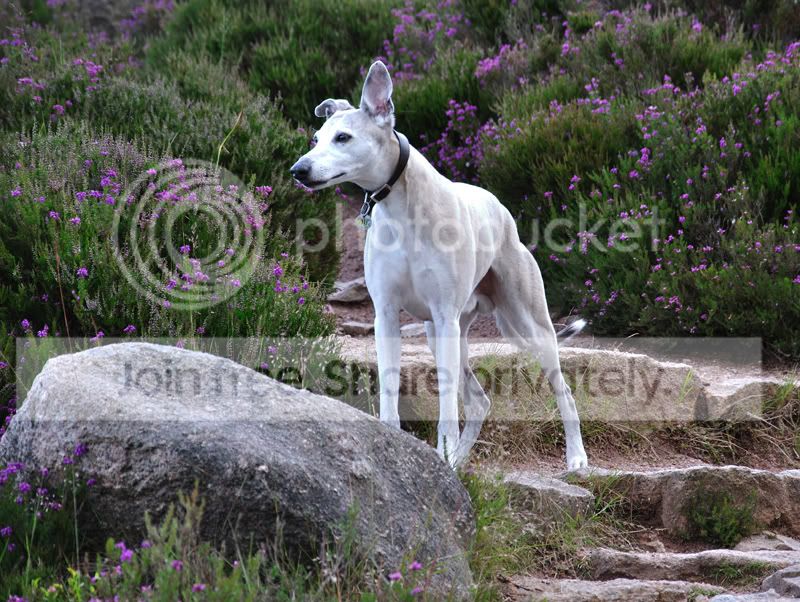
Many thanks to Trex500 for having a bash at this . Not too bad at all. now i just need to hone my PP skills!

oh, and i got a telling from the missus. Spencer is 9 years old!

Mr Crow, is this same technique you suggested (cloning) ?


spencer800repaired.jpg
 
Back
Top