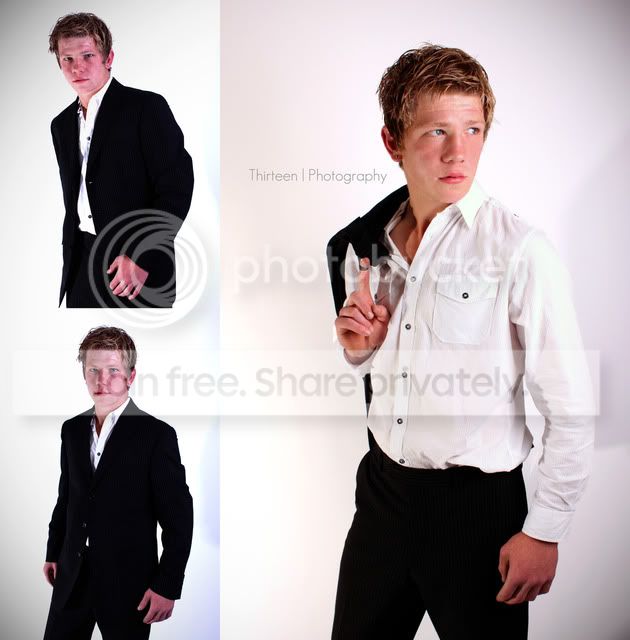
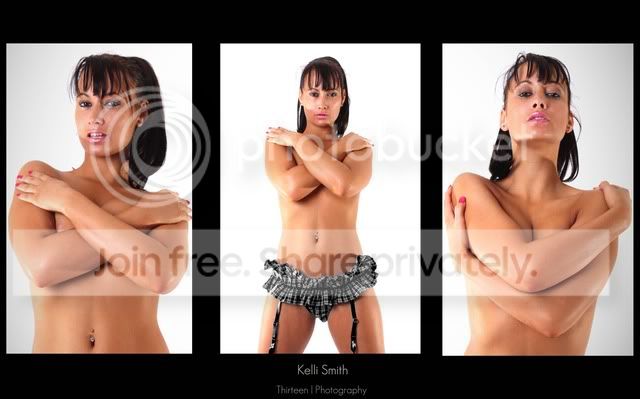
They could also be called Triptych's as they've got 3 images in them, but the bottom one is closer to what's typically expected of a triptych.
Why did it take ages? It's only arranging 3 images together!
Bottom one should have taken about 5 mins
Make the 3 images the same size
Black background with canvas big enough based on the size of the 3 originals.
Drag 3 images into new background
Line them up
Flatten
Finished.
Takes longer to type than do (then again everything's easy when you know how)
Top one looks a bit all over the shop with colour balances, and it would look better with the white backgrounds cleaned up, or... at least separate the images with a black stroke.
Thanks for the help... I personally dont like the top one, just another example to show..
how do i know the right measurements, do i actually have to calculate the height and width etc, this sounds like all that i have been doing, but one image seems to be taking me about half an hour!!!
Do you use Photoshop either Element or the full one? If so then we have a collection of scripts on TP called Script Writer and this includes a PANEL generator which will create panels in whatever ratio you want 1x2, 1x7, 3x1 etc It also does borders, shadows, EXIF info etc etc etc
There is a link in my sig and you can batch process them too.
Trying re-sizing the left images to half the height of the main image, and hold shift whilst dragging them into the same window. Obviously your main montage window will have to be main image width + secondary image width. i.e 600px + 300px. Finish off the job with the nudge tool, again holding shift to move a greater distance. If "snap" is annoying you, turn it off in View -> Snap.
The quickest way if you have to make a lot the same is to make a simple template, then you just copy one pic, and paste into one of the spaces, drag to re-size and do the next one etc.
If you don't want to use the Script Writer scripts another alternative is to create a frame layer and have this as the top layer then just drag the other three images in as new layers and use free transform on them. The main layer would only need designing once and you just leave 3 transparent squares.
This site uses cookies to help personalise content, tailor your experience and to keep you logged in if you register.
By continuing to use this site, you are consenting to our use of cookies.