
Help with processing

3weight

Suspended / Banned
Messages
87
Edit My Images
No
Hi

Just back from a family holiday to Crete and had a few pictures shot in RAW. I have absolutely zero in the way of photography skills including post processing. So I am asking for some help. I have included a few pics that looked ok ish on my mac. I am only using iPhoto at present and looking for some hints and tips on what you guys would do to these pics?

Thanks in advance
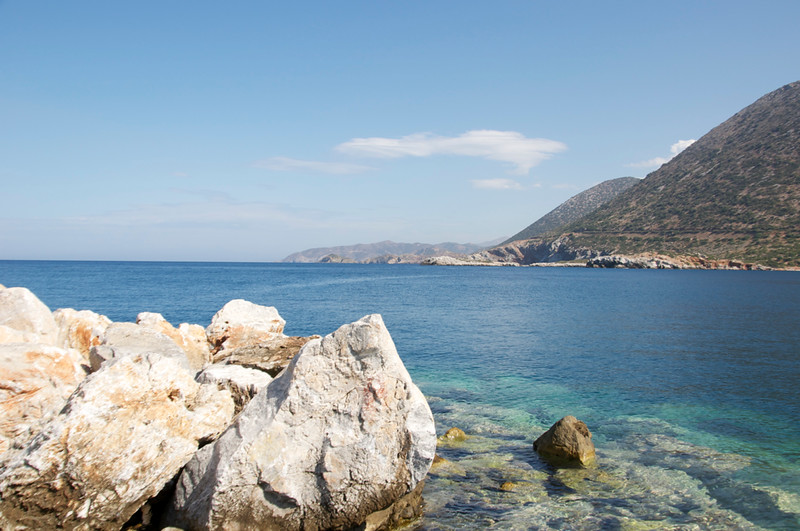

DSC_0012 by walker2603, on Flickr


DSC_0181 by walker2603, on Flickr


DSC_0088 by walker2603, on Flickr
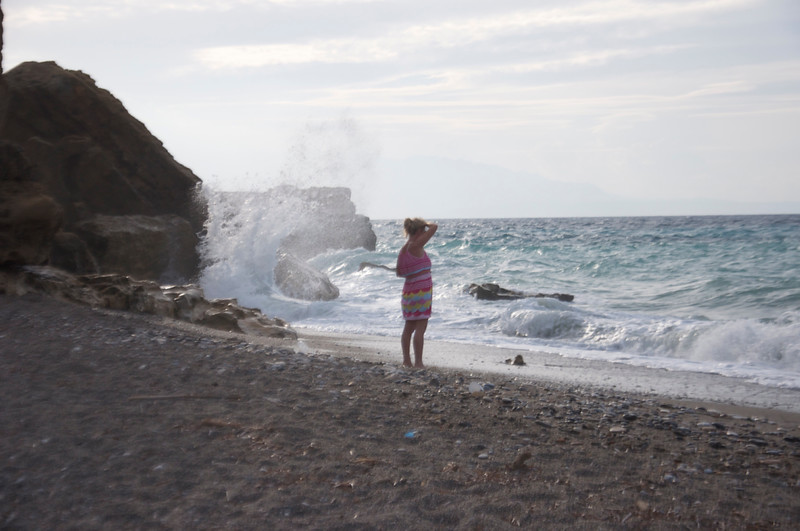

DSC_0138 by walker2603, on Flickr
 
I'm far from an expert but have dabbled a small amount - practice is the only way to learn!

#1, The rocks stand out as being too bright - so I darkened them, sharpened them slightly and upped the contrast. Was going to put the adjsueted rocks back over the original - but the rest of the image seemed to work with these same adjustments. As well as a slight saturation boost.

Oh - and I straightened it.


#2, half an umbrella doens't wok here - and the faces are shaded (obviously!).
So I (not very well I admit) cloned out the odd umbrella, and then lightened the faces and shoulders - using the dodge / burn tool. I think we can get away with having them central to the frame?

Oh - and I straightened it.


#3 I might try to slightly lighten the face in shadow, (and straighten it :lol:).

#4 I'm not sure about. Darken the sky - brighten the sand - crop a bit off the bottom - straighten it. :shrug:


Apologies - I did actually edit the first 2 - but then noticed you have your "do not edit" box crossed.
If you want to see them - I'm happy to post up here or PM them to you.
 
Last edited:
Hi

Thanks for your reply. I didn't realise I had ticked that box it must be a default setting. A PM would be great or I'm happy for you to post them on this thread?

Thanks again

David
 
PM sent - just read that you're happy to have them here so I'll stick 'em up now.

sea_edit.jpg


unbrellas_edit.jpg
 
Thanks Bez they look a million times better. Cheers for your time.

Is there an online guide to basic processing? Especially with iPhoto perhaps?

D
 
Number 3 has severely blown highlights and number 1 has a few. Since you shot in raw it should be possible to bring back a fair amount of detail in those areas. I don't know Mac processing software but in Lightroom 4 I'd hold down the Alt key and drag the Highlights slider down until most of the white bits disappear. In Photoshop CS or Elements I'd add a new Adjustment Layer for Levels and drag the bottom right-hand (Output Levels) slider to the left until the detail came back.

This article could be a good start. You could find more with a Google search for "iphoto howto".
 
Thanks Garry..plenty to go on there. Google has brought up some interesting hits.

David
 
Back
Top