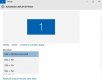
Help with my screen resolution!

Carlo

Suspended / Banned
Messages
1,542
Name
Carl
Edit My Images
Yes
After upgrading to windows 10, when i try to open Canons DPP I get a pop up box telling me "This program requires a display capable of 1024 x 720 resolution or more(screen area), and high colour or higher settings"
It worked fine before the upgrade, so does anyone have a solution? :thinking:
Thanks
 
What is your display set at?
Minimise any open windows,
Right click on a blank part of your screen
Scroll down to screen resolution.
 
What is your display set at?
Minimise any open windows,
Right click on a blank part of your screen
Scroll down to screen resolution.
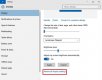
when i do that theres no option for screen res, i have to click display, then advanced display settings
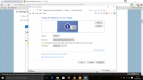
theres a box with a drop down menu for screen resolution that currently says 1920 x 1080(recommended), but i cannot change this as the box is unhighlighted!
 
Last edited:
when i do that theres no option for screen res, i have to click display, then advanced display settings
theres a box with a drop down menu for screen resolution that currently says 1920 x 1080, but i cannot change this as the box is unhighlighted!
But if its showing 1920 x 1080 isn't this the current resolution???
I'm still on 7 on this machine, but they all do much the same.

It would seem that your resolution is 1920 x 1080

A good thing to know :)

I'd suggest making sure that Canon's DPP is up to date first.

Edit:
just seen your screen grab and it says your resolution is less than 1680 x 1260.
Try changing it to something else.
 
Last edited:
I'm still on 7 on this machine, but they all do much the same.

It would seem that your resolution is 1920 x 1080

A good thing to know :)

I'd suggest making sure that Canon's DPP is up to date first.
sorry ive edited the post you quoted, if you check the screen shot ive posted could you help?
Damn, this is frustrating!!!!!:mad:
 
Go to display settings
Advanced display settings
Change the resolution to what you want.
 
Had a similar problem when i upgraded from windows 8 to 8.1, (drivers etc)in the end i rang Dell and they fixed it by remote access, but i don't have support anymore as the laptop is over a year old! :(
 
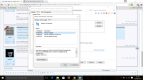
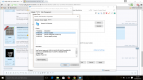
It should do this:
screen-resolution-settings.jpg


screen-resolution-settings-21-600x471.jpg


screen-resolution-settings-3-600x471.jpg
 
Last edited:
Got it!!!!!!
tried updating the driver again, and this time it worked!!!
had to restart it, and when i went into display, etc it let me change the resolution!
Thanks for the help folks!!(y)
 
Back
Top