Rusk
Suspended / Banned
- Messages
- 232
- Name
- Russell Hill
- Edit My Images
- Yes
Hi all,
wow it has been a long, long time since I last logged into this forum and glad to see my account is still active
So I have been off my photography for a long time but decided I need to get back to it. I found my external HDD which I had stored all my images on from past few years and to my horror it came up empty
 ! I used some recovery software and thankfully I have all my images back but they all have a serialised number as a file name and are sorted in folders but with no system to which folder they are in. This means that I have 80 odd Gig of images in a random order with no meaningful file names to be able to sort them myself.
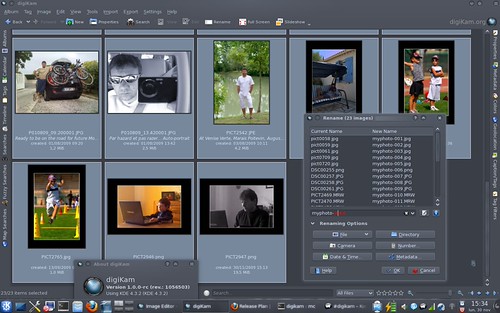
Does anyone know of a good software that can sort images based on meta data or something similar so that I can sort these images back into some form of order? Free software would be lovely but I would be happy to pay a reasonable amount to find something to auto sort based on a set of criteria.
I am hoping the meta data is intact but I think is is a bit messed up as the date created for all images is the same day I recovered everything but the modified date seems to add up to when the image was actually taken which is odd but hopefully I can use the modified date.
Thanks in advance,
Russell
wow it has been a long, long time since I last logged into this forum and glad to see my account is still active
So I have been off my photography for a long time but decided I need to get back to it. I found my external HDD which I had stored all my images on from past few years and to my horror it came up empty
! I used some recovery software and thankfully I have all my images back but they all have a serialised number as a file name and are sorted in folders but with no system to which folder they are in. This means that I have 80 odd Gig of images in a random order with no meaningful file names to be able to sort them myself.Does anyone know of a good software that can sort images based on meta data or something similar so that I can sort these images back into some form of order? Free software would be lovely but I would be happy to pay a reasonable amount to find something to auto sort based on a set of criteria.
I am hoping the meta data is intact but I think is is a bit messed up as the date created for all images is the same day I recovered everything but the modified date seems to add up to when the image was actually taken which is odd but hopefully I can use the modified date.
Thanks in advance,
Russell
 any help would be massively appreciated. Perhaps there is a better section of the forum for this request?