
Ive gone from this
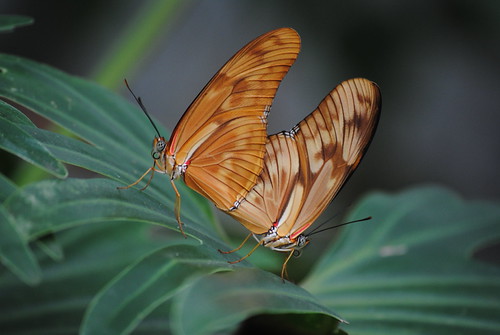
DSC_1653 by jomantha, on Flickr
to this
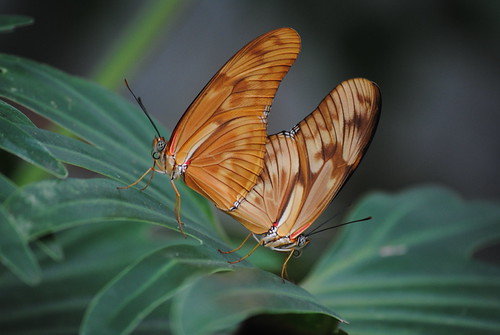
DSC_1653 by jomantha, on Flickr
to this
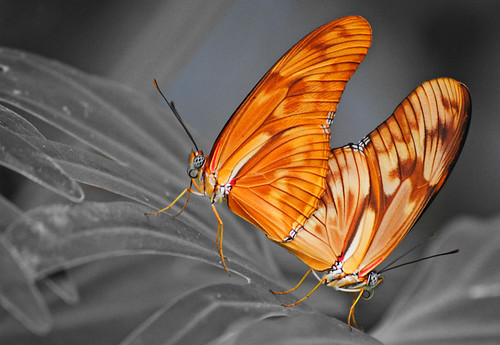
DSC_16531 black and white copy by jomantha, on Flickr
I think I am going to use the black and white one (exhibition for college), but I would like to reduce the darkness of the darest areas in the background, I have tried all sorts of things (elements 8), but they are affecting the rest of the photo and it is only a few specific areas I would like to lighten, such as the top left and top right corners??
Any ideas how I can do it, without affecting anywhere else??
Thanks
DSC_1653 by jomantha, on Flickr
to this
DSC_1653 by jomantha, on Flickr
to this
DSC_16531 black and white copy by jomantha, on Flickr
I think I am going to use the black and white one (exhibition for college), but I would like to reduce the darkness of the darest areas in the background, I have tried all sorts of things (elements 8), but they are affecting the rest of the photo and it is only a few specific areas I would like to lighten, such as the top left and top right corners??
Any ideas how I can do it, without affecting anywhere else??
Thanks

