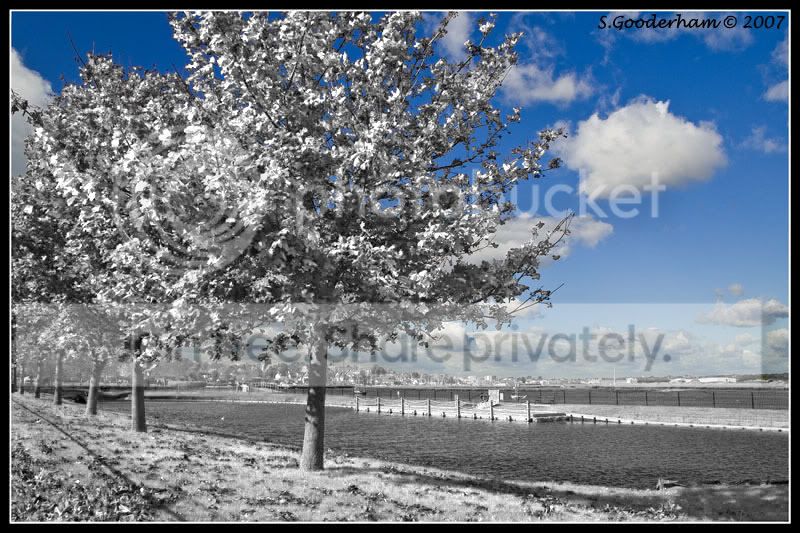
Help needed on tree's please!

Byrhtnoth

Suspended / Banned
Messages
643
Name
Simon
Edit My Images
Yes
On the image below i am trying to obtain a picture converted to infrared but with the blue cloudy sky.

Boatlake02.jpg


I have opened the first pic and converted it to an infrared pic and set as background.
I have then opened a second pic (same) and dragged into first pic.
Then I have selected layer mask and taken the brush to brush out the colour tree to expose the infrared tree.
How can I accuratly brush out the tree without losing the sky? :thinking:

Boatlake03.jpg
 
sorry mate, way beyond my abilities I'm afraid. :shake:

I'm sure someone will come along soon, hope this acts as a bump.
 
Perhaps Im trying to process this picture totally wrong. :shrug:

How do I change this colour picture into a black/white picture, but leave the sky in colour?

Any ideas welcome, thanks.
 
You neglect to say what you are using to do this, if Photoshop

Open pic > add a layer > slelect original background > Image menu > adjustments > Desaturate (will turn B&W)

Make sure you have the new layer selected then choose the history brush choose the style and appropriate size and brush where you want the colour and you will see the original colour, might well be fiddly around all the leaves so zoom in and change size of brush. Bit of patience and you should be fine.

I only learnt this last night so may not be quite right but heres the video i learnt it from
http://www.dphotojournal.com/category/tutorials/ it's the first video on the page.

Post the pic when you have done it would like to see the results.

HTH
Mark
 
You mean like this?:

Boatlake021.jpg


You need to use a channel mixer layer to convert it to B/W (using mainly the green channel to get the glowing infra red effect).
Then turn that layer off (click eye icon).
Use the Select->Colour Range tool to select just the blues from the original image.
Turn the Channel mixer layer back on and select it's layer mask.
Use the Edit->Fill to fill the selection with black.

Voila! Blue sky with B/W tree!
 
Thats it, thanks Garry79 :thumbs:

Rather than trying to select all the tree branches or brush them out, i have to use the colour range tool :)


Mark, I could of brushed all the tree out but would of taken me ages. I thought there must be a quicker way. Sorry forgot to mention working in photoshop.
 
No bother! Forgot to say that you will probably select more than the sky using the colour range tool so just add to the layer mask to remove any extra parts.
 
Back
Top