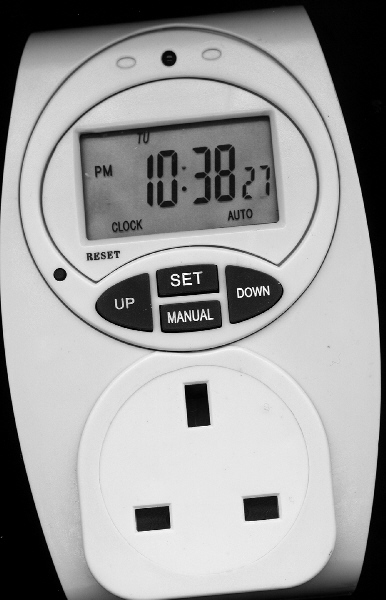
To set the clock, press and hold the SET button till the hours start to flash, then press either UP or DOWN to set the hours. When you have it right, press the SET button again to move on to minutes and again for the day etc. When you get to the end of the cycle it will show the correct time and date.
To set a timer event (you can have up to 10 start and 10 stop times), press the UP or DOWN buttons to get to the Start time you want to set, press the SET button and use the up/down buttons to change as before, hours, minutes, day, then do the same for the Stop time.
For days you have the option of mon, tue, wed, thu, fri, sat, sun, the five working week days only or every day so you don't have to set the same timer event seven times if you want it to switch on/off at the same time each day.
Most importantly, if you make a mistake or just want to delete an event, use the Up/Down buttons to cycle to that event and press the Man button and that will clear it (do that for start and stop times).


 I've lost the instructions for my Tesco 7 day Electronic timer which switches my electric blanket on. Due to Daylight saving I tried to reprogram it without instructions, and now haven't got a clue what it's doing. Has anyone got instructions for this? If so could they take a photo of them and post it for me please.


 Thank you very much Steep. That's great, now I can have my electric blanket on and I must say it will be very appreciated tonight. It's absolutely freezing here. You're a star.