HDR, what am I doing wrong

Rich E500

Suspended / Banned
Messages
137
Name
Rich
Edit My Images
No
I have Photoshop CS2, but it is missing a plug-in for RAW files, so it won't open RAW stuff, and I have to shoot everything in JPEG. My problem is, when I try and do any HDR, the end result always just looks like an over exposed version of the original. I've read tutorials on the net and followed them carefuly, but I still always get the same end result.

What am I doing wrong, how come the other HDR images I see on here etc have a real moody look to them, but mind just look like a badly exposed shot :bang:
 
Why don't you post a sample. Why don't you download a RAW plugin or get something like photomatix as Snap_Happy suggested, its so much easier and i expect there is a free trial :)
 
I have Photoshop CS2, but it is missing a plug-in for RAW files, so it won't open RAW stuff, and I have to shoot everything in JPEG. My problem is, when I try and do any HDR, the end result always just looks like an over exposed version of the original. I've read tutorials on the net and followed them carefuly, but I still always get the same end result.

What am I doing wrong, how come the other HDR images I see on here etc have a real moody look to them, but mind just look like a badly exposed shot :bang:

I had a Oly E500 for a while and there is a plugin for raw, google search should find it...
Can't remember if the Oly has bracketing for making three exposures, if not use a tripod and take three exposures using your stops.
1 for the sky, 1 for the foreground and 1 for mid point.
If you are using Photomatix open the three jpgs in photomatix and start from there making sure your gamma setting is not to high.......
 
Thanks, I'll give it a try. I'll post up the pics I've been trying to use tomorrow. I don't know what plugin I need, I'm just assuming thats what it is...
 
Go to adobes website and download the latest (compatable) version of raw converter
 
I'm certainly no expert on HDR having had similar problems to you but I think it may be the exposure range that you are using, It looks like from the pics above that you are going to +/- 0.7EV on your exposure compensation. The best results I had were when I used images that went as far as +/- 2EV.

Worth a try at least. I also did it using one normally exposed RAW file and converting 5 or 6 files to jpeg with varying exposure settings. There should be a RAW plugin for your camera.

If all else fails go for photomatix!
 
I'm certainly no expert on HDR having had similar problems to you but I think it may be the exposure range that you are using, It looks like from the pics above that you are going to +/- 0.7EV on your exposure compensation. The best results I had were when I used images that went as far as +/- 2EV.

:plusone:

Rich, there's nowhere near enough range in the exposures. At the least you want 3 exposures +/-1EV, and good to take 5 ranging +/-2EV. All but the correct exposure will look shockingly bad, but they're capturing maximum detail in those really dark and bright areas. Photoshop should do a perfectly good job of merging them, but as said, Photomatix is really good and makes the process very easy.

It's best to do a little bit of work on the images before the merging process, like noise reduction, and then when you've done the HDR treatment, you can do a little more processing on the resulting image, just to give it a boost, as they usually come out lacking in contrast.

Hope that helps. :)
 
hi rich dont know what to make of this post, i thought hdr was to recover exposure from areas of differing light. This shot has even light all over so little room for hdr exposure :shrug:
 
hi rich dont know what to make of this post, i thought hdr was to recover exposure from areas of differing light. This shot has even light all over so little room for hdr exposure :shrug:

:plusone:

:lol: I was totally gonna mention that, and completely forgot. Ha.
 
I have Photoshop CS2, but it is missing a plug-in for RAW files, so it won't open RAW stuff, and I have to shoot everything in JPEG. My problem is, when I try and do any HDR, the end result always just looks like an over exposed version of the original. I've read tutorials on the net and followed them carefuly, but I still always get the same end result.

What am I doing wrong, how come the other HDR images I see on here etc have a real moody look to them, but mind just look like a badly exposed shot :bang:

The one screen results after an HDR exposure usually do look like crap...you need to do some tonemapping to get them to look right.

In photoshop, you may want to adjust the settings from the View -> 32-bit preview options and set the exposure to 0 and the gamma to +1.0. This "zeros" the image, and it typically looks flat. If you convert it to 16 or 8 bit, you'll have to do some tone mapping in photoshop. IMHO, the tonemapping in PS sucks, so I use qtpfsgui...a freebe (photomatix is good too!) program that seems to do pretty good with most everything. You'd want to export your HDR to a TIFF or EXR and open it in qtpfsgui, then click the tonemapping button.
 
:plusone:

:lol: I was totally gonna mention that, and completely forgot. Ha.

to busy sorting out the technical and missing the obvious :lol: :thumbs:

the technique you suggest is good but you need the photo to start with !!!

ps i hate BAD hdr
 
What am I doing wrong, how come the other HDR images I see on here etc have a real moody look to them, but mind just look like a badly exposed shot :bang:

Here are a couple of attempts using qtpfsgui on your images... I might have a few more exposures on the darker end though.


Qtpfsgui 1.9.3 tonemapping parameters: Operator: Fattal Parameters: Alpha: 1.13 1Beta: 0.929Color Saturation: 1.74 Noise Reduction: 0 ------PreGamma: 1

pregamma_1_fattal_alpha_1-131_beta_0-929_saturation_1-74_noiseredux_0.jpg


Qtpfsgui 1.9.3 tonemapping parameters: Operator: Mantiuk Parameters: Contrast Mapping factor: 2.286 Saturation Factor: 2 Detail Factor: 2.5 ------PreGamma: 1

pregamma_1_mantiuk_contrast_mapping_2-286_saturation_factor_2_detail_factor_2-5.jpg
 
To be honest, this is not an ideal image to try HDR anyway. You really need to get hold of Photomatix (I think it's about £50 now) to tonemap your images after the conversion. Then when you finished tonemapping in Photomatix, fire the TIFF file back into Ps for tweaks on saturation & contrast etc.

3807587037_b6903f6a7d_m.jpg


Rgds

Scott
 
There's not much dynamic range difference in this scene. A simple adjusting of the shadows/highlights/mid tones should do it...
 
Thanks to everyone for your advice :)

I thought the orignal image lacked detail, hench the reason I wanted to try HDR on it, to try and bring some of the details out a bit more. But now you say I'm not getting enough exposure range, I can see the reason why my end result isn't very good.

I'll see if I can get hold of a copy of Photomatix and have a play. Thanks :)
 
Thanks to everyone for your advice :)

I thought the orignal image lacked detail, hench the reason I wanted to try HDR on it, to try and bring some of the details out a bit more. But now you say I'm not getting enough exposure range, I can see the reason why my end result isn't very good.

I'll see if I can get hold of a copy of Photomatix and have a play. Thanks :)

No probs Rich, but take note that this image really isn't a good candidate for the HDR treatment. There's no difficult lighting to be overcome, and one good exposure is all that's needed to capture the image, which you've kind done already.

:)
 
I have Photomatix and cs4 and I cant get my HDR's looking like the ones on here either, its really starting to dis hearten me to be honest.Im reading and watching tutorials thoroughly but still cant manage it . What are the best photo subjects to take to get the hdrs looking great ?
 
I have Photomatix and cs4 and I cant get my HDR's looking like the ones on here either, its really starting to dis hearten me to be honest.Im reading and watching tutorials thoroughly but still cant manage it . What are the best photo subjects to take to get the hdrs looking great ?

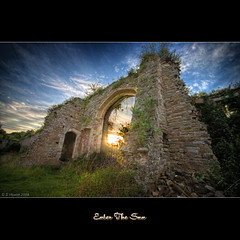
Hi Joe. Well HDR seems to have become a bit of a fad, and is being used solely for the 'cartoony' effect that it gives, but its intended use is for scenes of high contrast, where you have extremes of light and dark areas. Bracketing your shots as described above, records the details in these areas, and using HDR techniques, you merge the images together into something that resembles how you saw that scene with your eyes when you took the shot.

These are a couple of my examples. The Sundog shot used five different exposures +/-2EV, and the jars shot was 3 exposures +/-1EV. None of the photos looked good by themselves, because there was just way too much range from the dark areas to the light areas, for the camera to record in one exposure.

Obviously in the first shot I was shooting directly into the sun, but the second also had very strong backlighting. So there's 2 examples of when HDR is of use. :)

4172745586_8789c8326f.jpg


4174258517_a664e5b5bd.jpg
 
I have Photoshop CS2, but it is missing a plug-in for RAW files, so it won't open RAW stuff, and I have to shoot everything in JPEG. My problem is, when I try and do any HDR, the end result always just looks like an over exposed version of the original. I've read tutorials on the net and followed them carefuly, but I still always get the same end result.

What am I doing wrong, how come the other HDR images I see on here etc have a real moody look to them, but mind just look like a badly exposed shot :bang:

Right. I shoot in RAW and convert my pics to JPEG, and then I use this program: http://www.mediachance.com/hdri/index.html

it's really good, I've got some pretty good HDRs with it, and you can choose different methods of HDR (pseudo HDR or full HDR) which can suit the image you're trying to work with. Give it a go.
 
Back
Top