HDR...... comparison pictures help.

Robbo

Suspended / Banned
Messages
3,962
Edit My Images
Yes
Right basically, long story shot.

I created 3 images from one jpeg, used photomatix pro and its worked ok, need some noise reduction and fiddling but it was 'ok'

since them everything I have tried in that program has turned out gash!

from 3 original jpegs/raw files.

just comes out horrific! dotty and noisy and patchy

Tried again in the CS4 program with using raw files and it was pretty good in comparison.

However, I have seen people creating good HDR from a singe jpeg by changing the EV and works fine.

What is going on?!

I basically need to try to get it right by creaming three images from one file, as one certain pictures I can only get one shot, and the HDR is an experiment I am testing at the min with them

Thanks
 
Are these night shots by any chance? I have only ever seen 'dots' when trying to HDR night exposures.

As for creating three shots from one, did you know you can just open 1 raw in photomatix and it will still do the pseudo HDR thing. I still have tried to see if it more noisey than making 3 different frames from the one, but it certainly isnt bad.

Also I would never use jpegs, way too little detail for photomatix to play with. Either Raws or 16 bit tiffs.
 
no they were day times shots......

Maybe it was because they were jpegs...hmmmm

off to the beach in a bit with the 10-22mm and tripod to do some testing etc...

will also try the tiff etc :-)

thanks for the linky to Trevor
 
I created 3 images from one jpeg,

Wrong. Do not do this. Shoot RAW and fire that single RAW file into Photomatix for Pseudo HDR. Photomatix will automatically generate the HDR from that single RAW file.

Do not make 3 images from one jpeg, that simply will not do.

The optimum workflow would be shoot three autobracketed RAW files (-2ev, 0ev, +2ev)

Open the -2 RAW in Photoshop and make minor adjustments in Adobe Camera Raw, (boost Clarity to about 50%, up the Luminance Noise slider up to about 30%, decrease Saturation for Blues by about 25%, and Open Image. Then goto Filter > Sharpen > Unsharp Mask and increase sharpen to about 50% with Threshold and Ratio at 1.0. Then goto File > Save As JPEG.

Do exactly the same for the 0ev and the +2ev then when you have all 3 saved JPEGs saved fire them into Photomatix, Generate HDR with Details Enhancer, Process and save as 8bit TIFF file.

Open said TIFF file in CS4 and finish off with adjustments to saturation and contrast.

Hope this helps.

Rgds
 
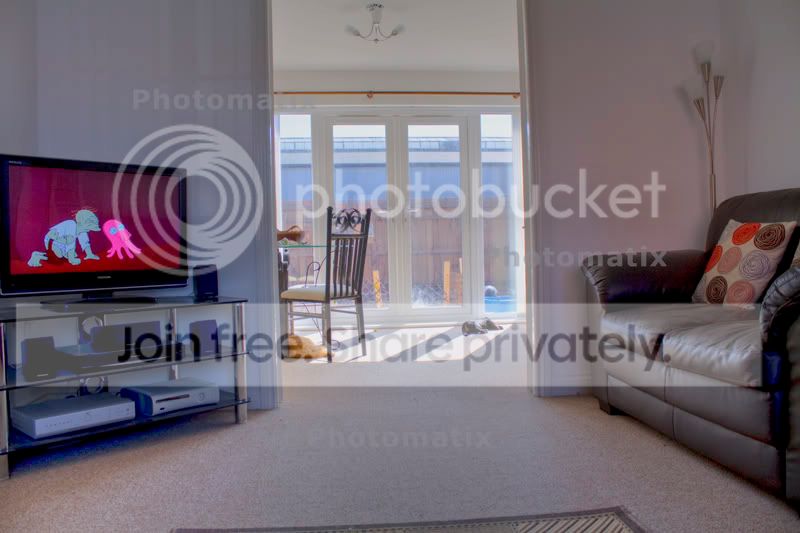
Right just done a test with the above and seems to be good..but if you look under the tv parts there seems to be some speckled blue bits I cant get rid of?

test__1__2_tonemapped.jpg
 
My guess is you are not exposing correctly. In that I mean you are exposing for the brighter part of the image only, therefore darker areas will be totally black. Photomatix will then try to pull details from those blacks which simply isn't there, the information doesnt exist.

EXIF data would help here but I would say do it again and expose for the carpet , recompose and fire.

BTW you haven't said what your workflow is or whether you have followed any of the advice given to you so far.

Rgds
 
All settigs are just as standard so far with photomatix I haven't changed any

pictures were on tripod with AEV of -2 0 +2 with the settings from post 5 applied
 
Standard settings almost certainly won't be ideal, you need to play with the sliders. I take it this was using the detail enhancement tab?
 
All settigs are just as standard so far with photomatix I haven't changed any

pictures were on tripod with AEV of -2 0 +2 with the settings from post 5 applied

The settings are there to be used, so move them about and learn what they do,
 
When you click on Tonemapping, when the new page has opened there is a button just above 'Process' called 'Presets' with several options. including 'Grunge' for a really over the top HDR picture, 'Natural' for a more photorealistic picture (less noise etc) and if you PM me I have a file of approx 80 further presets you can import into Photomatix.

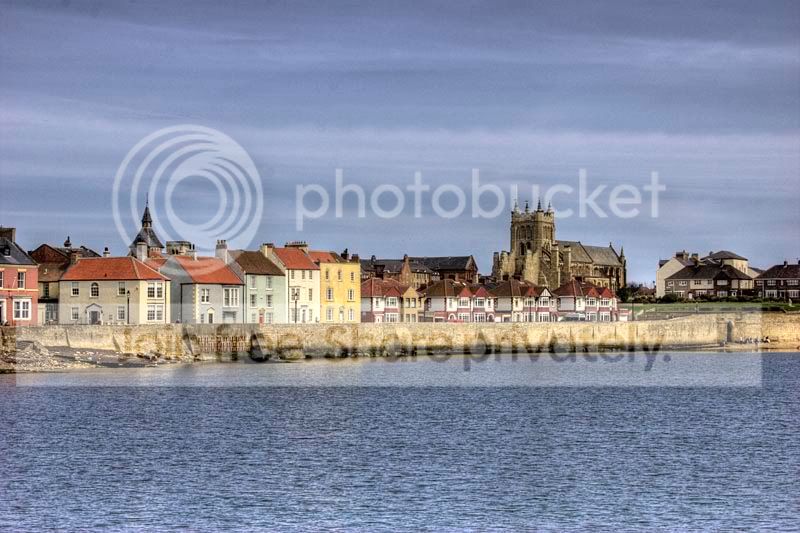
Natural:
8.jpg


Grunge:
8Grunge.jpg
 
Thanks for further advice.

I only have the trial so far, testing before buy etc

first time playing with hdr so not really sure what setting to chance, will have a play tonight and see what I can do

Cheers.

erg121 I will pm tonight when not on my iPhone, thanks
 
When you click on Tonemapping, when the new page has opened there is a button just above 'Process' called 'Presets' with several options. including 'Grunge' for a really over the top HDR picture, 'Natural' for a more photorealistic picture (less noise etc) and if you PM me I have a file of approx 80 further presets you can import into Photomatix.

At this point in the process there is also a preset "Default". I usually find using this is a good starting point.
Here is one of my recent shots converted from RAW to HDR using "default".

CRW_9451HDRsml.jpg
 
One thing that doesnt seem to work, not sure if its the trial or not is it wont accept raw files.
 
Right had another quick go and adjusting settings...came out miles better.

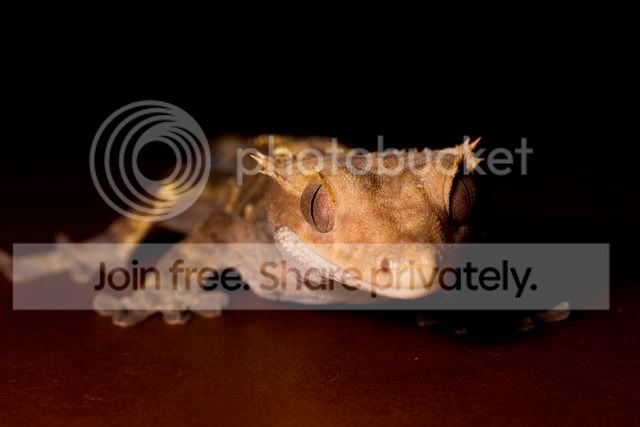
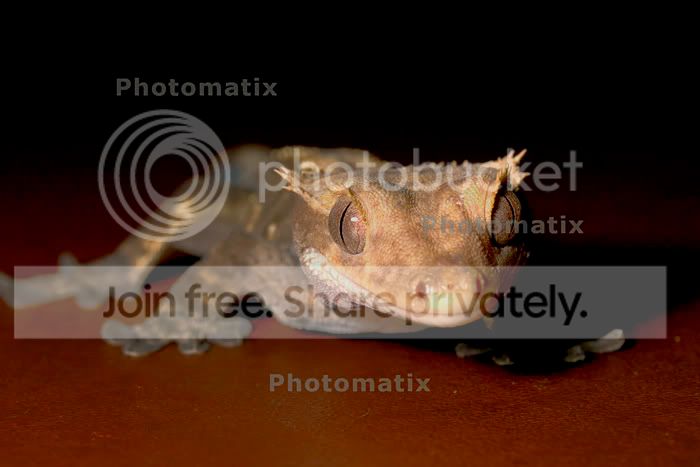
First origional and second the HDR version, but the blacks seems to come out a bit grainy still, mainly where they change over into the bottom half.

Didnt want this in HDR but it was used due to the blacks I was having problems with.

Any tips?

Thanks

gecko-1.jpg


test_1___2_tonemapped.jpg
 
Is this from 1 image or multiple exposures? If 1 image is it RAW?

This was created from one raw image, EV adjusted to -2 and +2 and all three files saved at tiff.

I tried to copy the Raw image over and let the program do its work but it wont let me do it, the ok is blanked out unless more than one file in. Unless I am doing it the wrong way.
 
If you create Tone Mapped HDR from one image then it is hard to control effects like this. To import a RAW file into Photomatix you use the "File" "open" route rather than selecting multiple file.

A little history of my HDR journey... I started with my Canon and auto-bracketing two stops either way, this worked well for some situations, but realised quite quickly that I was not always capturing the full dynamic range of the subject. So then stated auto-bracketing twice on each capture, once over exposed by 2 stops and then under-exposed by 2 stops... that gave -4, -2, 0, +2 and +4 which works better and controls noise better. I now have a Nikon D300 and capture 9 exposures 1 stop apart all in one go, which controls the noise even more. In summary - good, noise free HDR needs lots of exposures; processing 1 RAW will produce an effect, but often not a very good one in terms of quality.
A couple of my recent HDR images taken with the Nikon http://www.talkphotography.co.uk/forums/showthread.php?t=206685
 
very nice picture, will have a go at more pics tomorrow from the camera exposures and see what I can get.

Will try the raw version now see what happens.

Thanks
 
Back
Top