

You are using an out of date browser. It may not display this or other websites correctly.
You should upgrade or use an alternative browser.
You should upgrade or use an alternative browser.
Have you ever taken a silhouette photograph?
- Thread starter xSitara
- Start date

swanseamale47
Suspended / Banned
- Messages
- 10,876
- Name
- wayne clarke
- Edit My Images
- Yes
I had to take a rape victim for the paper, we couldn't show her identity so got her in front of a window exposed for the outside (and under expose a bit) and bingo, can't post the pic here, don't have it now, beside it's the papers copyright, I was a staffer.
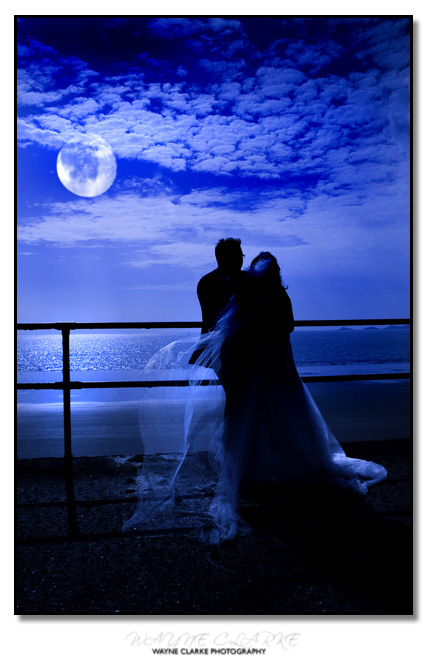
Edit nearest I can find quickly was this.
 Wayne
Wayne
Edit nearest I can find quickly was this.
swanseamale47
Suspended / Banned
- Messages
- 10,876
- Name
- wayne clarke
- Edit My Images
- Yes
Broad daylight, bright sunny, haven't a clue at the setting just exposed fot the bright sky pretty much, added the moon and colour PP.

Uneducated_Rick
Suspended / Banned
- Messages
- 2,599
- Name
- Ricky
- Edit My Images
- Yes
When metering take a reading of the sky and use that, probably best to take an evaluative reading of just the sky rather that a spot reading, and hey presto correctly exposed sunset with everything infront of it being black

- Messages
- 25,725
- Name
- Yvonne, pronounced Eve...
- Edit My Images
- Yes
the most easily findable one I currently have, exposure was for the sky, it was dark enough that me and the rocks were silhouetted anyway. As alredy mentioned, meter for the light part and then a bit of underexposure dialled in should help. Actual settings will very much depend on the light and circumstances at the time.

F11, @ 1/20 sec
F11, @ 1/20 sec
Gosh, I don't know what that means... SorryNot sure if you're only referring to people shots, but in this shot below I exposed for bright part of the night sky (just where it meets the horizon) and I used spot metering. I dialled in a -1ev exposure too.


Can you elaborate a little more, what's 1ev exposure?
Expose for the bright background and you have your settings.
Thanks.Thanks, makes sense, I was really confused as to how I will have to do this.When metering take a reading of the sky and use that, probably best to take an evaluative reading of just the sky rather that a spot reading, and hey presto correctly exposed sunset with everything infront of it being black
Thankyou

the most easily findable one I currently have, exposure was for the sky, it was dark enough that me and the rocks were silhouetted anyway. As alredy mentioned, meter for the light part and then a bit of underexposure dialled in should help. Actual settings will very much depend on the light and circumstances at the time.
F11, @ 1/20 sec
That's an awesome photo
I think I might just need to experiment myself and see what I can come up with... i'm thinking of trying something other than sun sets though. I think something like a lady standing in a tunnel towards light would be pretty cool

foodpoison
Suspended / Banned
- Messages
- 6,253
- Name
- Sean
- Edit My Images
- Yes
Just underexpose, simples 

stoneblower
Suspended / Banned
- Messages
- 113
- Name
- Mark
- Edit My Images
- Yes
Here's one I shot at work on a misty night last December.
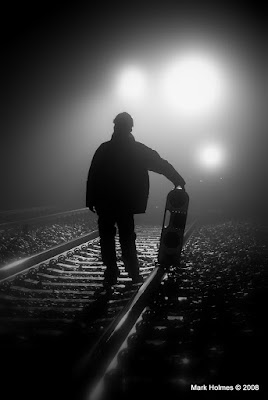
The settings used were: ISO: 800, Shutter: 1/20 sec, Aperture: 5.0 & Focal Length: 60mm. Hope this is of some help.
The settings used were: ISO: 800, Shutter: 1/20 sec, Aperture: 5.0 & Focal Length: 60mm. Hope this is of some help.
Where are you from? Comparethemeerkat.com?Just underexpose, simples

Here's one I shot at work on a misty night last December.
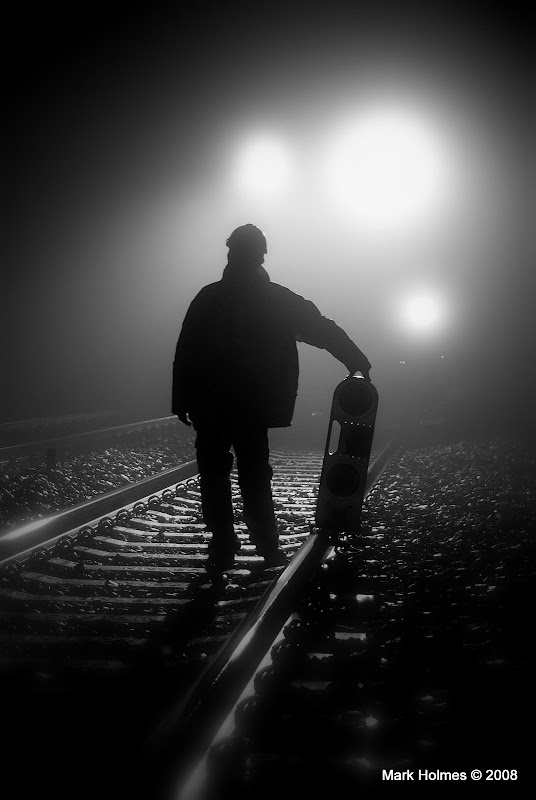
The settings used were: ISO: 800, Shutter: 1/20 sec, Aperture: 5.0 & Focal Length: 60mm. Hope this is of some help.
Ah cool, thanks

LJR
Suspended / Banned
- Messages
- 486
- Name
- Lloyd
- Edit My Images
- No
It means that I metered for a part of the image and then deliberately underexposed by 1 stop (to really make the blacks, black). If you look in your camera's manual for "Exposure compensation" you should find how to do it for your particular model. Of course you can just take the reading with your camera's light meter and set the camera to full manual and dial down the exposure manually, but I just happened to be in Aperture priority mode and this was just a quick way of doing it.xSitara™;1563937 said:Gosh, I don't know what that means... Sorry
Can you elaborate a little more, what's 1ev exposure?
LJR
Suspended / Banned
- Messages
- 486
- Name
- Lloyd
- Edit My Images
- No
Thanks. You should always pp RAW images to an extent. I have slightly boosted contrast, small boost to saturation but not that much as I didn't want the orange on the horizon to be overly prominent and then a small amount of sharpen.xSitara;1564053 said:Thanks man, your shot is really cool by the way. Did you PP at all?
Thanks for the explanation, i'm finally understanding things lol!
xSitara™;1563954 said:Thanks, makes sense, I was really confused as to how I will have to do this.
You can do it in a number of ways depending on your camera abilities. I'll give you 2 examples:
1) If you have a spot metering on your camera, select it as a metering mode. Point the camera towards brightest part of the picture to be so that the spot metering area (usually center of the frame or active focus area on some cameras) is on that brightest part and half press the shutter and remember the exposure settings that camera shows at this time. Now set the camera to manual mode and set your shutter/aperture to the values you remembered. Recompose and shoot. Alternatively you can meter in spot mode and lock the exposure, then just recompose and shoot. I'd still recommend to switch to manual mode because then you can tweak the exposure slightly.
2) If you don't have a spot metering but have either matrix metering or center weighted weighted metering, you can do similar to (1) but in this case you will have to frame it so the brightest area fills the frame or center weighted area to give closest to the right exposure. The exposure reading won't be accurate as in (1) though so you will need to switch to the manual mode and tweak it a little bit.
Hope it helps.
Ah cool, you're a RAW shooterThanks. You should always pp RAW images to an extent. I have slightly boosted contrast, small boost to saturation but not that much as I didn't want the orange on the horizon to be overly prominent and then a small amount of sharpen.
You can do it in a number of ways depending on your camera abilities. I'll give you 2 examples:
1) If you have a spot metering on your camera, select it as a metering mode. Point the camera towards brightest part of the picture to be so that the spot metering area (usually center of the frame or active focus area on some cameras) is on that brightest part and half press the shutter and remember the exposure settings that camera shows at this time. Now set the camera to manual mode and set your shutter/aperture to the values you remembered. Recompose and shoot. Alternatively you can meter in spot mode and lock the exposure, then just recompose and shoot. I'd still recommend to switch to manual mode because then you can tweak the exposure slightly.
2) If you don't have a spot metering but have either matrix metering or weighted area, you can do similar to (1) but in this case you will have to frame it so the brightest area fills the frame or center weighted area to give closest to the right exposure. The exposure reading won't be accurate as in (1) though so you will need to switch to the manual mode and tweak it a little bit.
Hope it helps.
Thanks alot
A few questions though, What is matrix metering and spot metering? I'm fairly new at this type of photography.
xSitara™;1564212 said:Thanks alot
A few questions though, What is matrix metering and spot metering? I'm fairly new at this type of photography.
They are metering modes for your camera and influence how the camera calculates the exposure. Your EOS 450D (if this is what you have) according to docs has:
• Evaluative 35-zone (this is matrix metering)
• Partial 9% at center (this is a kind of center weighted metering)
• Spot 4% at center (spot metering at the 4% spot in the center)
• Center-weighted average (center weighted)
(I don't know how to set them - so you'd have to consult your camera manual)
When you frame your shot, the exposure is deremined by the camera internal software and a light measurements taken from a small metering sensor (kind of scaled down sensor with only a few pixels). The metering mode determines what parts of the frame is used to determine exposure:
• it may use nearly the whole of the frame (matrix metering)
• it may use the large part of the frame with the priority given to central area of varied size (central weighted metering)
• or it may use a very small central part of the frame only (spot metering)
Does it explains it?

ScarySquirrel
Suspended / Banned
- Messages
- 619
- Name
- Nick
- Edit My Images
- Yes
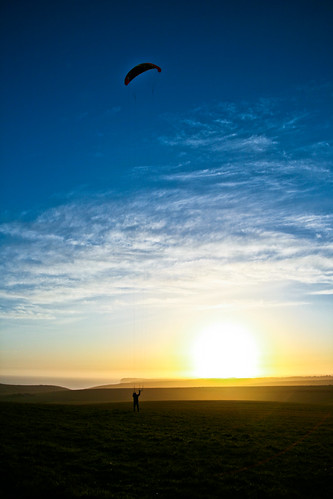
Shoot into the light.
voodoochild
Suspended / Banned
- Messages
- 161
- Edit My Images
- Yes
In auto mode with matrix metering it will be almost impossible to make a silhouette. To get an idea of it you could just wack it into manual mode, set a random aperture of around f/10 and just keep increasing the shutter speed and taking shots. Eventually you will end up with a silhouette, but the subject must be stood in the foreground with a bright background, ideally with the sun behind them so their face is not very illuminated.
Google metering and how it works. It is hard to explain, so I suggest just putting your camera into aperture priority and playing with the metering buttons and things will become clear.
Google metering and how it works. It is hard to explain, so I suggest just putting your camera into aperture priority and playing with the metering buttons and things will become clear.


Mangelwurzel
Suspended / Banned
- Messages
- 518
- Edit My Images
- Yes
Just underexpose, simples
As foodpoison says just underexpose for the subject.
You need a light source from behind. If the sun isn't out you can always use flash (If you don't get a perfect silhouette you can always boost the blacks in post production
 ).
).
As foodpoison says just underexpose for the subject.
You need a light source from behind. If the sun isn't out you can always use flash (If you don't get a perfect silhouette you can always boost the blacks in post production
I don't think i'd be allowed to PP for my test

xSitara;1566037 said:Oh wow, where can it be purchased?
WH Smiths? It's just a standard magazine...

Enduro Rider
Suspended / Banned
- Messages
- 258
- Name
- Andy
- Edit My Images
- Yes
As said above, put the camera in semi manual mode (Av Tv A T etc) and point the camera at the sky/light source and set the exposure by changing the sutter speed or apeture. Dial in one stop of under exposure and then compose the photo whilst keeping the exposure locked on the bright area. This will expose for the sky / light area and the rest will come out black


Rovers_Andy
Suspended / Banned
- Messages
- 5,021
- Name
- Andy
- Edit My Images
- Yes
Just wanted to say great to see people sharing info to help others so freely! Only joined this forum yesterday but learning alot already. I'll have to try some sillouette shots now

- Messages
- 5,307
- Edit My Images
- Yes
i just set the exposure for the background.
taken on film (400iso)

i took a similar photo (in colour) about 2 years earlier on digital and the sunset colours are absolutely sublime (perhaps a little bit fake but heyho, it makes a striking image on the wall

taken on film (400iso)
i took a similar photo (in colour) about 2 years earlier on digital and the sunset colours are absolutely sublime (perhaps a little bit fake but heyho, it makes a striking image on the wall
I'd like to apologise to you and voodoochild for not replying earlier, thanks alot for replying with so much details, I really appreciate it.They are metering modes for your camera and influence how the camera calculates the exposure. Your EOS 450D (if this is what you have) according to docs has:
• Evaluative 35-zone (this is matrix metering)
• Partial 9% at center (this is a kind of center weighted metering)
• Spot 4% at center (spot metering at the 4% spot in the center)
• Center-weighted average (center weighted)
(I don't know how to set them - so you'd have to consult your camera manual)
When you frame your shot, the exposure is deremined by the camera internal software and a light measurements taken from a small metering sensor (kind of scaled down sensor with only a few pixels). The metering mode determines what parts of the frame is used to determine exposure:
• it may use nearly the whole of the frame (matrix metering)
• it may use the large part of the frame with the priority given to central area of varied size (central weighted metering)
• or it may use a very small central part of the frame only (spot metering)
Does it explains it?
I will actually read through my Manual even though I do have a rough idea of how to do it, I was checking out my camera yesterday and noticed a button to select metering, there were some weird rounded square shapes you have to select to take the right photo. I will read up a bit more on my manual though.
Thanks again, this is really helpful.
That's very cool.Shoot into the light.
Aah, that seems much easier, i'm thinking maybe I could try taking a similar shot at a tunnel where lots of light is coming through.In auto mode with matrix metering it will be almost impossible to make a silhouette. To get an idea of it you could just wack it into manual mode, set a random aperture of around f/10 and just keep increasing the shutter speed and taking shots. Eventually you will end up with a silhouette, but the subject must be stood in the foreground with a bright background, ideally with the sun behind them so their face is not very illuminated.
Google metering and how it works. It is hard to explain, so I suggest just putting your camera into aperture priority and playing with the metering buttons and things will become clear.
For instance if someone is stood light at the end of the tunnel with light surrounding them and i'm at the other end taking the shot, I could try out different shutter speeds and maybe even aperture and see what I can come up with.
Thankyou.
That's pretty cool.This is probably the only one I've every done:
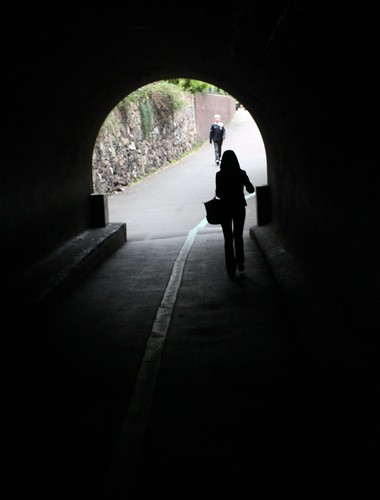
As said you just need a bright back light in low light conditions.
That's so cool!Heres one i managed to get at a short firework display.

Wicked photo.Took this at the recent Southend meet.

I've never used Av Tv modes, this will be pretty cool, I'll test myself for sure, i'll try different modes and post several pictures, then you guys can tell me which was the bestAs said above, put the camera in semi manual mode (Av Tv A T etc) and point the camera at the sky/light source and set the exposure by changing the sutter speed or apeture. Dial in one stop of under exposure and then compose the photo whilst keeping the exposure locked on the bright area. This will expose for the sky / light area and the rest will come out black
A digital photography practical test.What test is it?
Here is one of mine.

Nice photo
I totally agree, I have got so much help from here <3Just wanted to say great to see people sharing info to help others so freely! Only joined this forum yesterday but learning alot already. I'll have to try some sillouette shots now
That's awesome, I prefer the colour one.i just set the exposure for the background.
taken on film (400iso)
i took a similar photo (in colour) about 2 years earlier on digital and the sunset colours are absolutely sublime (perhaps a little bit fake but heyho, it makes a striking image on the wall.
L
LovesRaptors
Guest
i just set the exposure for the background.
taken on film (400iso)
i took a similar photo (in colour) about 2 years earlier on digital and the sunset colours are absolutely sublime (perhaps a little bit fake but heyho, it makes a striking image on the wall
Loved that image, and a good inspiration for us other newbies, Jamie your other shots in your web site are really good aswell Thanks for sharing. I would also like to have a go now at some sillouetts.


