

Mike Jones
Suspended / Banned
- Messages
- 46
- Name
- Mike
- Edit My Images
- Yes
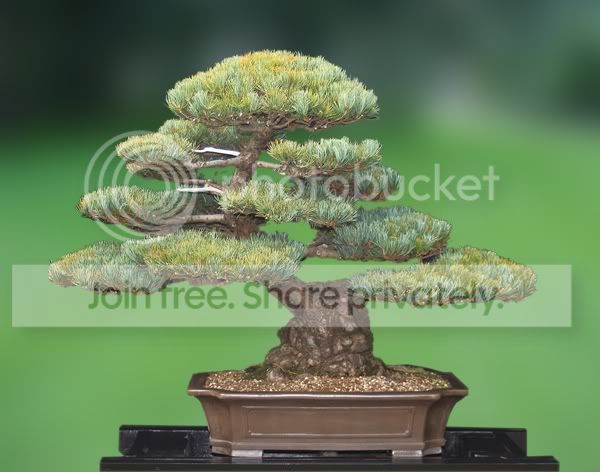
I photograph my Bonsai tree collection (badly most of the time). I would very much like to ask if you would guide me over a bit of a puzzle.
You'll no doubt chuckle at how basic a question it is but never-the-less it is an important one to me.
Some of my trees are very large and weigh in at over 300lbs each, thus, getting distance between Bonsai and background to limit DOF and hence get a blurry background is very difficult. I already have a 3 metre x 3 metre backdrop and shooting at around 40-50mm on a crop sensor camera, if I take the tree too far forward I struggle to have the background cover all the Bonsai. In other words when looking through the viewfinder the tree becomes to large at its extremes for the backdrop.
I am mostly on my own so cannot easily move the tree to use a plain wall of the bungalow. Hernia springs to mind.
When I focus with the 500D, I can as you all know have a choice of single point focus or multi 9 point focus. Using the single focus with apertures around 7-8 will not get all of the Bonsai in focus so I stick to multi which does actually get all of the tree in focus but also I see that the red dots will pick up the background as well, thus no blurred background.
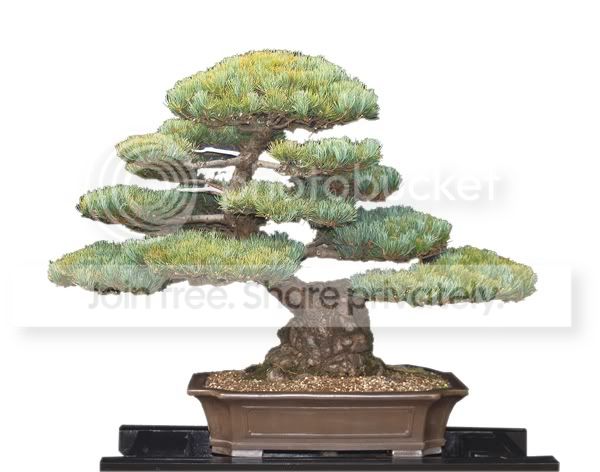
I've thought about this and thought about it until I am stuck as to know what next. Yes I can post edit, but it would be nice to have a good start.
Maybe what I want is not possible? If I go wide angle say down at 25mm even less whilst the entire tree is in focus proportions are wrong. Hence again, I use 35-50mm to have the image look as close as possible to what the eye sees without distortions.
I'd be ever so pleased if you could suggest anything that I could try.
Thank you in anticipation.
Mike
You'll no doubt chuckle at how basic a question it is but never-the-less it is an important one to me.
Some of my trees are very large and weigh in at over 300lbs each, thus, getting distance between Bonsai and background to limit DOF and hence get a blurry background is very difficult. I already have a 3 metre x 3 metre backdrop and shooting at around 40-50mm on a crop sensor camera, if I take the tree too far forward I struggle to have the background cover all the Bonsai. In other words when looking through the viewfinder the tree becomes to large at its extremes for the backdrop.
I am mostly on my own so cannot easily move the tree to use a plain wall of the bungalow. Hernia springs to mind.
When I focus with the 500D, I can as you all know have a choice of single point focus or multi 9 point focus. Using the single focus with apertures around 7-8 will not get all of the Bonsai in focus so I stick to multi which does actually get all of the tree in focus but also I see that the red dots will pick up the background as well, thus no blurred background.
I've thought about this and thought about it until I am stuck as to know what next. Yes I can post edit, but it would be nice to have a good start.
Maybe what I want is not possible? If I go wide angle say down at 25mm even less whilst the entire tree is in focus proportions are wrong. Hence again, I use 35-50mm to have the image look as close as possible to what the eye sees without distortions.
I'd be ever so pleased if you could suggest anything that I could try.
Thank you in anticipation.
Mike




 Whoever invented internet speak wants a dry slap!