

stuartpengs
Suspended / Banned
- Messages
- 229
- Name
- Stu
- Edit My Images
- Yes
Hi all,
a bit of a problem, I was wondering if anyone could shed some light on it.
I'm a member of a fly fishing forum, and occasionally I'll stick the odd picture of a fly up that I've tied. The page layout on the forum has a pure white backround, so I try and get a pure white background so the frame of the shot is lost on the page, just leaving the subject.
I host my images on Flickr, and I've started to notice a bit of a problem.
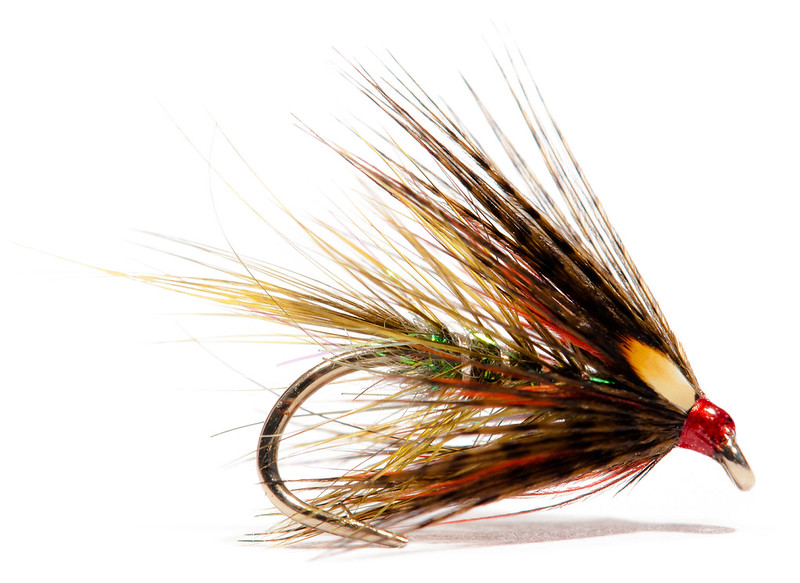
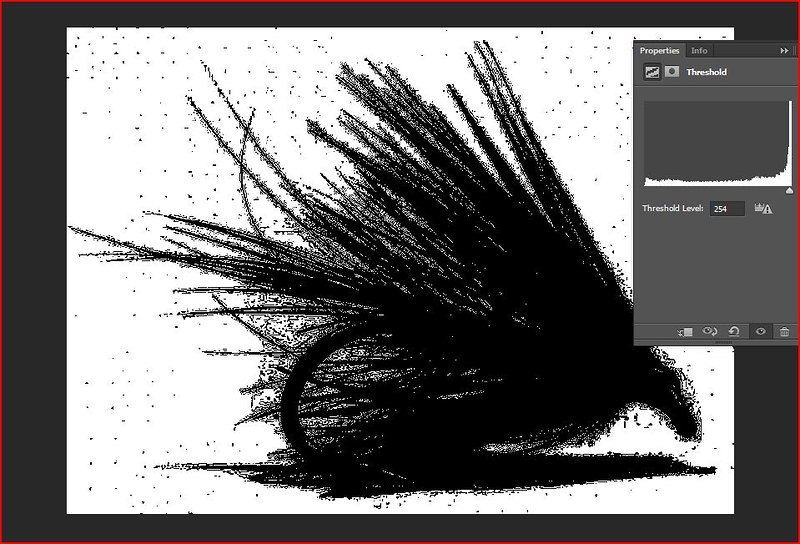
Below is an image hosted on Flickr, I don't know if you can see it, but there are spots of off white around the image. For illustration I've downloaded the image back off Flickr and grabbed a screen shot of a threshold layer set to 254, as you can see there's quite a lot of lost detail around the fibres, and there's those little off-white specks.
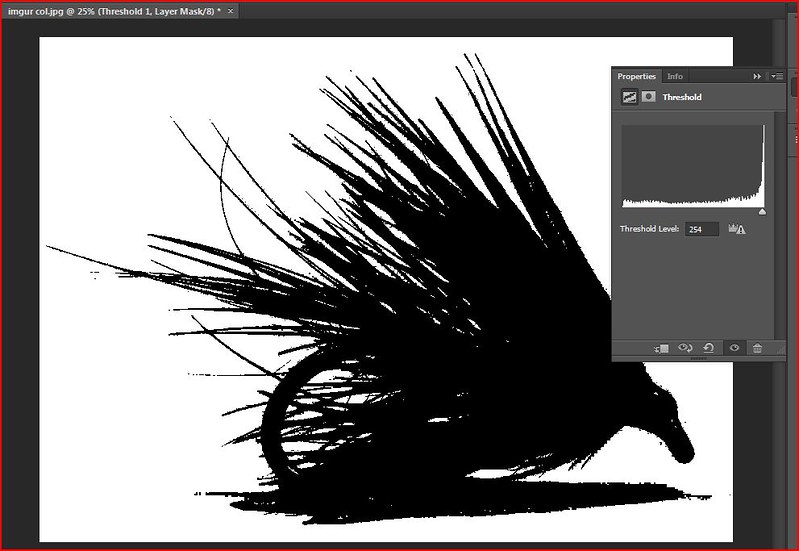
I've also uploaded to Imgur and carried out the same procedure and they're not there, I've also checked the original image and confirmed they're not there either. I'd appreciate any insight as to why this might be happening.
Flickr image:
Threshold @ 254 from Flickr image:
Imgur Image:

Threshold @ 254 Imgur image:
a bit of a problem, I was wondering if anyone could shed some light on it.
I'm a member of a fly fishing forum, and occasionally I'll stick the odd picture of a fly up that I've tied. The page layout on the forum has a pure white backround, so I try and get a pure white background so the frame of the shot is lost on the page, just leaving the subject.
I host my images on Flickr, and I've started to notice a bit of a problem.
Below is an image hosted on Flickr, I don't know if you can see it, but there are spots of off white around the image. For illustration I've downloaded the image back off Flickr and grabbed a screen shot of a threshold layer set to 254, as you can see there's quite a lot of lost detail around the fibres, and there's those little off-white specks.
I've also uploaded to Imgur and carried out the same procedure and they're not there, I've also checked the original image and confirmed they're not there either. I'd appreciate any insight as to why this might be happening.
Flickr image:
Threshold @ 254 from Flickr image:
Imgur Image:
Threshold @ 254 Imgur image: