Flickr - image quality

Miss Moo!!

Suspended / Banned
Messages
774
Edit My Images
No
Hello, has anyone noticed Flickr reducing the quality of your images?

If so is there anything you can do to stop it?

Thanks :)
 
Hmmmmm interesting!! In PS my pics look a lot sharper than they do on Flickr!!
 
I have just uploaded the same pic to 500px and it looks great, just like in PS but in Flickr its looks rubbish *confused*
 
I have noticed that if I make sure my uploaded picture is exactly 1024 pixels on the long edge then the displayed version looks very similar to my original uploaded file. The only difference seems to be that they have reduced the file size from about 500kb to about 375kb.

If the uploaded picture is more than 1024 pixels on the long edge the it looks like flickr have "reprocessed" the image in a way I do not like.

The answer - ensure that the uploaded file is exactly 1024 pixels on the long edge.
 
I have noticed that if I make sure my uploaded picture is exactly 1024 pixels on the long edge then the displayed version looks very similar to my original uploaded file. The only difference seems to be that they have reduced the file size from about 500kb to about 375kb.

If the uploaded picture is more than 1024 pixels on the long edge the it looks like flickr have "reprocessed" the image in a way I do not like.

The answer - ensure that the uploaded file is exactly 1024 pixels on the long edge.

Thanks for this :D

I have even editided my pic again to see if that helped.

This may sound like a silly question but how to I check/change the long edge pixel size?

:)
 
Hmmmmm just had a go and uploaded it again... it looks ok when you click on the image and its against the black background, but against the white background it looks shocking :(
 
I have noticed that if I make sure my uploaded picture is exactly 1024 pixels on the long edge then the displayed version looks very similar to my original uploaded file. The only difference seems to be that they have reduced the file size from about 500kb to about 375kb.

If the uploaded picture is more than 1024 pixels on the long edge the it looks like flickr have "reprocessed" the image in a way I do not like.

The answer - ensure that the uploaded file is exactly 1024 pixels on the long edge.

Good bit of info thanks, I like Flickr for the simplicity of uploading from iPad and iPhone, but I have noticed the uploaded image looking softer, quite bad sometimes, it was really apparent on a pic with cars in it, the original was easy to read the number plates, the Flickr upload just showed a yellow blur for the plate.

I have always just used the upload facility in Snapseed, will have to see what alternatives there are to resize to 1024 pixels.
 
Flickr has updated recently and the default view (which used to be 640px) now tries to be larger to. Fit the screen size but seems to drastically reduce quality. You can turn this off with a pro account (where you can choose the default view size).

I've liked Flickr for a while, but I'm now considering stopping using it and starting with 500px as this latest update just ruins the quality and seems to be just another attempt to make us shell our for a pro account.
 
Ah thats interesting also... how do you choose the default view size? I have a pro account and have been trying to change this for about half an hour :lol:

Also I read up that it could possibly be my brouser, so I have just looked at the same image in IE and it looks miles better :) Even more confused!!
 
Miss Moo!! said:
Ah thats interesting also... how do you choose the default view size? I have a pro account and have been trying to change this for about half an hour :lol:

Also I read up that it could possibly be my brouser, so I have just looked at the same image in IE and it looks miles better :) Even more confused!!

My mistake, I may have misread something because I can't find it now. Sorry to get your hopes up.

I'm using chrome so that could be the problem for me. Still, not brilliant service considering chrome is now one of the most used browsers.
 
Flickr has updated recently and the default view (which used to be 640px) now tries to be larger to. Fit the screen size but seems to drastically reduce quality. You can turn this off with a pro account (where you can choose the default view size).

I've liked Flickr for a while, but I'm now considering stopping using it and starting with 500px as this latest update just ruins the quality and seems to be just another attempt to make us shell our for a pro account.

Just had a look at my flickr settings page and this is what I get:

Your photos look best when viewed big. The default 'Best display size' makes sure your images will be shared and seen at the best available size for modern screens. We periodically reevaluate Best display size to make sure it's keeping up with modern computers, phones, tablets, and other devices. Best Display Size is currently a maximum of 2048 pixels.

Flickr Pro members have the option to restrict the maximum size if they wish.

Maximum Size:
Best display size (recommended)
Large 2048
Large 1600
Large 1024

Note: This setting does not determine who has access to your original files, only resized versions created by Flickr.


The "best display size" box is ticked by default but as I only ever upload at 1024 size then changing any of these settings would not make any difference.
 
That's what I initial thought was the option for default display size, but reading it again I thought it seemed to be an option for the largest available size (other than the original file for pro accounts).

I don't know, the wording it a bit murky. If you have a pro account, try altering it and see if it helps?
 
Well I have downloaded Chrome, Safari and IE and the image in question looks miles better in these than they do in Firefox...

Also what image viewer do people use as I am also having problems with windows picture viewer.

:)
 
Just had a look at my flickr settings page and this is what I get:

Your photos look best when viewed big. The default 'Best display size' makes sure your images will be shared and seen at the best available size for modern screens. We periodically reevaluate Best display size to make sure it's keeping up with modern computers, phones, tablets, and other devices. Best Display Size is currently a maximum of 2048 pixels.

Flickr Pro members have the option to restrict the maximum size if they wish.

Maximum Size:
Best display size (recommended)
Large 2048
Large 1600
Large 1024

Note: This setting does not determine who has access to your original files, only resized versions created by Flickr.


The "best display size" box is ticked by default but as I only ever upload at 1024 size then changing any of these settings would not make any difference.

Hello, just found this... would you say to stick to the 'best display size' option? :)
 
Well I have downloaded Chrome, Safari and IE and the image in question looks miles better in these than they do in Firefox...

Also what image viewer do people use as I am also having problems with windows picture viewer.

:)

I find Irfanview is really good as a viewer. I also use it for image resizing as I don't have cs5/cs6
http://www.irfanview.com/
 
Yeah I also have Irfranview :) I have just downloaded Pisca and it seems pretty good. I have realised over the past 2 days that both Firefox and Windows Photoviewer do not handle images that have been editied from RAW very well.

Its driving me nuts :lol:
 
You may be interested to have a look through this and note some of the replies.

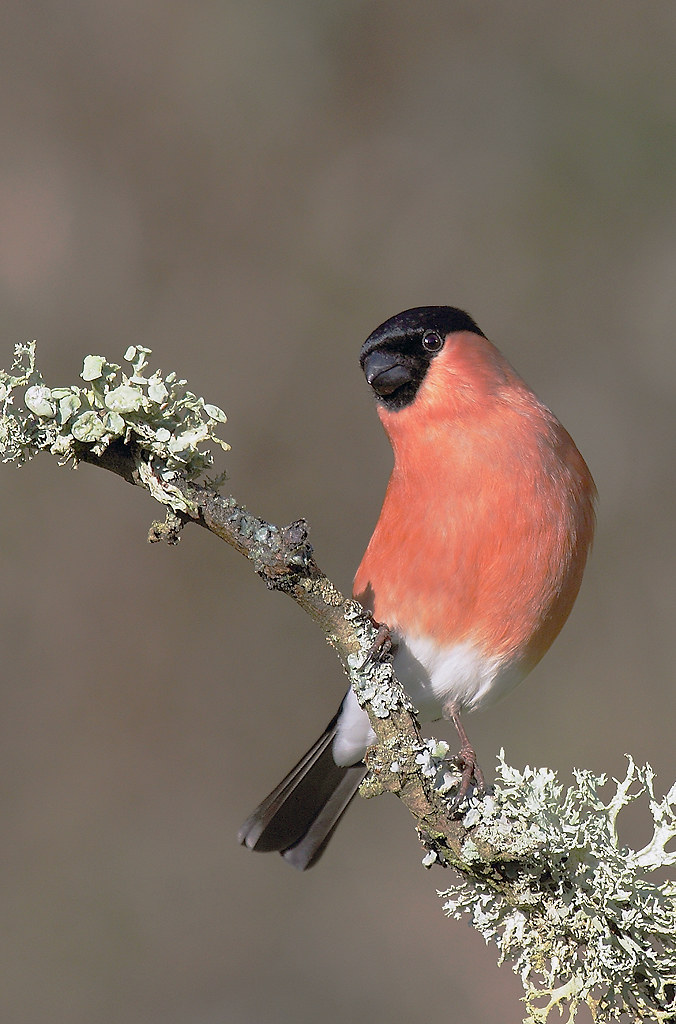
Here for example is the same shot just this minute hosted on Photobucket and the original that was hosted on Flickr, personally again I can see no difference although in this instance it is not so much to prove which hosting site is better but more a case of, if they look much the same then Flickr cannot be causing that much of a problem as you suggest.

6850864412_8c7caf4f88_b.jpg

Bullfinch Pyrrhula pyrrhula by Richard Venn, on Flickr
 
I can honestly say that I am finding the internet browser to be the problem and the photoviewer I am using. Would you agree?
 
I've just checked again and it's the same in every browser again for me now, back to as good as it used to be. Firefox just installed another update on mine so that could be what's fixed it, or it might be flickr themselves. Either way, I'm happy now. Are you still getting the problem?
 
I have just checked and its says there is no update availiable, so I am assuming that I have the most up-to-date version of Firefox.

My images look shocking when viewed in Flickr using Firefox, but not when viewed through any other browser. I have also noticed that not even my stats graph is in focus when it is viewed in Firefox.

Are there any settings I need to changed to make things more focused?? If not I will have to change brosers.

Thanks for ur help people :)
 
I have just checked and its says there is no update availiable, so I am assuming that I have the most up-to-date version of Firefox.

My images look shocking when viewed in Flickr using Firefox, but not when viewed through any other browser. I have also noticed that not even my stats graph is in focus when it is viewed in Firefox.

Are there any settings I need to changed to make things more focused?? If not I will have to change brosers.

Thanks for ur help people :)

I've had the same problem and for a while blamed my PP skills:(

Thanks to Lea on here we eventually found that Safari and Firefox showed my image as I had intended. IE and Chrome made a mess of the greens.

Only hassle is that as alot of people view in IE then to them my images must look a little weird. Only seemed really bad with mossy greens though:thinking:
 
I remember when I started using firefox that I had accidentally resized the window which made pictures look terrible.

Pressing Ctrl and "0" (zero) at the same time will reset the zoom setting to 100% if it has accidentally been increased or decreased.

http://support.mozilla.org/en-US/kb/font-size-and-zoom-increase-size-of-web-pages#w_keyboard

OMG!!!!!!!! You are a genious!!!!! Thank you sooooooooooooooooooooooooooooooooooooooooooooooooooooooooooooooooooooooooooooooooooooooooooooooooooooooooooooooooooooooooooooooooooooo much :D :) :love:

My pics look great in Firefox again... whoooooooooooooooooooooooooooo :thumbs:
 
Back
Top