Fixing the background

markp

Suspended / Banned
Messages
972
Name
Mark
Edit My Images
Yes
I took this photo at the weekend and it's been quite a hit with the dog's owners, but the background is really letting it down.
max_small.jpg


I've tried faking some "bokeh" but can't make it look realistic. Can anyone offer any advice, or do a better job than me? Slightly bigger version here.

Thanks in advance!
 
What sort of background are you after? Lots more dof or plain white/other colour?
Either way the skill is in fine selection of the dog's outline, invert & modify.
 
max_small_copy.jpg


A very quick job

I tried to get the full size version but got error 404. So I did a bit of work on the image in your post. Unfortunately the resolution was a bit low, but this was done in less than 5 mins.

In CS3 use the quick selection tool to select the Labrador. Drop into quick mask and tidy up the selection. ( The resolution was a bit low for me to get a good edge). Invert selection then copy selection to new layer. (Background now on new layer)

Apply Blur to this layer. I used surface blur but you can experiment.

Use the opacity slider if you want, to adjust the amount of blur, or if you're really clever convert the filter to a smart one, and adjust that way

As Gordon Ramsey would say DONE
 
Thanks chappers, a vast improvement over the original.

I think a solid colour background is going to be too hard to achieve in this, and probably won't look right Phil, but I may be proven wrong! What Chappers has done is the kind of thing I'm after - trying to add bokeh/blur the background without making the photo look too daft. I tried Photoshop's lens blur filter, but it just didn't look realistic.
 
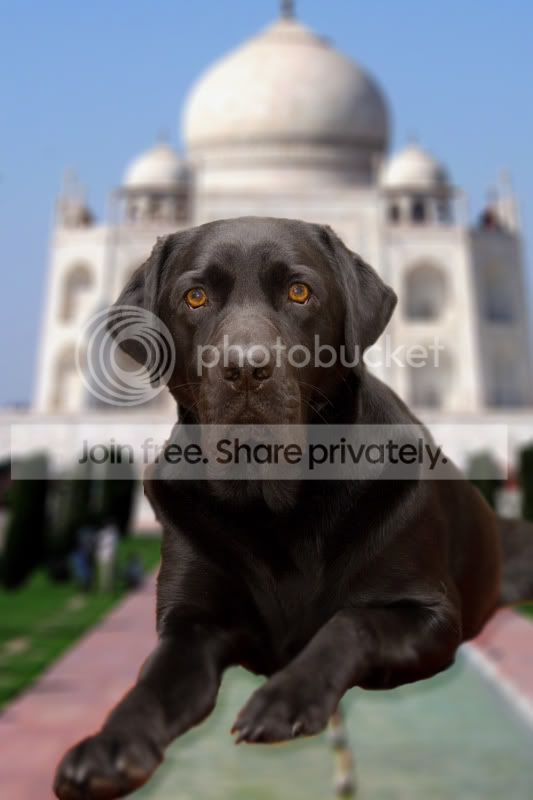
A very quick go.....

Max_copy.jpg


I cut the dog out and then pasted on top of a background. Flattened and Gaussian blur, painted back in detail but not very well...as you can see, I missed some of the blurred parts but as I said it was a very quick go.
Better off re shooting!
 
ROFL Sprog! That's brilliant! Not quite what I had in mind, but the owners will find it hilarious!

Alxxx - that's a huge improvement, and actually very good! Just cloning? Looks like it must've taken you ages!

KenCo - That background actually works really well. I thoight replacing the entire background would look too false but it works fairly well in your example, thanks!
 
Lovely dog. here is my take on you shot ;) I notice a few mistakes but was a quick conversion.

2285024651_8435fb67c1_o.jpg
 
Sorry guys, but the original is an excellent picture and there is really no need to edit the background, it looks fine and gives it a homely feel.
If you really must, then select everything above the carpet (sofa, wall, radiator, other dog..) and gaussian blue on a seperate layer, then reduce the opacity for a soft blend. Similar to chappers effect but without blurring the foreground carpet. (but please dont, the original is great)
 
Back
Top