

ziggy©
Suspended / Banned
- Messages
- 1,939
- Name
- Dini
- Edit My Images
- Yes
I am trying to learn how to fix a distorted picture in CS4 but cant seem to get it right.
The main problem i think i have is im not sure exactly how to fix the distortion. I usually use one of two options in CS4. Either rotating the picture or using the "Distortion" options under the "Filter" menu.
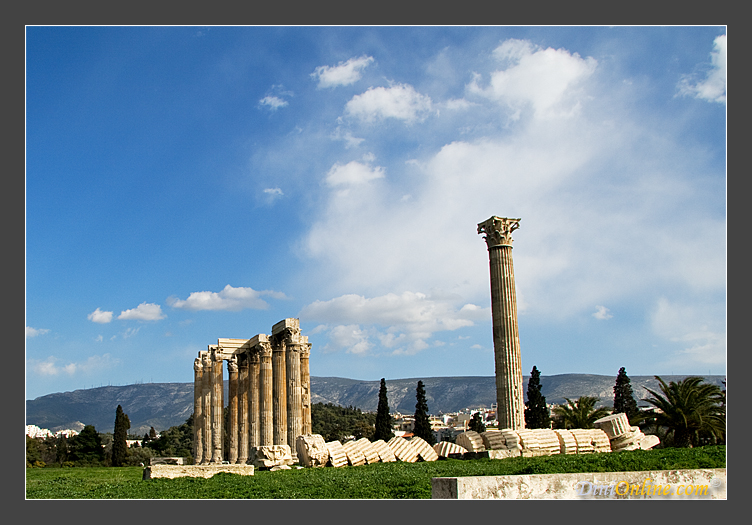
The problem with rotating the image is that it messes up other areas of the image which are perfectly straight. Take this image for example, if i rotate it, the taller structure does straighten but the ground becomes tilted and the other structure on the left also becomes tilted.
The option in the "Filter>Distort" menu looks quite usefull but i cant really work out how to use it correctly. I usually use the first option which is for distortion. When i try it, can never get it to straighten the image. Here is another example,
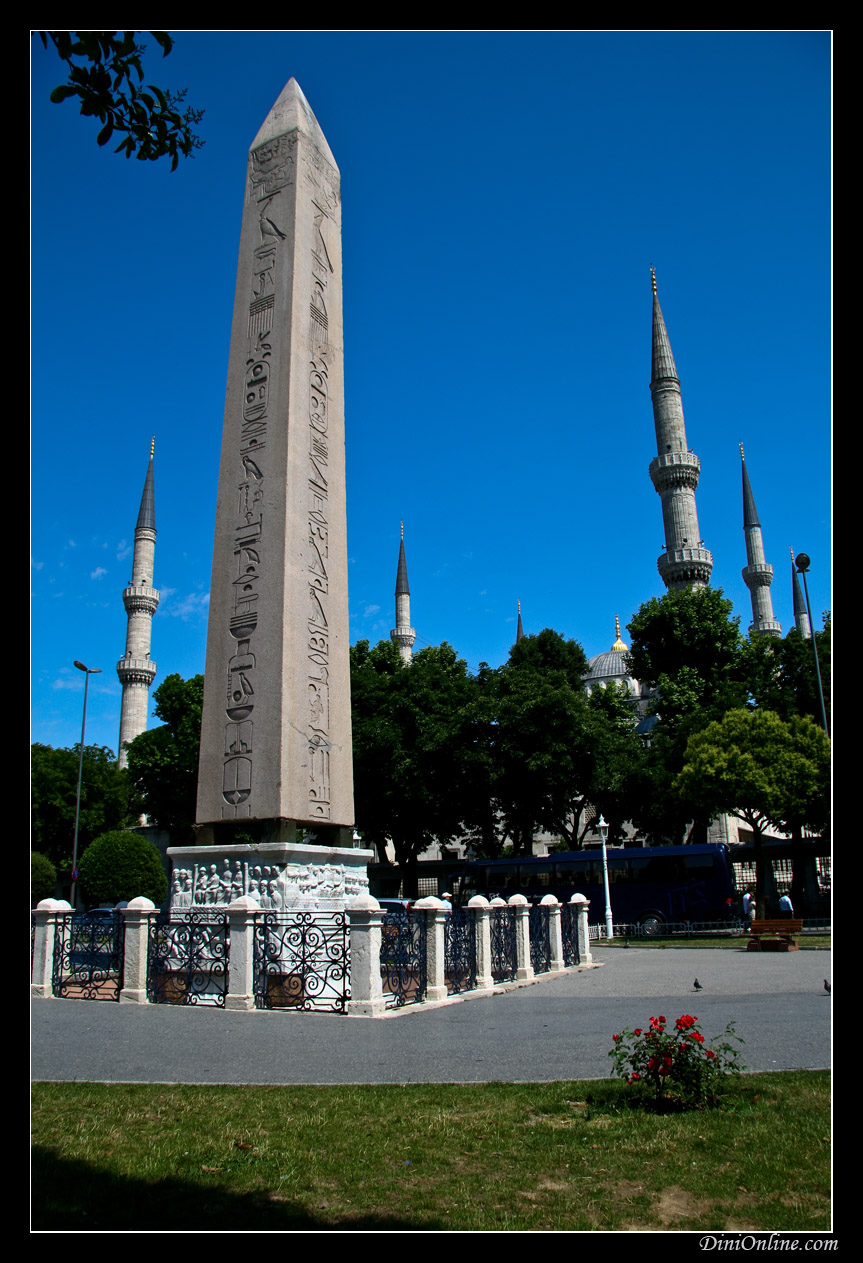
The minarets are not straight at all. If i try the distort option in photoshop i find that anything above +3 make the image look slightly weird. The problem is that at +3 the minarets are nowhere near straight.
So how can i fix distortion in my images? I have tried my best to keep the horizontal straight when i take the picture but they always appear distorted. This seems to be worse when i use a wide focal length i.e. 17mm to 20mm.
The main problem i think i have is im not sure exactly how to fix the distortion. I usually use one of two options in CS4. Either rotating the picture or using the "Distortion" options under the "Filter" menu.
The problem with rotating the image is that it messes up other areas of the image which are perfectly straight. Take this image for example, if i rotate it, the taller structure does straighten but the ground becomes tilted and the other structure on the left also becomes tilted.
The option in the "Filter>Distort" menu looks quite usefull but i cant really work out how to use it correctly. I usually use the first option which is for distortion. When i try it, can never get it to straighten the image. Here is another example,
The minarets are not straight at all. If i try the distort option in photoshop i find that anything above +3 make the image look slightly weird. The problem is that at +3 the minarets are nowhere near straight.
So how can i fix distortion in my images? I have tried my best to keep the horizontal straight when i take the picture but they always appear distorted. This seems to be worse when i use a wide focal length i.e. 17mm to 20mm.


