Beginner Fix my Tree

Messages
213
Edit My Images
Yes
I am new here. I'm an amateur. I have fiddled with photography for a long time, but since I haven't really gotten up to speed on a lot of concepts, I am still a beginner. I started upgrading my camera stuff after I got married a few years back, and now that I have a son, I have gotten more serious.

I think I'm good at choosing subjects and doing composition, but I don't do well in any kind of light that presents a challenge, and editing is not always easy. I shoot in raw (except for certain phone shots) and edit in Photolab 9.

I have a Canon Powershot V1 for times when I'm out with the family and can't haul a bigger camera. I have an A6700 for APS-C and an A7IV for full-frame. My big focus is travel photos and general family photos.

I need criticism. I would like to get advice on camera settings and so on. I will start with something I shot the other day. I was walking around trying to get used to the camera, and I shot up into a tree, mainly hoping to get camera settings into muscle memory. I didn't think I had much of a subject. I edited the shot just to get better at Photolab. I didn't expect it to be worth keeping, but when I worked on it, it turned out to be very pleasing.

So what was wrong with my camera settings in this shot? I used a Sigma 18-50 on the A6700. The f-stop was 7.1. ISO 200, 1/200, 27 mm, white balance auto. What else should I have done? Some guy told me my white balance was way off, which didn't make sense to me when referring to an edited photo.

I can keep shooting this same tree in the same light this coming week.

I hope people will be blunt. I didn't come here to get sensitive about my photos. I need to know what's wrong with my work and how to fix it. I'm posting two versions.

DSC00063_DxO crop 2 by Kosmo Bogus, on Flickr

DSC00063_DxO crop 2 light smart2 by Kosmo Bogus, on Flickr
 
It’s impossible to talk about colour accuracy for anyone who wasn’t there.

And it’s impossible to tell you what you did wrong if we don’t know what you intended.

But you’ve chosen a very high contrast subject here, it looks to me like the camera made a decent job of exposing the sky (only you’ll know if that is correct). The consequence of which is the foliage has no detail.

It’s photography 101, if you increase the exposure in camera, you’ll get detail in the tree but lose the sky. The only way to get both is to tweak in post.

Or I’m completely wrong because I wasn’t there and I’ve no idea what you wanted to achieve
 
The other thing that strikes me from a photograph perspective is the choice of subject, personally I’d go wider to get the whole tree, or much narrower for the branch detail.
 
To my eye its mixed up and no matter what you do is going to be a compromise, the light streaming through onto the background trees is lovely and no matter what you do to lift the shaded tree is not going to work. It just doesn't look right for the composition of the scene. The background is more in focus than the shady tree which in my opinion adds to the confusion.
I would try a shot where the focus is on the "dangly bits" of the main tree at f2.8 or shorter, let both the tree go dark and the lovely lit background look after themselves.

And for some reason, which I am trying to work out, the tree in the second shot seems straighter and more vertical.
 
To be honest I think you need to dump the idea that there is a set combination of settings for any particular shot. That way lies madness. Photography is fluid, and depends on circumstance. There is little wrong with your photos. Sure, you can learn as you go along what particular aperture, or shutter speed you need for a given situation. Only experience will tell you that. Yes, there may be faults in your photos, but it's not a thing you need to get too stressed about.
 
Last edited:
To me it looks as if there is no "focus point", parts look out of focus, too saturated and it doesn't tell me what you are aiming for.
 
As others have said, it is extremely difficult to understand what you were aiming for with this image...without that, it is impossible to make helpful, objective suggestions at to what you may have done differently to achieve this.
 
I would like to get advice on camera settings and so on.

I suppose you know that the exposure is affected by ISO, shutter speed and aperture? I like to try and concentrate on the framing and the moment so I use auto ISO so the camera does some of the work leaving me to think about the framing and the moment. I tend to use aperture priority and decide upon the depth of field I want and let the camera set the ISO and shutter speed until the light levels cause the shutter speed to drop too low and then I switch to manual mode and dial in appropriate aperture and shutter speed settings again with auto ISO. I sometimes dial in exposure compensation but I mostly leave the exposure up to the camera.

My advise is to let the camera do as much as possible to free you up for other things. If you make a conscious decision to alter something you can but you might find that much of the time the camera can do a good job whilst you concentrate on pointing the camera in the right direction and deciding when to press the shutter.

Good luck :D
 
Thanks for all the help.

I agree that the subject is not the greatest, but it seems to have turned out to be a good background shot. I think I should do the shot over while zooming in more so I can get a tighter composition with less of the tree and less cropping later.

The main thing I was wondering about was whether there was a good way, in camera while shooting, to get more detail on the dark side of the tree, which was facing me, without killing the nice colors of the sky coming through behind it. I thought there might be some clever exposure trick that would bring out the trunk and limbs a little more, as they are in the brighter edit, without ruining the sky. Sometimes these modern cameras have tricks only experienced people know about.
 
Imo try not to obsess about camera settings. Realistically, you can use YouTube to learn about the histogram, exposure and how shutter speed/apertute/iso work - learning the theory should take a day at most. Being a photographer who is a forever student of ‘settings’ will hold you back imo. Then just get on with making lots of photos! Try to replicate ideas from your favourites photos and learn from your mistakes with your bad photos
 
Thanks for all the help.

I agree that the subject is not the greatest, but it seems to have turned out to be a good background shot. I think I should do the shot over while zooming in more so I can get a tighter composition with less of the tree and less cropping later.

The main thing I was wondering about was whether there was a good way, in camera while shooting, to get more detail on the dark side of the tree, which was facing me, without killing the nice colors of the sky coming through behind it. I thought there might be some clever exposure trick that would bring out the trunk and limbs a little more, as they are in the brighter edit, without ruining the sky. Sometimes these modern cameras have tricks only experienced people know about.

What you've done there is expose for the highlights. Hence the tree appearing more shaded. You could try raising the shadows in post. Or, you might spot meter maybe. But be aware that it's always going to be a balancing act. Expose for the tree and you risk blowing out your highlights. That's why I think raising the shadows a tad might be the easiest option.
 
There isn't necessarily anything wrong with the settings you used. One could argue that the ISO and shutter speed were higher than necessary for the focal length, but not problematically IMO.

There appears to be a fair bit of chromatic aberration (CA) which is a lens issue (the blue fringing/halo type effect). And because the sky is blue it can't really be corrected easily/completely. CA is most problematic when photographing something that is backlit like this. It is often more problematic at the shortest/longest focal length of a zoom lens. And it can be reduced by stopping down father (f/11).

The high saturation/vibrance aren't helping the issue and is too much for my taste. The white balance seems close enough to me. But white balance certainly does apply to an edited image; in fact it only applies to an edited/output image.

For my taste there is too much that is out of focus. Focus for a wide angle image like this is going to be problematic; because many details are at significantly different relative distances from the camera. Using hyperfocus or focus stacking might be required depending on the intent.
 
It sounds like the best answer, if I were to keep this subject and try again, is just to wait for better light and accept the fact that there is no magic bullet. That information is just as useful as finding out there is an easy fix. It will help me not to have unrealistic expectations.

I am particularly glad to have the white balance question answered. When I was told it was "way off," I was mystified as to how a knowledgeable photographer could come to a conclusion like that just by looking at an edited photo, and it made me wonder if photography was even more complicated and difficult than I thought.
 
I was mystified as to how a knowledgeable photographer could come to a conclusion like that just by looking at an edited photo, and it made me wonder if photography was even more complicated and difficult than I thought.
Well, most everyone has a good idea of the color of green leaves and blue sky; so if those colors were way off one could safely assume the WB is off.
 
I thought there might be some clever exposure trick that would bring out the trunk and limbs a little more, as they are in the brighter edit, without ruining the sky. Sometimes these modern cameras have tricks only experienced people know about.
Depending on your camera, there may be a hdr (high dynamic range) mode, as per a mobile phone. But for most ‘photographers’ the advanced control you can get in post processing is very much more attractive than in camera changes.

In camera (without hdr trickery) we’re pretty much stuck with the same exposure controls we’ve had for the last 200 years, which boils down to down to the fact we can globally make an image brighter or darker.
 
I would like to get advice on camera settings and so on.
This is usually the first mistaken assumption of the new photographer, they pick up a camera and assume the controls are ‘settings’ like on a washing machine, x+y + z = the result, whereas your camera is closer to a musical instrument, where it’s your interpretation of the requirements for the image in your minds eye that directs your ‘settings’.

Hope that helps.
 
The thing is, there are so many amazing things cameras and software can do, it's natural to wonder if there are powerful tricks I don't know about because I haven't spent three years staring at the manual and the camera menu.

I got myself a white balance card. Before it got here, I learned that you can use Sony rear lens caps to set white balance, so I went outside and tried it. The photos looked good. Then later I found out I hadn't actually set the white balance at all, because I had pushed the wrong button.
 
The thing is, there are so many amazing things cameras and software can do, it's natural to wonder if there are powerful tricks I don't know about because I haven't spent three years staring at the manual and the camera menu.

I got myself a white balance card. Before it got here, I learned that you can use Sony rear lens caps to set white balance, so I went outside and tried it. The photos looked good. Then later I found out I hadn't actually set the white balance at all, because I had pushed the wrong button.
That's quite funny actually. I suspect we have all done something like that! I managed to take a whole series of photos in manual focus instead of autofocus, because I pushed the wrong 'quick function' button. Likewise with 'steady-shot' on/off....

With regard to your main question about keeping the sky at the right exposure whilst also lightening the underside of the tree - basically no, unless you actually light the tree. To be honest though, people generally expect to see 'pointing at the tree against the sky' shots as almost a silhouette - because that's natural. Over lightening the underside just makes it look a bit odd and unreal. Personally I think your first shot is fine exposure-wise - with the dark trunks and the lit up catkins (or whatever the dangly bits are).
 
I fiddled with it again today. I took some more shots, trying to get a better exposure.

This time, I can bring out more of the dark side of the trunk in post. As has been said, it looks a little unreal, but I don't mind that as long as it's intentional.

I am thinking tomorrow I should take a tripod and a slightly better lens and camera and try one more time, zooming in to a limited part of the tree so I can get more detail and a tighter composition instead of a sort of backdrop shot. I can upload a wide crop to give the general idea, but there is no detail because of the severe cropping.

What would be a better lens for trying to get the tighter shot? Sigma 105 mm or Sigma 24-70 mm?

A6700176_DxO_DxO recrop by Cosmo Bogus, on Flickr


A6700176_DxO wide by Kosmo Bogus, on Flickr
 
Last edited:
If I can be honest…. that shot is a dead end.

There isn’t really anything you can do with it editing wise that will teach you anything because it’s very difficult to get an end result that isn’t just the same thing - it’s too busy, indistinct and more importantly- it lacks any kind of clear subject and contrast.

So what’s my advice, for all that it’s worth?


Firstly, take a look on Flickr, in this forum or in a newspaper etc - find an image that looks great to you and then try and take a similar picture and make yours look great to.

The hardest thing to do in any art is develop taste and the skill to unpeel the layers to see why something works - the position, the colour, the contrast, the depth of field, the focal length.

Here’s three pictures I taken of a tree:

The last dance by Sparkling Pictures, on Flickr

Tulip Tree by Sparkling Pictures, on Flickr

Door into summer by Sparkling Pictures, on Flickr

All different approaches, all have contrast in some way, and a clear subject- and because of that, seem easier on the eye to decode - and edit - which is actually very little other than my own colour grade.

The thing we all learn is you just can’t point an expensive camera and lens at a boring subject and get a good photo. It takes years of unpicking and getting that eye - but more than most you are asking the right questions.

Now, get into the challenges forum and take part in the talk photography 52 challenge and see how everyone interprets the theme for some real inspiration. You’ll learn so much from doing this, I can’t recommend it enough. You can do it!
 
Last edited:
That first photo is great.
 
As Mark has suggested, above, you may want to look for trees that are isolated, perhaps against the sky, at least to begin with.

This will "get your eye in" to how a tree's trunk and main branches interact with the rest of the smaller and less prominent branches. Making the image very high contrast will help in this...

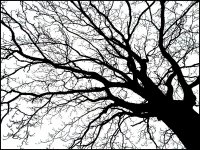
Bare tree sillouette G2 P1210492.jpg
 
Back
Top