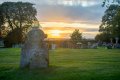
Beginner first attempt at bracketing sunset

lee hayes

Suspended / Banned
Messages
103
Edit My Images
Yes
this is my first attemt at bracketing a sunset, my question is why did i get the red flare in the middle of the shot and could that be repaired/removed in photoshop
bracketed sunset by Lee Hayes, on Flickr
 
The flare is from the intensity and angle of light hitting your lens plus the quality of the lens coatings. I don't use photoshop so can't comment on that one.
 
Yes, it's lens flare because you are shooting straight into the sun. All lenses get it to some extent but generally the better the lens the less they suffer.

Not really that much you can do about it as it is quite severe, the answer would have been to reposition the shot or better still wait for the sunset proper - this was taken a little early really.
 
Indeed, you wind up cropping it to make it more interesting. But it's easier to crop than remove complex lens flares in post.
 
better still wait for the sunset proper - this was taken a little early really.
This was the best it was gona be, as there were some dirty great clouds about to block everything, but I take your piont on repositioning
 
You could clone out the red flare if you wanted to, but the problem isn't confined to the red area - around it the image is degraded by a loss of contrast. Another thing is that the brightest area of sky round the sun is unrecoverably blown to white - can you live with that? You could've positioned the shot so that the sun was behind a gravestone or treetrunk, and thus made the exposure less challenging, but then you might've found (in this case) that there wasn't enough colour in the sky alone to 'make' the picture. So think of it as a learning curve.
 
Last edited:
I think that without a distinct objective (apart from wanting to make better photographs), the main thing is to have fun. But trying things out and pushing the boundaries will help to show what's possible and what the constraints are.
 
could that be repaired/removed in photoshop
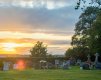
Just a quick and dirty edit, use the clone tool, set at about 70% opacity, pick another head stone ( but of course then its no longer a true representation, depends on you opinion of course)
I used the one left of the large foreground head stone, this'll "dumb it down" a little and still leave the sun glow ..
Just my opinion of course.


37205463776_b1943af049_z.jpg
 
Just a quick and dirty edit, use the clone tool, set at about 70% opacity, pick another head stone ( but of course then its no longer a true representation, depends on you opinion of course)
I used the one left of the large foreground head stone, this'll "dumb it down" a little and still leave the sun glow ..
Just my opinion of course

cheers for that cobra, even though its a quick and dirty edit(as you say) just taking away the glare a little makes a difference..every time i looked at the pic all i saw was the glare. woould have been better if i could have waited till the sun was further down as stated earlier but just after this shot all the colour went. i also think i only went 1stop on the bracketing, would 2 made a better exposure
 
i looked at the pic all i saw was the glare.
That's because its almost slap bang in the middle of the image.
Had it been a different crop, you would have still seen it, but your eyes would have been looking elsewhere

edit.jpg


i also think i only went 1stop on the bracketing, would 2 made a better exposure
TBH Its not really my thing, but the small amount I have done I would have thought at least 2 maybe even 3.
 
You could always take the opposite view. If you see the flare appearing then move your position so that you get a chain of flares. Then you can claim artistic licence. Can be effective at times.

Sometimes imperfect is better than technically perfect.
 
To prevent the lens flare, take an additional shot but with your finger coming in from the top of the frame, covering up the sun. This will give you a flare-free foreground which you can then clone over any flares which might occur in the final bracketed image.

Great little tip.

Just to add you need to do this is full manual mode really so that the meter is not tricked and adjusts the exposure.
 
Last edited:
Back
Top