- Messages
- 4,395
- Name
- Lawrence
- Edit My Images
- Yes
Hello, I have an issue, and would love some help!
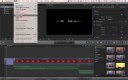
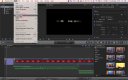
Basically, I have a project in Final Cut that I linked the original movie files to that were on my macs desktop. However, through some stupidity I managed to delete the files off the desktop, so now when I open the project the files are "missing". I do have the original files backed up on a hard drive, which I've accessed and they're fine however my question sis..
How can I relink the files, and keep if possible, the precise settings to the second - as its very precise and to do it all over again would be very sad!
Any help and advice is much appreciated - it is only the visual movie parts that are required, the audio files are fine as they were seperate
Many thanks!
Basically, I have a project in Final Cut that I linked the original movie files to that were on my macs desktop. However, through some stupidity I managed to delete the files off the desktop, so now when I open the project the files are "missing". I do have the original files backed up on a hard drive, which I've accessed and they're fine however my question sis..
How can I relink the files, and keep if possible, the precise settings to the second - as its very precise and to do it all over again would be very sad!
Any help and advice is much appreciated - it is only the visual movie parts that are required, the audio files are fine as they were seperate
Many thanks!