External hard drive disaster.......well almost

ndwgolf

Suspended / Banned
Messages
4,692
Name
Neil Williams
Edit My Images
No
I have just come back from a 10 African Safari in Tanzania and while on Safari I used 2 x External hard drives to store my daily files (in tandem). The first hard drive is a WD my Passport for Mac and had a 1TB capacity. The second external hard drive is a 2TB ....cant remember the name but has a Thunderbolt connection.
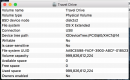
Anyway to cut a long story short my "My passport for Mac" external HD won't mount on my MBP. I believe and pray that the 2TB hard drive is still okay but I won't be able to confirm that until I get off the Oil Rig in 10 days time and collect that drive along with all my camera gear.
I brought the 1TB drive offshore with me so that I could work on the thousands of pictures that I took while on Safari and up and until yesterday it was working fine, then all of a sudden for no reason my lightroom software said it couldn't see my pictures and when I checked I too could not see the HD icon on my desktop. So I unplugged it and plugged it again and still nothing. I tried running first aid on it through Disk Utility but it says it can't mount it.
Anyone else had a similar thing happen and if so how did you manage to fix it????
Later

Neil
 
Hi Neil,

Not used WD HDD, but do you know its format? NTFS (New Technology File System - developed by Microsoft) perhaps with a software fix applied by the manufacturer to allow it to work with a Mac? At these sort of capacities this is likely. (Smaller older drives used to use FAT, to be Mac and Windows capable, but it cannot be used at large capacities).

EXFAT is the larger capacity means of using FAT but seems to be rarely used by manufacturers. They will either go down the route of a dedicated Mac file system or use NTFS.

To check your drive, plug it into a Windows machine, and I will wager that it works ok?
 
It's spinning and the light comes on when you plug it in. If my 2TB drive is okay I will attempt a erase on it and see if that will bring it back to life.
 
1TB My passport?
I bought two of these a year or so back for the kids. Daughter reckoned her's just 'broke'. But seems they have a very short cable that is prone to stress at the connector.
My first PoC would be to try a new cable, I think, if that helps any.
 
It's spinning and the light comes on when you plug it in. If my 2TB drive is okay I will attempt a erase on it and see if that will bring it back to life.

The more you mess with it now, the more difficult it will be to retrieve the information. Certainly wouldn't attempt any erase operations just yet.

Try a recovery company such as Kroll OnTrack. https://www.krollontrack.com

Not cheap but excellent reputation. Email them for advice. Do that before erasing/writing anything else to the disk.

They have certainly helped me out of some tricky situations when recovering stuff, both for work and for home.
 
Last edited:
I would be tempted to remove the drive from the casing and try it in a computer, or a docking station, before doing anything drastic, the electronics in the external drive casing sometimes fail.
 
1TB My passport?
I bought two of these a year or so back for the kids. Daughter reckoned her's just 'broke'. But seems they have a very short cable that is prone to stress at the connector.
My first PoC would be to try a new cable, I think, if that helps any.
Ive tried 3 cables now and the same result.....the drive has a light own it that is blinking like a normal drive.....strange
 
Worth doing what David suggests.

I would then wait to see if your 2TB is OK before doing anything else.
 
I would do nothing until you're back on dry land. Hope you manage to get your shots off the spare drive - and back them up to another one while you're at it! I wouldn't trust a drive that had failed even if it then started behaving, especially for important files.
 
I would be tempted to remove the drive from the casing and try it in a computer, or a docking station, before doing anything drastic, the electronics in the external drive casing sometimes fail.
That's what I did with the daughter's expecting it to be a regular lap-top 3.5" SATA Drive.... it ent!
The WD Passports have the interface on the HDD and the link-cable plugs straight into it, there's no secondary SATA->USB interface to fail.

What format are your piks in? If the drive is talking to the computer, it might be possible to run some recovery software on it to get 'some' files off before trying to recover the drive itself; but you may need a fair amount of spare HDD space on the 'puter you run the recovery prog on. I have some, that does common file formats, txt, gif, jpg, mpg etc, nt sure its as happy with NEF, RAW or psd, and it needs about 3x the 'free' HDD space on the recovering computer as is on the device being recovered; fine for a 16Gb SD-Card, but, recovering a 500Gb hard-drive can be a bit of a 'game' clearing recovered files as they are written to other storage!

Whe you say you used the two pocket-drives in 'Tandem', do you mean you made copes of all photo's on both drives?

With that HDD, I'd wait until I was on dry-land. check the back-up's on the other pocket-drive; and if they are still there, then just wipe and reformat the passport and dump back over. Else would be trying to preserve both as best as and checking cost of pro-recovery service. As said the WD Passport isn't a propriety lap-top SATA in a pocket-case, its a discrete bit of electronics.

Other thing I'd be looking for s the original box and instructions; I'm pretty sure that the drive came with some pre-installed self-back-up software of some sort, that could offer another 'chance'.
 
Back
Top