
Expose to the right leads to posterisation??

Cheng

Suspended / Banned
Messages
837
Edit My Images
No
Here's a few shots I took a while ago, compares two shots about 3 stops apart from each other. I thought I'd expose to the right and then pull down - this should reduce noise...right? Well the quality is excellent for all parts of the image - *apart* from the sky - where posterisation is evident. This was done in 16 bit mode in Adobe Camera Raw. I started off in 8 bit mode but that was horrendous and 16 bit mode certainly reduced a lot of the posterisation. But it's still evident. The more that the image has been pulled down, the more posterisation thats evident (if I had a shot that was only 1 stop over exposed, not two for example, there'd be more noise but less posterisation)

I was under the impression that exposing to the right should certainly reduce posterisation - as there are more bits of data that have been captured. Below are two shots - its obvious which one has been exposed to the right due to the lower noise - but to me, the shorter exposure shot whilst having more noise has a more pleasant graduation (not the stepped posterised transition of the pulled shot).

Any ideas of how to reduce this posterisation? After all, I'm doing this for picture quality, and I'd love smooth skies!
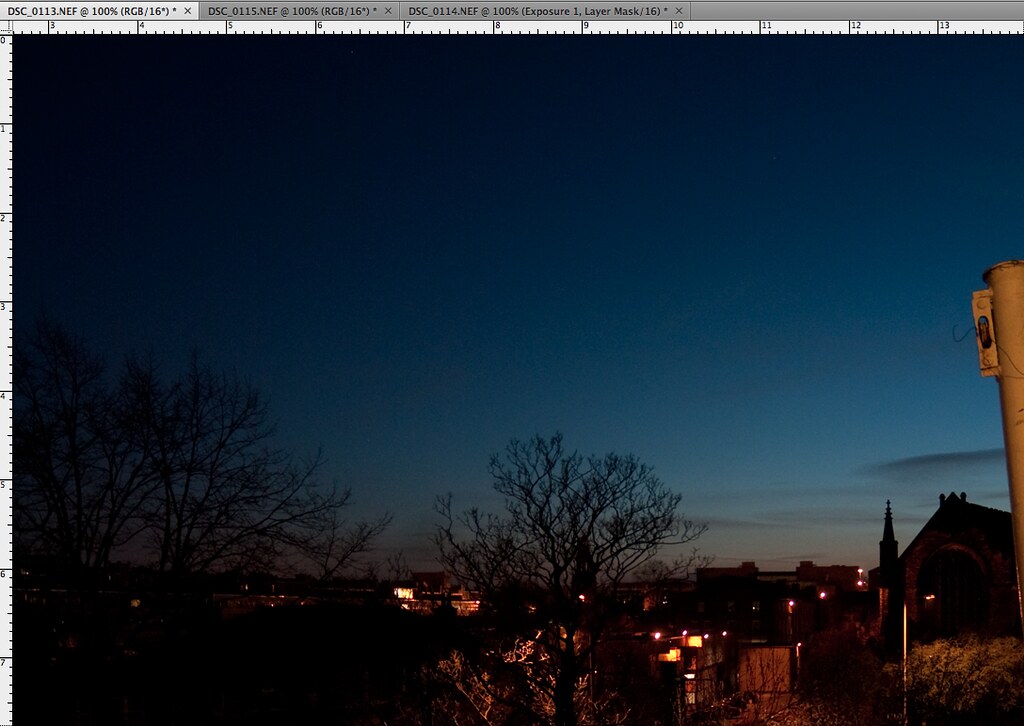
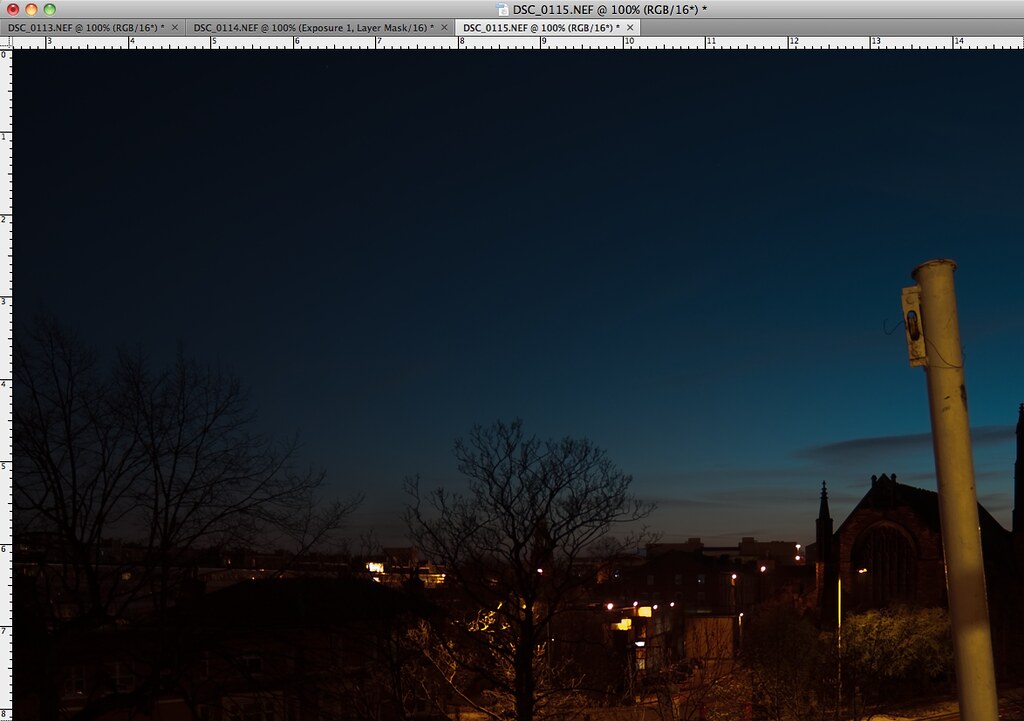
5652825561_9682c8d2e8_b.jpg


5653406954_a8d78b2930_b.jpg
 
I see noise in the first image. I see something different going on in image #2, but it looks too subtle and smooth to be posterisation. Viewing small JPEG screen prints is probably not going to help make the problem obvious.

Any chance you can host the raw files somewhere - rapidshare or somewhere like that, so we can take a closer look?
 
I'm afraid I can't see any obvious posterisation in the images posted, as said above it may be they are just too small to see what your seeing.
 
I can see no posterisation in Lightroom on my calibrated monitor, whether I leave the file unedited or drop the exposure by -3 stops. It is simply smoother and less noisy than the file with the regular exposure.

I think what you might be seeing is very faint variations in the sky, through whisps of almost invisible cloud, which are so subtle as to be obliterated by noise on the 0.4 second exposure, but in the 3 second exposure are just about discernible.

If I increase exposure on the "dark" file by 3 stops all you see is pots of noise. The bright file looks squeaky clean by comparison....

20110426_204113_000.jpg


Applying Auto Levels in Lightroom to both files the tones look similar, but there is a big difference in noise. I still can't see posterisation in either file....

20110426_204702_000.jpg
 
Last edited:
Nope... no posterisation here either. Even when playing with it a lot....
 
Thank you so much for having a look. I notice that the effect is most severe when pulling down the over exposed shot - as you pull the shot more and more underexposed with the exposure slider, I can see a 'rainbow' effect rippling through the sky (particularly to the left of it, its not visible anywhere but the sky really) , where I see solid bands of colour moving as the exposure is adjusted.

It's most severe where I have highlighted in the images above. If it were just clouds, as you suggested time, I would suspect the bands would not 'move' as they are currently, depending on the exposure? Also, to explain what I'm seeing and to make the effect even more pronounced, select a portion of the sky in photoshop and use 'gaussian' blur - this is what I'm seeing, but on a less extreme level. I hope this helps you understand what I am seeing, and help you guide me how to reduce it..? Thanks again!
 
Tim, the posterisation is only really when I pull down the overexposed shot, not when I push the underexposed shot (which results in lots of noise as you demonstrated!).
 
Tim, the posterisation is only really when I pull down the overexposed shot, not when I push the underexposed shot (which results in lots of noise as you demonstrated!).
Nope.. I just get a shot with limited maximum value... Are you doing this as an 8 or 16 bit RAW open in PS? The default in ACR is to open RAW as 8 bit images...
 
Looking at them in 16 bit (my default) I can't see anything other than noise and some clouds, what size are you viewing the images at? does the posterisation still show at 100%? and are you seeing it in camera raw or photoshop proper?
 
This is the exact opposite of my experience - trying to recover detail in well under-exposed images can soon lead to posterisation in the shadow areas, but I can't say I've ever seen it when recovering from an over-exposed image.
 
Tim, the posterisation is only really when I pull down the overexposed shot, not when I push the underexposed shot (which results in lots of noise as you demonstrated!).

I tried pulling down too. There are no signs of posterisation.

Which version of ACR are you using? Is there an upgrade available? Are you leaving anything up to "auto" adjustment, which might be screwing things up? Do you have an odd tone curve applied? Posterisation occurs when you stretch the tones within a range, not when you compress them. It makes no sense that pulling down highlights could cause this unless there is some other demon at work.

If it wasn't for the fact that you do not see the problem with the darker image I would suspect your monitor, but then you should see the effect in several images and pulling down this one particular image should not be any worse than any other image with smooth and subtle tonal gradations.
 
I tried pulling down too. There are no signs of posterisation.

Which version of ACR are you using? Is there an upgrade available? Are you leaving anything up to "auto" adjustment, which might be screwing things up? Do you have an odd tone curve applied? Posterisation occurs when you stretch the tones within a range, not when you compress them. It makes no sense that pulling down highlights could cause this unless there is some other demon at work.

If it wasn't for the fact that you do not see the problem with the darker image I would suspect your monitor, but then you should see the effect in several images and pulling down this one particular image should not be any worse than any other image with smooth and subtle tonal gradations.

Hi Tim,

I believe I'm using the latest version of ACR. No auto adjustments at the moment. I'm using the built in monitor of my 2010 MacBook Pro - I've heard it's not too bad? I'll take a look again at this issue this weekend and see if I can produce more screen shots to replicate the problem. I'll also have a go at printing some shots to see if they reproduce in print!
 
Back
Top