Epson ET 8550

BillN_33

Suspended / Banned
Messages
13,952
Name
Bill
Edit My Images
No
Got the 8550 yesterday - a learning process at the moment, (the set up maybe simple to some but it's not that straightforward ..... choosing which number to select when setting up tye printer heads ..... they all looked the same to me, you need good eyes to spot any differences) ........ quite a few downloads, updates and the drivers needed

......... done a few "test prints" and I'm am (well, including my wife) are really pleased with the results.

Strange that LRc does not included all the sizes, A4, A5 etc., etc., in the crop sizes, but it looks as if I can set these up in "Custom"

The various paper profiles are interest plus the colours space profiles - trying to figure these out and if there are any conflicts between the profile ion LRc and those available in the Epson Print Layout software which I use for printing .......... (I'm not printing from LRc)

any comments or hints that you can give will be gratefully received

I paid £437 on Amazon ..... plus there is a £70 cash back.......... I notice that the price has increased to £628 plus a £70 cash back ...........
 
Its a great printer. My LRClassic does include A4, A5, etc (on Mac) or am I misunderstanding you?
I find that the export from LR direct to EPL doesn’t work so I go via PS so I can use Automate.
For mono printing, I get great results using the Advanced B&W (think it’s called that) in EPL. That way you don’t use a profile, just put in the paper type. For mono I use Permajet Matt White - no colour cast especially if you choose the “darker” setting. Again, if using EPL, just put the colour profile into EPL and let it handle everything.
Keith Cooper (Northlight Images) has some great videos on YouTube.
 
Its a great printer. My LRClassic does include A4, A5, etc (on Mac) or am I misunderstanding you?
I find that the export from LR direct to EPL doesn’t work so I go via PS so I can use Automate.
For mono printing, I get great results using the Advanced B&W (think it’s called that) in EPL. That way you don’t use a profile, just put in the paper type. For mono I use Permajet Matt White - no colour cast especially if you choose the “darker” setting. Again, if using EPL, just put the colour profile into EPL and let it handle everything.
Keith Cooper (Northlight Images) has some great videos on YouTube.

Thanks Stephen ...... are you using Epson paper?

I spend quite a lot of time going through Keith Cooper's uTube vids before I bought the printer
 
Its a great printer. My LRClassic does include A4, A5, etc (on Mac) or am I misunderstanding you?
I find that the export from LR direct to EPL doesn’t work so I go via PS so I can use Automate.
For mono printing, I get great results using the Advanced B&W (think it’s called that) in EPL. That way you don’t use a profile, just put in the paper type. For mono I use Permajet Matt White - no colour cast especially if you choose the “darker” setting. Again, if using EPL, just put the colour profile into EPL and let it handle everything.
Keith Cooper (Northlight Images) has some great videos on YouTube.

Stephen ........what I have in LRc when using the "crop mode" is 1x1, 4x5, 8.5x11, 2x3, 4x3, 16x9, 16x10, and Custom ...... presumably I can put the A4 and A5 sizes in using Custom?
 
Stephen ........what I have in LRc when using the "crop mode" is 1x1, 4x5, 8.5x11, 2x3, 4x3, 16x9, 16x10, and Custom ...... presumably I can put the A4 and A5 sizes in using Custom?
Ah, I see. Yes, just put it in as a Custom size. It will stay there as long as you don’t create too many custom sizes as I think there is a limit.
 
Thanks Stephen ...... are you using Epson paper?

I spend quite a lot of time going through Keith Cooper's uTube vids before I bought the printer
No, I almost exclusively use Permajet, particularly Oyster 271. Although I do usePPD for letter-cards for my wife.
BTW I have managed to create 297mm wide panoramic prints using roll paper cut to length. Can’t remember what brand but I got it from Amazon. Bit of a pain getting it to feed.
 
I'm just getting back into Photography after a long work inflicted / other hobby hiatus. My last printer was a (probably) circa 2005 300dpi Epson something or other. Everything had dried up and it went to the great recycling centre in the sky.
After watching many a youtube video, esp Keith Cooper, I was going to purchase the ET-8550, until I realised it would not fit in the available space I have. So I plumped for the 8500. I too got a good deal on the Epson Ebay Outlet - ended up for an "open box" item at £385 after promotional discounts.

It was ordered Saturday PM and delivered by UPS today. I also ordered some Epson PGPP. Not sure what their definition of open box is, but this had the most minor of marks on the packaging and otherwise was as brand new.

Set it up after work and did a couple of test prints. I am totally blown away by the quality of this printer. I've just printed a straight image from my iphone pro 16, and also one from my (new to me) EOS90D. They are as good as anything i have ever had from online printers. Extremely happy with this printer.

F
 
Still incredibly impressed with this printer, however...
I have been having a lot of bother connecting to it over wifi. The epson status monitor and windows (11) were rarely finding the printer on the wifi network. Tried both 2.4ghz and 5. So this morning i decided to have a little re-arrange of my office and moved my trusty dell colour laser and the et-8500 around. The et-8500 is now using a wired connection via a powerline adapter. ESM found it immediately and the first print worked perfectly.
 
  • Like
Reactions: zx9
I'm not sure this os relevant, but I have a small Canon printer in my office at home mainly for work related document printing, and although at first it worked fine over wifi from all my devices, it suddenly stopped after a bit of a reorg. Ultimately I discovered that if you put a usb cable into it to give a wired connection to a computer, the network capability appears to be disabled. So you either share it via a computer, or it's unavailable on wifi. Rather annoying. As I say, provbably irrelevant to the issue Ian was having, but it's interesting that he got it connecting the way he did. Maybe Epson offer slightly more flexibility than Canon in this connectivity lark.
 
HI Lindsay,
When i did wire it, it insists on the wifi being disabled. But it's working a treat and can still be accessed anywhere from my network.
 
Interestingly. although mine is hard-wired it is also available via wi-fi. This is on a Mac system, however ... Oh, and the Mac (main machine) is also on wi-fi.
 
One of the things that annoys me about my ET8550 is that the output tray is annoying to retract. My previous (ancient) MG5250 printer would put its output tray out automatically, then once I'd picked up the output a little pressure on the front of the tray would send it home again. With the ET8550 I have to wake up the little control window, press Home and then press Close Output Tray. It's a pain.

Somewhere in the menus of that control window there's a message that suggests it will close the rear (top) input feeder. Doesn't work though.

The driver's a bit annoying as well. Today I had to print the reverse of 7 5x postcards. The reverse is on an (almost) 5x7 label. Most of the content of each was the same, but of course the address was different. Each of these labels is on a separate A4 page in the top/rear input tray. Each time I had to go through the slightly complicated process of telling it where the print stock was!
 
Got the 8550 yesterday - a learning process at the moment, (the set up maybe simple to some but it's not that straightforward ..... choosing which number to select when setting up tye printer heads ..... they all looked the same to me, you need good eyes to spot any differences) ........ quite a few downloads, updates and the drivers needed

......... done a few "test prints" and I'm am (well, including my wife) are really pleased with the results.

Strange that LRc does not included all the sizes, A4, A5 etc., etc., in the crop sizes, but it looks as if I can set these up in "Custom"

The various paper profiles are interest plus the colours space profiles - trying to figure these out and if there are any conflicts between the profile ion LRc and those available in the Epson Print Layout software which I use for printing .......... (I'm not printing from LRc)

any comments or hints that you can give will be gratefully received

I paid £437 on Amazon ..... plus there is a £70 cash back.......... I notice that the price has increased to £628 plus a £70 cash back ...........


That's a great price! Mine was refurbished and cost quite a bit more than that, but all the set-up was already done.
 
Interestingly. although mine is hard-wired it is also available via wi-fi. This is on a Mac system, however ... Oh, and the Mac (main machine) is also on wi-fi.

"They" suggest that if you are printing large - maybe A3 and A4 you "hard wire" the printer in case you get a drop off in the wiFi signal
 
I finally pressed the button on buying one of these, after deliberating for a very long time. Finally decided because I may be closing my company in a few months time so need to buy whilst I can reclaim the VAT. Bought from Wex via the link on TP so that the site gets a bit of commission. I already have various paper samples to play with, but I'll need to make some space on the office desks for the printer. I'll be re-viewing Keith Coopers Youtuvbe and others while setting it up. Just need to take some decent photos now!
 
Hope you'll enjoy it. It doesn't take a lot more space than our old all-in-one, which was a surprise given it's A3+. However if you're going to use the panorama capability you'll need quite a bit of space behind.

The biggest annoyance is the holder for prints; It slides out nicely, automatically when you print. But I have not found any way to get it to go back in other than getting to the home screen and then pressing the bottom right "button". It's annoying when the screen's gone to sleep. I'm pretty sure Mrs R will find it a pain...

Oh, see post #13!

Epson Print Layout is a good driver for it...
 
I'll see how I get on with regular A4 and A3 printing, I presume a roll paper adapter would be needed for pano's? It would be nice to be able to add that in due course, since I have a Linhof 617 film camera I've not really used much yet.
 
I'll see how I get on with regular A4 and A3 printing, I presume a roll paper adapter would be needed for pano's? It would be nice to be able to add that in due course, since I have a Linhof 617 film camera I've not really used much yet.
I've not seen any roll paper adapters for it (yet). When I print panos I simply cut the paper to the required length. But it's important that the paper is flat. It doesn't like paper which tries to roll up, at least on feeding it in initially.
 
No chance of me printing panos in the printer's current position!
 
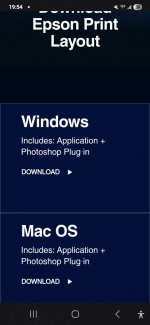
I'm just starting to set my printer up, but thought 'd start by downloading software I might need. It appears that Epson Print Layout is only for iPad and iPhone, which seems odd. Nothing about Mac or Windows. It seems to be so highly thought of but it looks like I'll be having to use LR/PS to drive it instead.
 
I'm just starting to set my printer up, but thought 'd start by downloading software I might need. It appears that Epson Print Layout is only for iPad and iPhone, which seems odd. Nothing about Mac or Windows. It seems to be so highly thought of but it looks like I'll be having to use LR/PS to drive it instead.
Try this link EPL. I have it running on my Macs.
 
@Stephen L I clicked that, which took me to the global site, then I selected UK, then I have to select a device, selected that etc but EPL isn't listed in any category of software. There are other things eg Epson Photo +
 
No, they've obviously removed it - I get a 404 error (page not found) for both the Mac and Windows download pages. Thanks for trying!
 
@Stephen L I clicked that, which took me to the global site, then I selected UK, then I have to select a device, selected that etc but EPL isn't listed in any category of software. There are other things eg Epson Photo +
Mysteriously, you’re right. When I wrote the post the link went straight to a specific EPL page. Now, as you say, it goes to a generic global page. Strange!
 
Glad I have found this page. We have bought one of these printers, it is on its way - just in time to qualify for the Epson £70 cashback!
 
Well, set our ET-8550 up and it is not printing. hmmm. Call to Epson tomorrow and if they can't shed any light then it goes back to Wex.
 
Ai chatbot on the Epson site seemed to have success. at a cost of about a 1/4 of my inks already.
 
Back
Top