

EOS 400D photos at unintentional angle - why?

Fellwalker

Suspended / Banned
Messages
6
Name
Jim
Edit My Images
No
I am trying to see if there is anything I can do without sending my camera off for an expensive repair.

The photos that I get from my camera are at an angle compared to the viewfinder. If I line up the AF point indicators with a horizontal line, then the picture taken is about a degree out as if rotated clockwise.
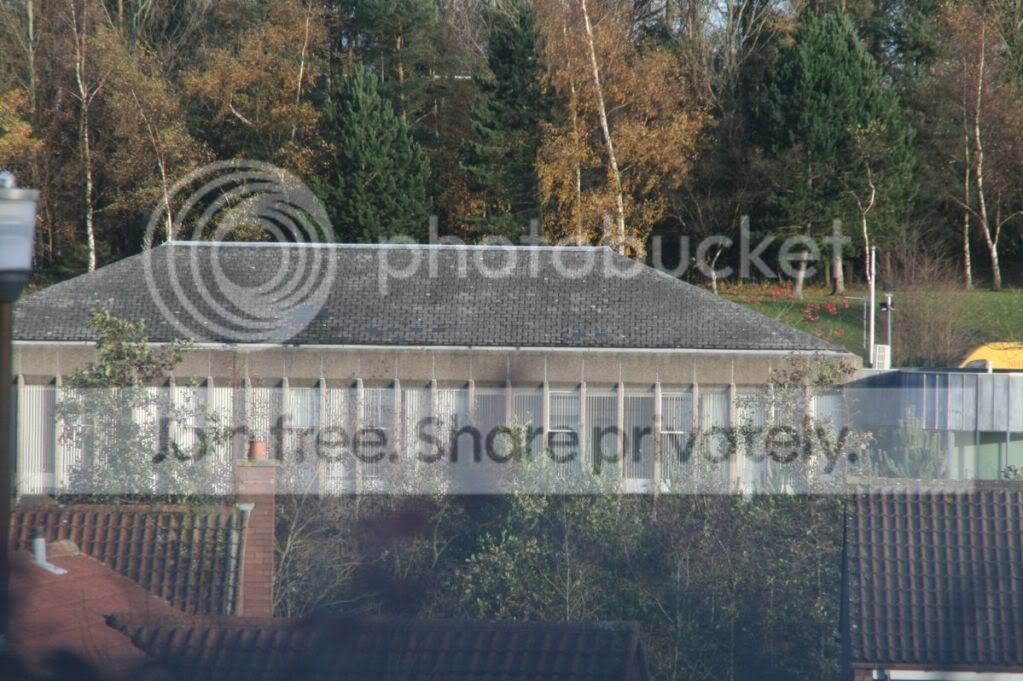
sloping1.jpg


If I place the camera on my desk, and using a set square ensure it is parallel to a test card, then the pictures come out with the horizontal as it should be.
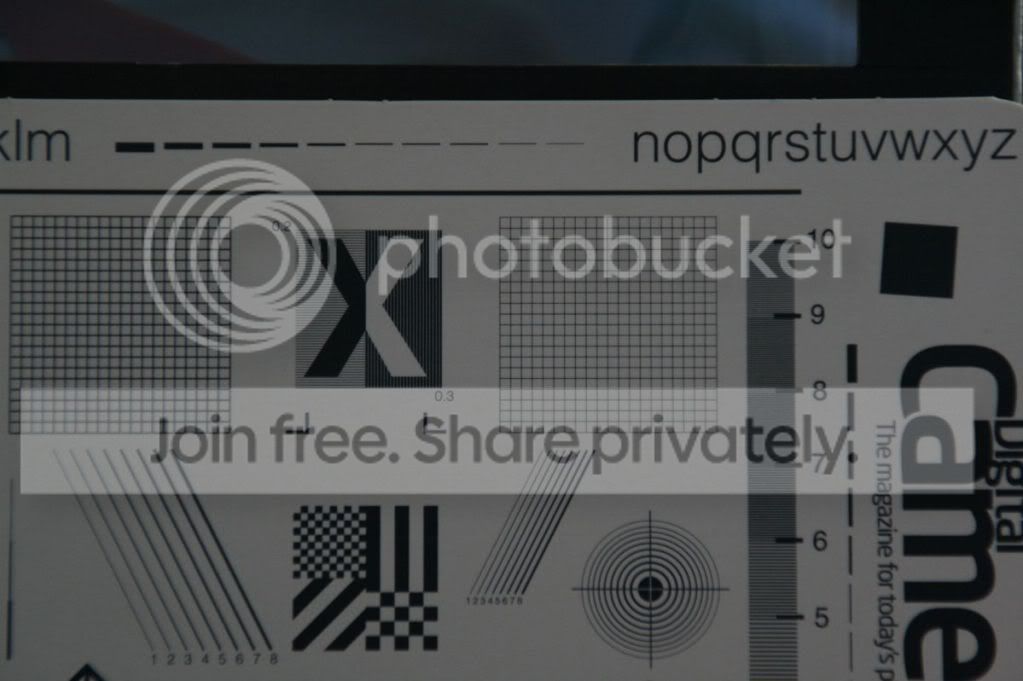
straightpicture.jpg

This makes me think that it is something to do with the focusing screen or the prism, and not the electronics. Therefore it might be fixable.

If I cannot fix it myself, does anyone have a recommendation for a repair shop?
 
TBH I've never used the focus points to level a shot - I just judge how it falls in the viewfinder. I don't even know if they're intended to be used that way. :shrug:

A cheap solution would be to buy a level that clips into the hot shoe.
 
How hard are you pressing the shutter release?

Over do it in excitement and it will knock you off by at least a degree or so.
 
I would imagne its when you press the shutter, you are pushing the camera down slightly. I have the same issue sometimes.
 
Doesn't look like a camera problem... ;)
 
take your left shoe off before you take a picture :lol:
 
tee hee. what a lot of funny answers.
the test shots that i have put up were taken with the tripod and a remote shutter release, so no left shoe or heavy finger issues.
The error is consistent, though I do agree that sometimes when out in the field a heavy finger can cause even more of a horizon shift than is evident from these pictures..
I am at a loss to understand how a level that clips into the hot shoe would help - i cannot see it while looking through the viewfinder, and it is only when doing that that i get the problem.

From all the responses, it does seem as if I am making a mistake by using the focus points as my guide.
 
I am at a loss to understand how a level that clips into the hot shoe would help - i cannot see it while looking through the viewfinder, and it is only when doing that that i get the problem.

From all the responses, it does seem as if I am making a mistake by using the focus points as my guide.

It would help by showing you whether or not the camera was actually level ;)
 
I am at a loss to understand how a level that clips into the hot shoe would help - i cannot see it while looking through the viewfinder, and it is only when doing that that i get the problem.

.

The bubble levels are not ideal for use as you have discovered - you can't see the bubble when the camera's to your eye. AND, they're not all accurate. The digital ones (well, the Seculine at least) are visible at the top of peripheral vision where you can easily see the colour of the LED. The level is also adjustable should your sensor be slightly misaligned or your hotshoe a bit wonky.

The best advice I can offer is for you to set the camera up as level as you can get it (using whatever devices you have) then to either use a cable (or cordless) release to set the shutter off or to use the self timer and press the release button very gently. Horizon straightening is easy in PP but gets to be a PITA when almost every shot needs a degree or 2 of anticlockwise rotation.
 
The bubble levels are not ideal for use as you have discovered - you can't see the bubble when the camera's to your eye. AND, they're not all accurate. The digital ones (well, the Seculine at least) are visible at the top of peripheral vision where you can easily see the colour of the LED. The level is also adjustable should your sensor be slightly misaligned or your hotshoe a bit wonky.

The best advice I can offer is for you to set the camera up as level as you can get it (using whatever devices you have) then to either use a cable (or cordless) release to set the shutter off or to use the self timer and press the release button very gently. Horizon straightening is easy in PP but gets to be a PITA when almost every shot needs a degree or 2 of anticlockwise rotation.

Thank you. A sensible comment. I have only just started shooting in RAW, so that should work, but even PP loses some of the quality when rotating JPEGs finely.
I probably just need shooting - I'm slightly red/green colour blind, so it might work, might not. From the look of the Seculine, the lights are in a row so I should be able to get away with it by noting the position of the lit up LED.
 
The other thing is, I am as sure as hell I would not be able to see 1 degree of rotation in the viewfinder of a crop sensor camera.
 
Back
Top