- Messages
- 7,018
- Name
- Keith
- Edit My Images
- Yes
Hi
been following a t'internet tutorial on making a frame and adding a matte effect.
Here: http://www.scottkelby.com/blog/2010/archives/12235
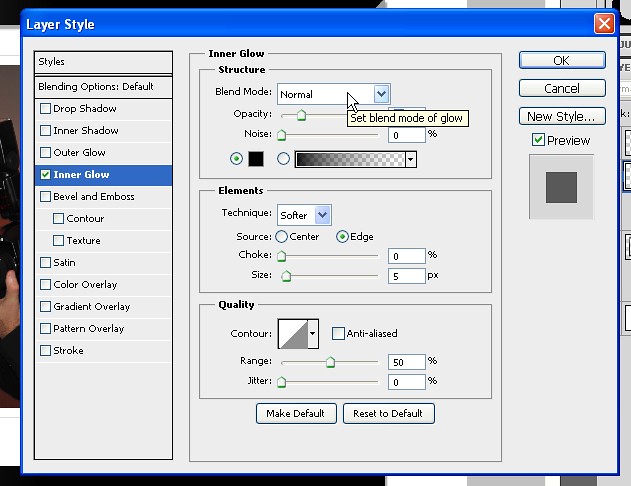
The matte bit is basically create a large white square on a layer, slightly larger than the image, which is on the layer above. You then apply an inner glow layer style to the white layer and set the colour to black.
However when I do this nothing happens. :bang: I can change the colour, size and opacity values and nothing ever appears. If I try outer glow that works ok on the same layer, colours change and size as expected.
But I do not want outer glow. :bang:
Anyone help?
Thanks
been following a t'internet tutorial on making a frame and adding a matte effect.
Here: http://www.scottkelby.com/blog/2010/archives/12235
The matte bit is basically create a large white square on a layer, slightly larger than the image, which is on the layer above. You then apply an inner glow layer style to the white layer and set the colour to black.
However when I do this nothing happens. :bang: I can change the colour, size and opacity values and nothing ever appears. If I try outer glow that works ok on the same layer, colours change and size as expected.
But I do not want outer glow. :bang:
Anyone help?
Thanks